Map library · British Columbia

British Columbia gold map layers

Every layer for British Columbia, with a picture, what it is for, its limits, its source and the plan that opens it. Start with the free ones.

37 layers for gold prospecting in British Columbia, in 14 categories. 2 are free on every plan: MINFILE - Gold Occurrences and Current Mining Claims. 34 more open with Explorer. 1 needs Pro.

Layers marked Next update arrive in the next app update.

37 layers14 categoriesFree 2Explorer 34Pro 1

On iPhone? Get it on the App StoreOn Android? Get it on Google Play

Free to download on iPhone and Android.

7-day free trial on yearly plans · Nothing charged until it ends · Cancel anytime.

Scan with your phone camera to get the app
Open the web map

On your phone: App Store · Google Play

7-day free trial on yearly plans · Nothing charged until it ends · Cancel anytime.

4.7 / 5 from 2,400+ ratings on the App Store and Google Play · 10,000+ prospectors and detectorists
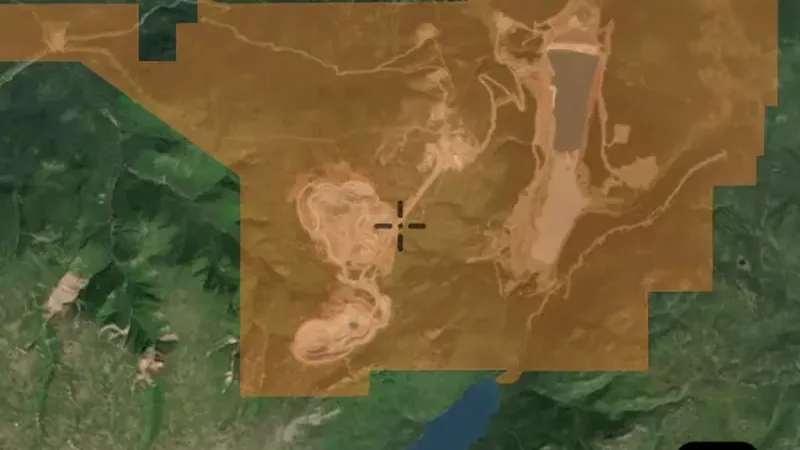
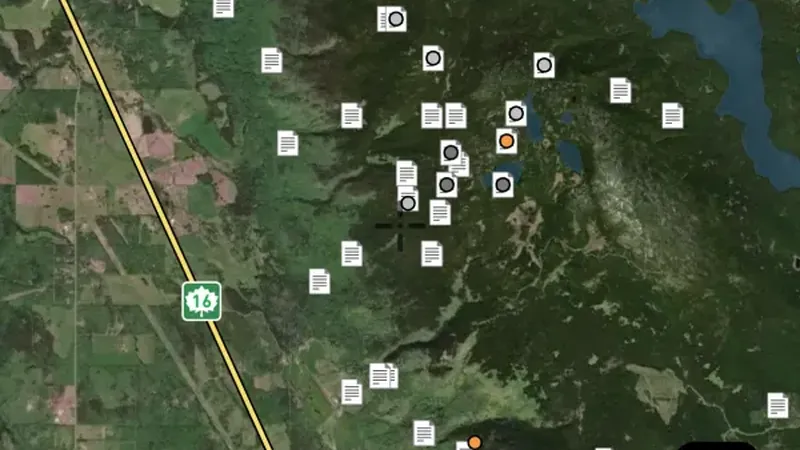
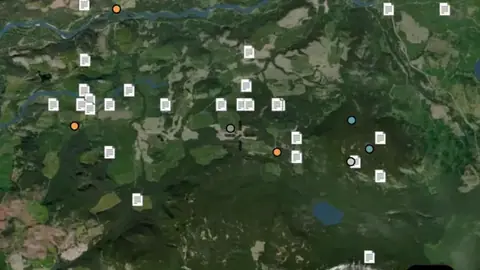
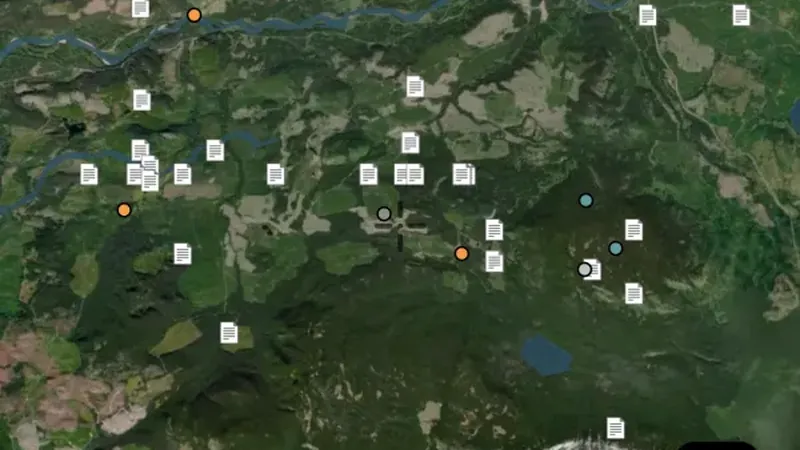
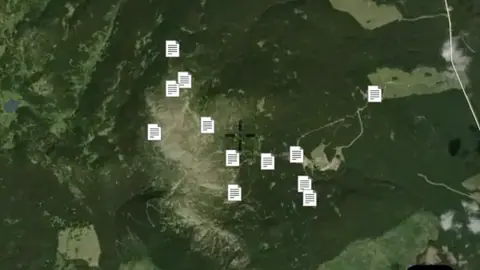
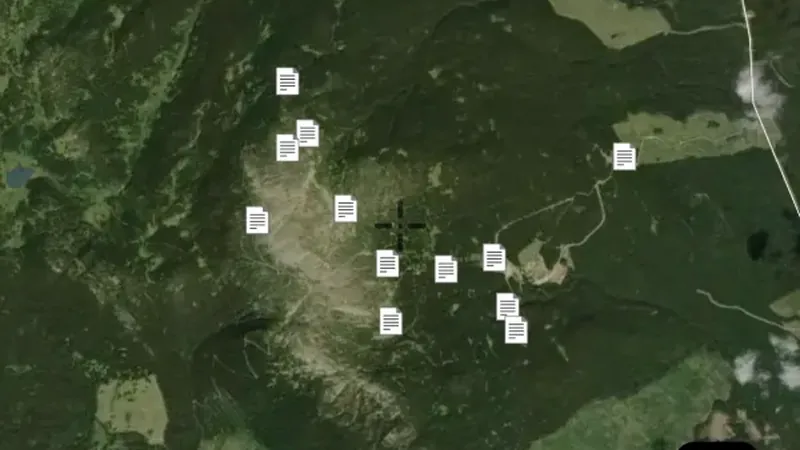
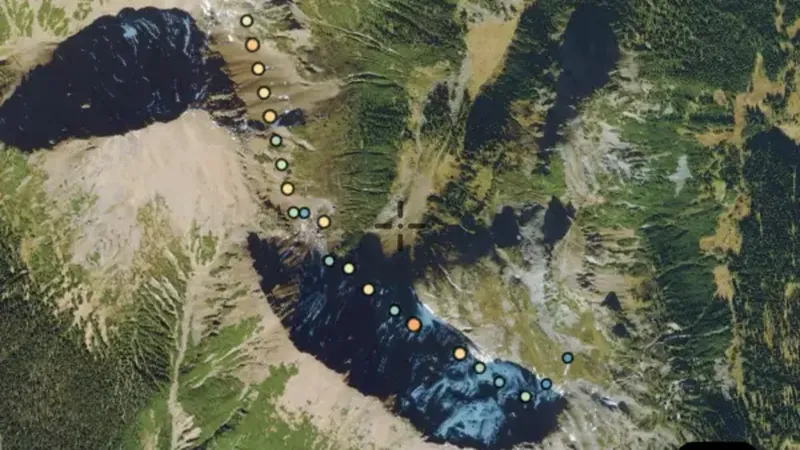
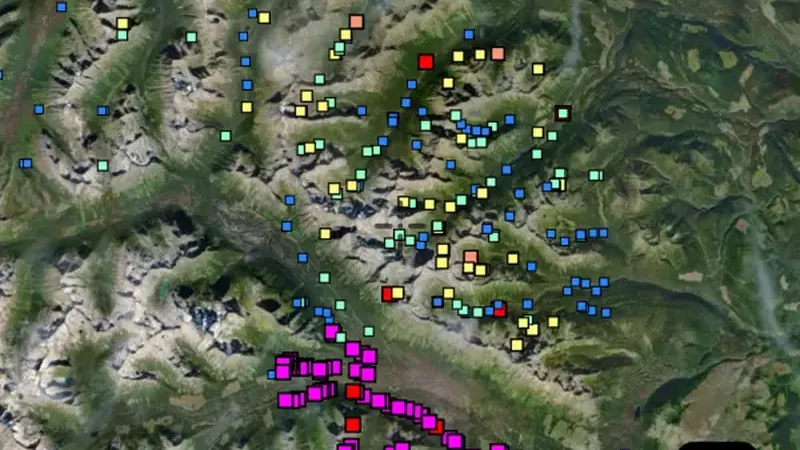
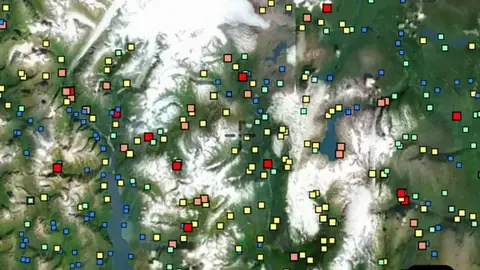
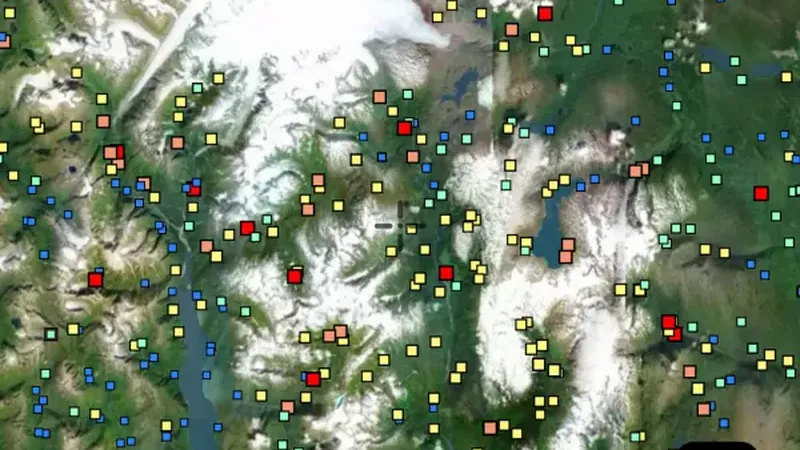
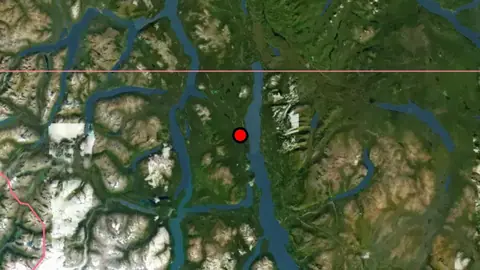
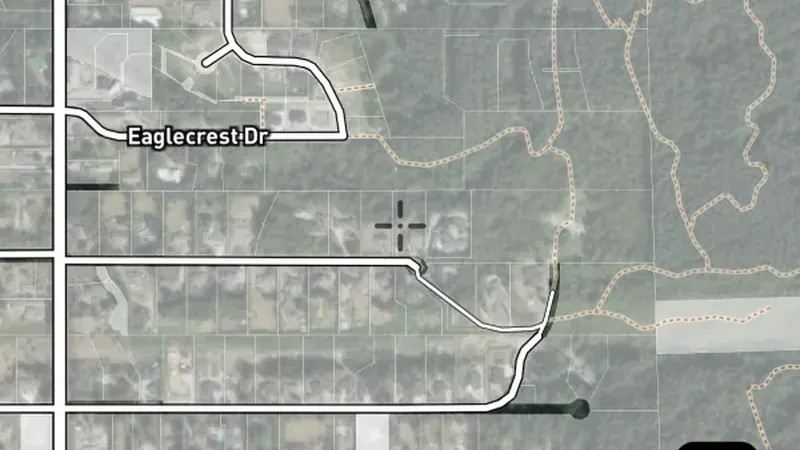
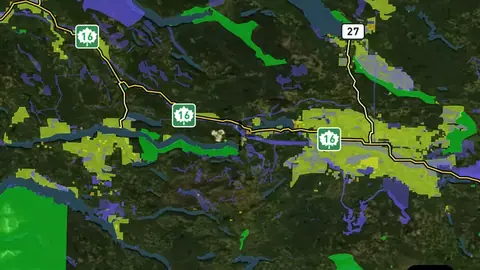
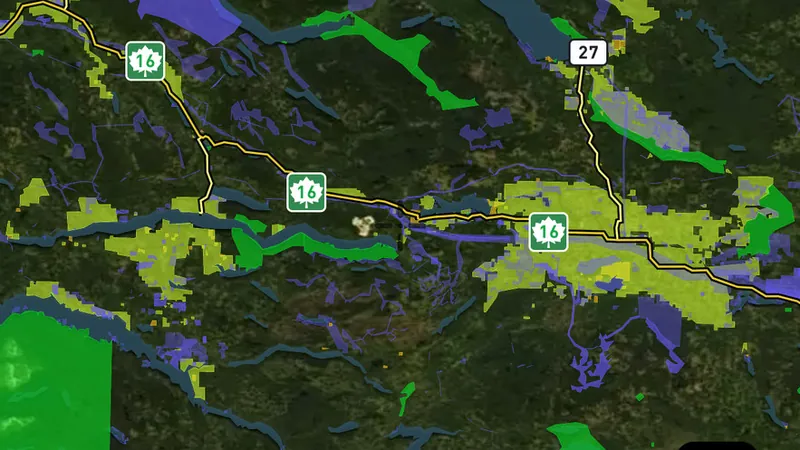
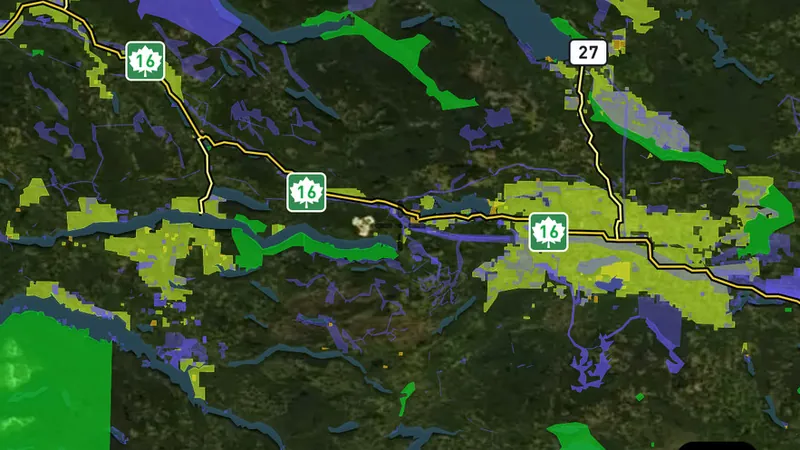
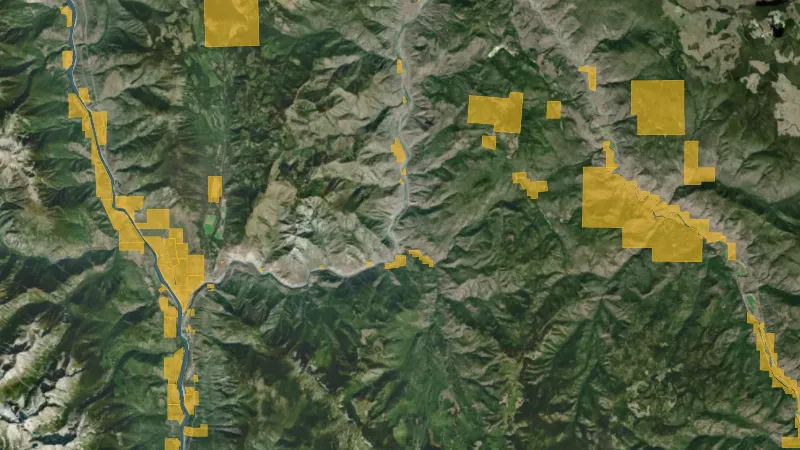
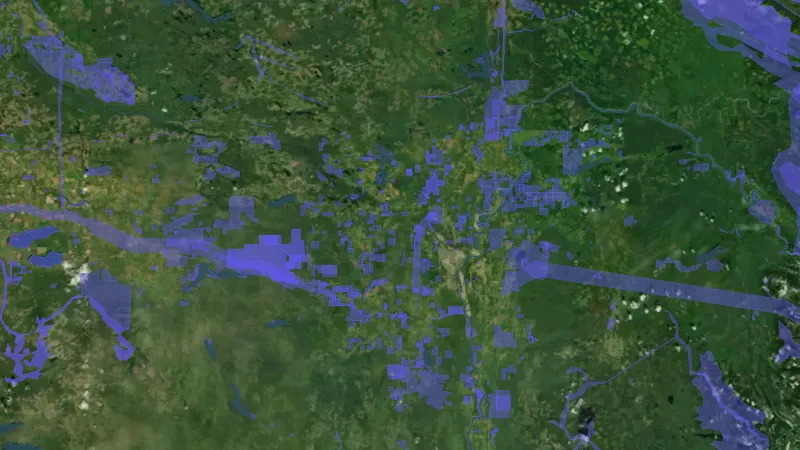
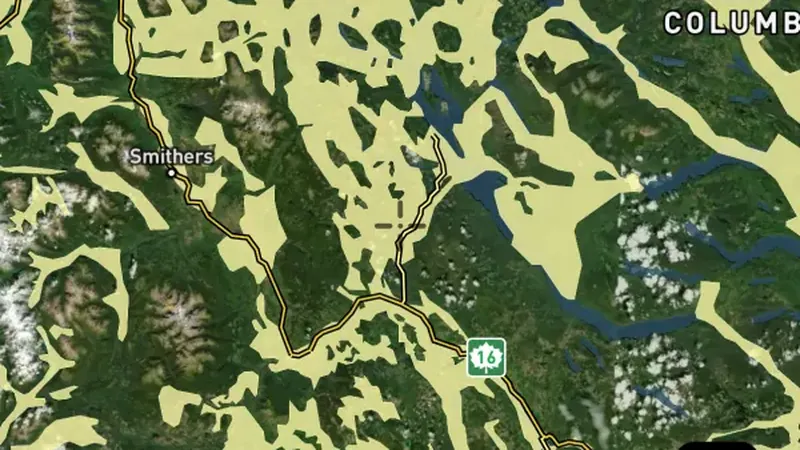
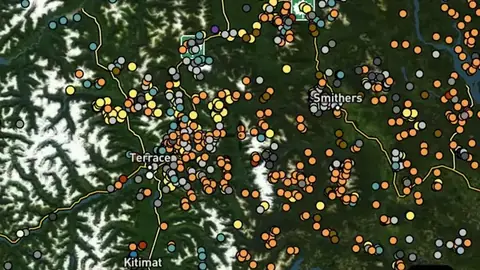
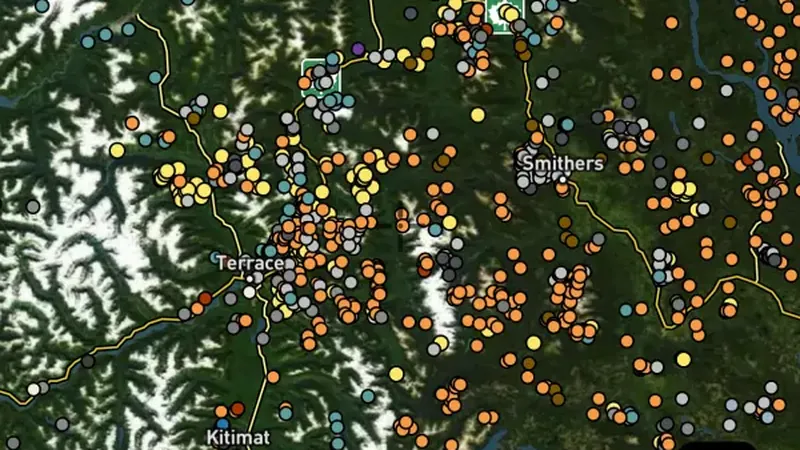
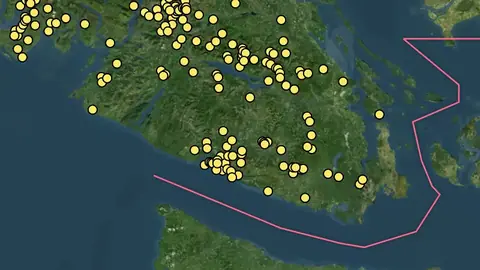
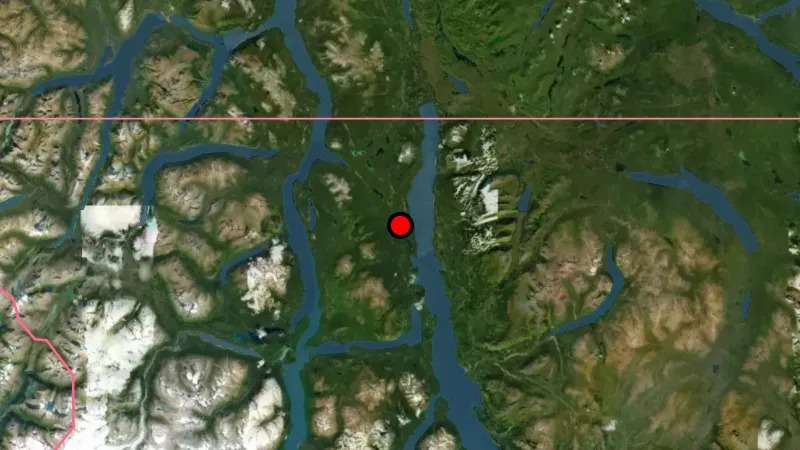
MINFILE - Gold Occurrences in British Columbia, drawn over satellite imagery© Mapbox, © Maxar

Satellite imagery © Mapbox, © Maxar. Layer data from the sources named on each card.

Satellite imagery © Mapbox, © Maxar. Layer data from the sources named on each card.

Mineral Occurrences

1
  • MINFILE - Gold Occurrences in British Columbia, drawn over satellite imagery© Mapbox, © Maxar
    Mineral OccurrencesFree

    MINFILE - Gold Occurrences

    Recorded gold finds and gold-bearing sites show where gold has been reported before.

    Read the write-up
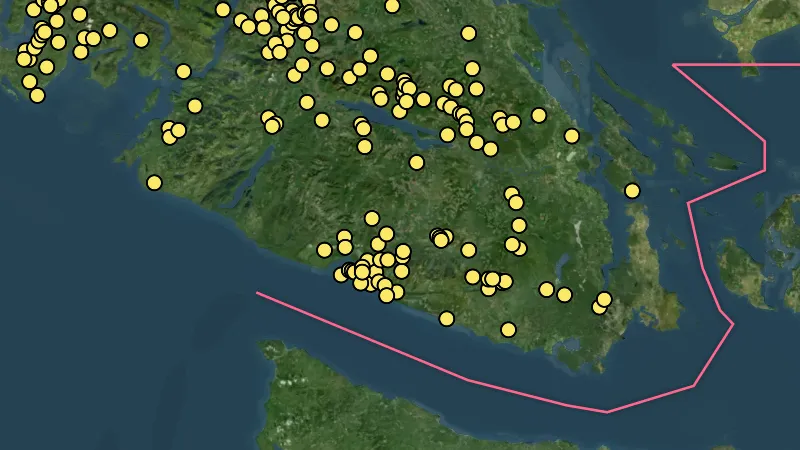
    MINFILE - Gold Occurrences in British Columbia, drawn over satellite imagery© Mapbox, © Maxar

    The layer drawn over satellite imagery. Satellite imagery © Mapbox, © Maxar.

    Free. Opens on every plan, including Free.

    Open in the app

    About this layer

    Recorded gold finds and gold-bearing sites show where gold has been reported before. Compare nearby records with creeks, slopes and rock types to choose an area to research. A past find does not tell you how much gold remains.

    What it is for

    Compare nearby records with geology and terrain. Open available map details to see what was recorded at a location.

    Limits

    A record is a starting point for research. It does not show how much material remains, or whether you can access the land.

    Source

    Data provided by the Province of British Columbia (DataBC) and the Geological Survey of Canada, licensed under the Open Government Licence, British Columbia

    MINFILE © Province of BC (BC Geological Survey). Access Only, used with permission.

    Legend

    Mineral Occurrences
    • Gold Occurrence
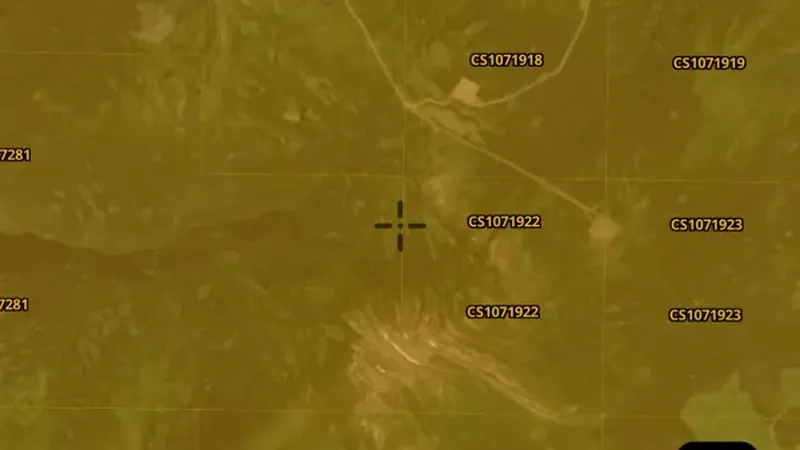
Mineral Tenure

4
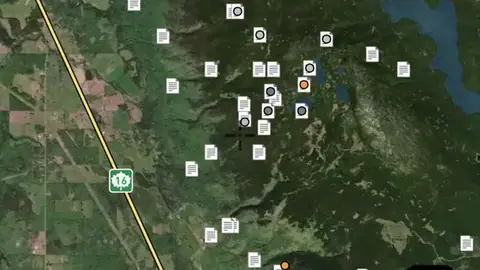
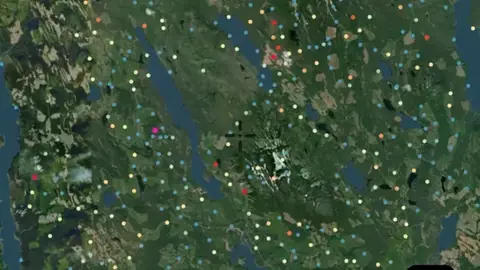
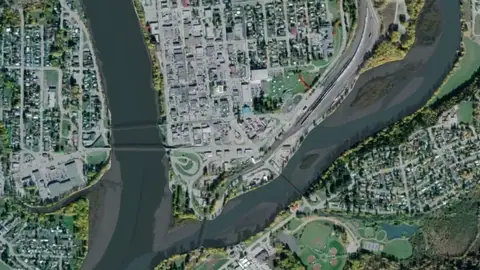
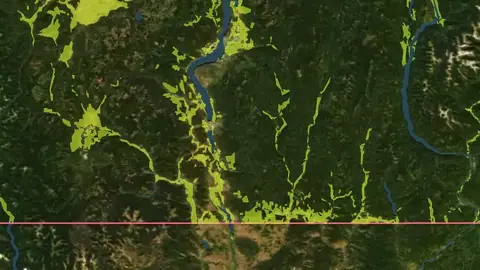
  • Current Mining Claims in the Detector Maps app, British Columbia© Mapbox, © Maxar
    Mineral TenureFree

    Current Mining Claims

    Current mineral tenure shows mapped mining rights, licences or permits.

    Read the write-up
    Current Mining Claims in the Detector Maps app, British Columbia© Mapbox, © Maxar

    A screen from the Detector Maps app. Satellite imagery © Mapbox, © Maxar.

    Free. Opens on every plan, including Free.

    Open in the app

    About this layer

    Current mineral tenure shows mapped mining rights, licences or permits. Check the record type and status together with land-access information. A mineral boundary does not by itself establish who may enter or prospect.

    What it is for

    Check the legend, status and available record details. Confirm the current record and relevant access arrangements before visiting.

    Limits

    Applications and granted rights are different. A mapped boundary alone does not tell you whether detecting is permitted.

    Source

    Data provided by the Province of British Columbia (DataBC) and the Geological Survey of Canada, licensed under the Open Government Licence, British Columbia

    Legend

    Mineral Tenure
    • Mining Lease
    • Mineral Claim
    • Placer Claim / Lease
    • Coal
    • Title Submission
    • Major Mine
    • Notice of Works

    Filters in the app

    Expiry filter
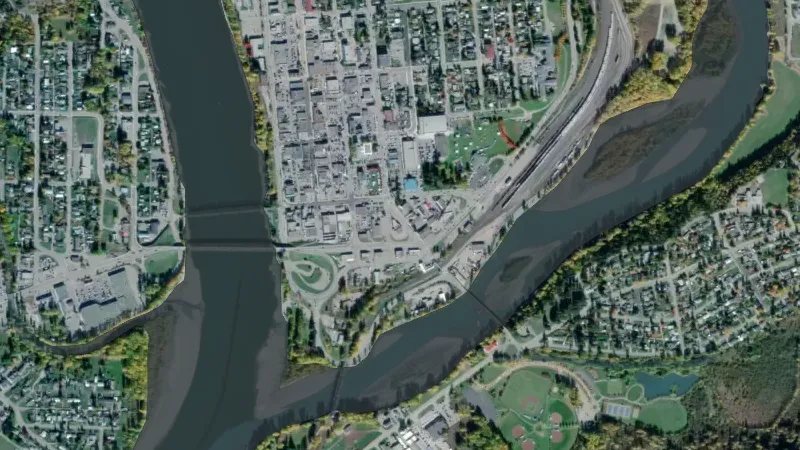
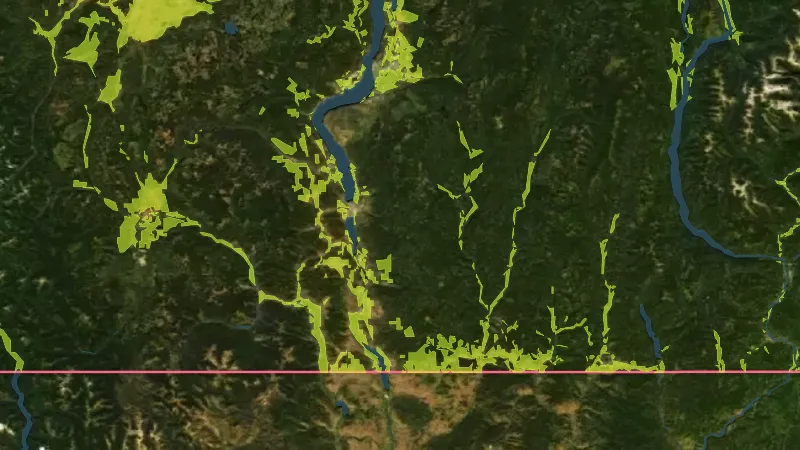
  • Title Submissions in the Detector Maps app, British Columbia© Mapbox, © Maxar
    Mineral TenureExplorer

    Title Submissions

    Applications show proposed mineral rights that are still recorded as applications.

    Read the write-up
    Title Submissions in the Detector Maps app, British Columbia© Mapbox, © Maxar

    A screen from the Detector Maps app. Satellite imagery © Mapbox, © Maxar.

    Explorer. Opens with Explorer or Pro. On the Free plan it works inside your one free area of 250 km².

    Open in the app

    About this layer

    Applications show proposed mineral rights that are still recorded as applications. They are different from granted rights. Check for overlapping current tenure and confirm the latest status before making an access decision.

    What it is for

    Check the legend, status and available record details. Confirm the current record and relevant access arrangements before visiting.

    Limits

    Applications and granted rights are different. A mapped boundary alone does not tell you whether detecting is permitted.

    Source

    Data provided by the Province of British Columbia (DataBC) and the Geological Survey of Canada, licensed under the Open Government Licence, British Columbia

    Legend

    Mineral Tenure
    • Mining Lease
    • Mineral Claim
    • Placer Claim / Lease
    • Coal
    • Title Submission
    • Major Mine
    • Notice of Works
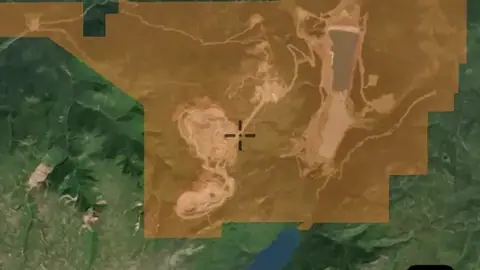
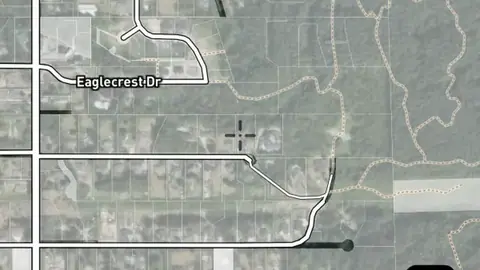
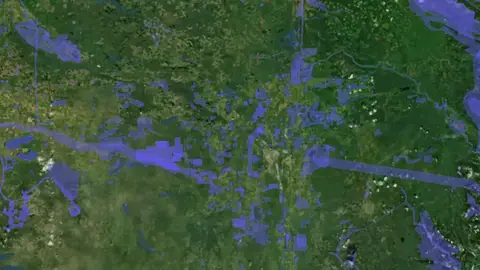
  • Major Mines in the Detector Maps app, British Columbia© Mapbox, © Maxar
    Mineral TenureExplorer

    Major Mines

    Mine records show locations associated with mining.

    Read the write-up
    Major Mines in the Detector Maps app, British Columbia© Mapbox, © Maxar

    A screen from the Detector Maps app. Satellite imagery © Mapbox, © Maxar.

    Explorer. Opens with Explorer or Pro. On the Free plan it works inside your one free area of 250 km².

    Open in the app

    About this layer

    Mine records show locations associated with mining. They can help you understand what people worked and how activity followed the local geology. Research the surrounding area without entering shafts, tunnels or unstable workings.

    What it is for

    Use these records to research the history of an area and compare workings with the surrounding geology.

    Limits

    A mapped working is not a safe place to enter. Locations, conditions and access may differ from the record.

    Source

    Data provided by the Province of British Columbia (DataBC) and the Geological Survey of Canada, licensed under the Open Government Licence, British Columbia

    Legend

    Mineral Tenure
    • Mining Lease
    • Mineral Claim
    • Placer Claim / Lease
    • Coal
    • Title Submission
    • Major Mine
    • Notice of Works
  • Notice of Works in the Detector Maps app, British Columbia© Mapbox, © Maxar
    Mineral TenureExplorer

    Notice of Works

    Notice of Works records identify proposed exploration or mining-related work in British Columbia.

    Read the write-up
    Notice of Works in the Detector Maps app, British Columbia© Mapbox, © Maxar

    A screen from the Detector Maps app. Satellite imagery © Mapbox, © Maxar.

    Explorer. Opens with Explorer or Pro. On the Free plan it works inside your one free area of 250 km².

    Open in the app

    About this layer

    Notice of Works records identify proposed exploration or mining-related work in British Columbia. They help you understand recorded activity around an area. The point or boundary is not a grant of access or evidence that all proposed work has happened.

    What it is for

    Check the legend, status and available record details. Confirm the current record and relevant access arrangements before visiting.

    Limits

    Applications and granted rights are different. A mapped boundary alone does not tell you whether detecting is permitted.

    Source

    Data provided by the Province of British Columbia (DataBC) and the Geological Survey of Canada, licensed under the Open Government Licence, British Columbia

    Legend

    Mineral Tenure
    • Mining Lease
    • Mineral Claim
    • Placer Claim / Lease
    • Coal
    • Title Submission
    • Major Mine
    • Notice of Works

Reports

3
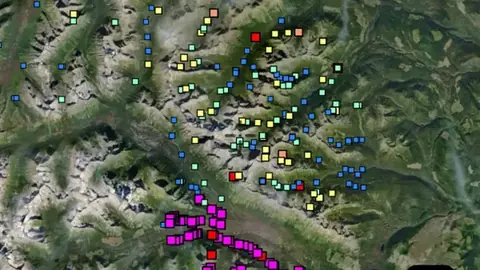
  • ARIS Reports in the Detector Maps app, British Columbia© Mapbox, © Maxar
    ReportsExplorer

    ARIS Reports

    ARIS records point to mineral assessment reports submitted for work in British Columbia.

    Read the write-up
    ARIS Reports in the Detector Maps app, British Columbia© Mapbox, © Maxar

    A screen from the Detector Maps app. Satellite imagery © Mapbox, © Maxar.

    Explorer. Opens with Explorer or Pro. On the Free plan it works inside your one free area of 250 km².

    Open in the app

    About this layer

    ARIS records point to mineral assessment reports submitted for work in British Columbia. They can contain survey maps, sampling and exploration results. Read the report details to see what was actually investigated and when.

    What it is for

    Open available records and review their maps, observations and sample information alongside the current map.

    Limits

    The mapped location or extent is an index to a report. Findings may apply only to part of that area and reflect the time of the investigation.

    Source

    Data provided by the Province of British Columbia (DataBC) and the Geological Survey of Canada, licensed under the Open Government Licence, British Columbia

    Legend

    Reports
    • ARIS Reports
    • Property File Reports
    • Prospector Reports
  • Property File Reports in the Detector Maps app, British Columbia© Mapbox, © Maxar
    ReportsExplorer

    Property File Reports

    Property File records point to archived documents about mineral properties or exploration.

    Read the write-up
    Property File Reports in the Detector Maps app, British Columbia© Mapbox, © Maxar

    A screen from the Detector Maps app. Satellite imagery © Mapbox, © Maxar.

    Explorer. Opens with Explorer or Pro. On the Free plan it works inside your one free area of 250 km².

    Open in the app

    About this layer

    Property File records point to archived documents about mineral properties or exploration. They can add background that is missing from a single map point. Check the document date and scope before using its findings.

    What it is for

    Open available records and review their maps, observations and sample information alongside the current map.

    Limits

    The mapped location or extent is an index to a report. Findings may apply only to part of that area and reflect the time of the investigation.

    Source

    Data provided by the Province of British Columbia (DataBC) and the Geological Survey of Canada, licensed under the Open Government Licence, British Columbia

    Legend

    Reports
    • ARIS Reports
    • Property File Reports
    • Prospector Reports
  • Prospector Reports in the Detector Maps app, British Columbia© Mapbox, © Maxar
    ReportsExplorer

    Prospector Reports

    Prospector reports record earlier observations and investigation of mineral ground.

    Read the write-up
    Prospector Reports in the Detector Maps app, British Columbia© Mapbox, © Maxar

    A screen from the Detector Maps app. Satellite imagery © Mapbox, © Maxar.

    Explorer. Opens with Explorer or Pro. On the Free plan it works inside your one free area of 250 km².

    Open in the app

    About this layer

    Prospector reports record earlier observations and investigation of mineral ground. Use them to learn what was noticed, sampled or visited. A report describes work at a particular time and may use approximate locations.

    What it is for

    Open available records and review their maps, observations and sample information alongside the current map.

    Limits

    The mapped location or extent is an index to a report. Findings may apply only to part of that area and reflect the time of the investigation.

    Source

    Data provided by the Province of British Columbia (DataBC) and the Geological Survey of Canada, licensed under the Open Government Licence, British Columbia

    Legend

    Reports
    • ARIS Reports
    • Property File Reports
    • Prospector Reports

Geochemistry

7
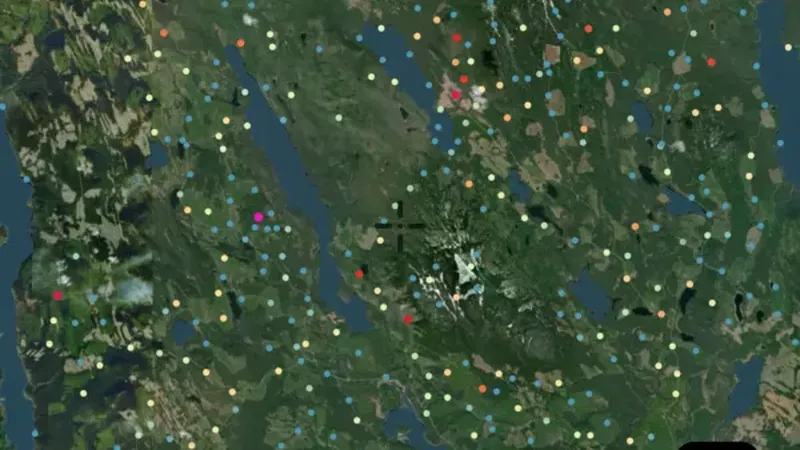
  • Soil Geochemistry in the Detector Maps app, British Columbia© Mapbox, © Maxar
    GeochemistryExplorer

    Soil Geochemistry

    Soil samples show what a laboratory measured in soil collected near the surface.

    Read the write-up
    Soil Geochemistry in the Detector Maps app, British Columbia© Mapbox, © Maxar

    A screen from the Detector Maps app. Satellite imagery © Mapbox, © Maxar.

    Explorer. Opens with Explorer or Pro. On the Free plan it works inside your one free area of 250 km².

    Open in the app

    About this layer

    Soil samples show what a laboratory measured in soil collected near the surface. Look for clusters of higher readings and compare them with nearby slopes, creeks and rock types. A high reading is a clue in a soil sample, not a detected nugget.

    What it is for

    Use the legend to compare readings from similar samples. Look for clusters and compare them with slopes, drainage and geology.

    Limits

    Soil can move downslope or be transported. A reading describes the collected sample, not the amount of gold beneath the point.

    Source

    Data provided by the Province of British Columbia (DataBC) and the Geological Survey of Canada, licensed under the Open Government Licence, British Columbia

    Legend

    Gold Value · PPB
    • Low Gold < 6
    • 6
    • 10
    • Medium Gold 50
    • 100
    • High Gold > 900

    Filters in the app

    Soil sample filters
  • Talus Geochemistry in the Detector Maps app, British Columbia© Mapbox, © Maxar
    GeochemistryExplorer

    Talus Geochemistry

    Talus is loose rock that has fallen or moved down a slope.

    Read the write-up
    Talus Geochemistry in the Detector Maps app, British Columbia© Mapbox, © Maxar

    A screen from the Detector Maps app. Satellite imagery © Mapbox, © Maxar.

    Explorer. Opens with Explorer or Pro. On the Free plan it works inside your one free area of 250 km².

    Open in the app

    About this layer

    Talus is loose rock that has fallen or moved down a slope. Its laboratory results can help you research the rocks upslope. A high reading describes the sampled debris, not a confirmed deposit directly beneath the marker.

    What it is for

    Check the sample type, element and units in the legend before comparing readings. Look for patterns across nearby samples.

    Limits

    Sampling methods, depth and laboratory detection limits can differ. A high reading alone does not show a detectable nugget.

    Source

    Data provided by the Province of British Columbia (DataBC) and the Geological Survey of Canada, licensed under the Open Government Licence, British Columbia

    Legend

    Gold Value · PPB
    • Low Gold < 6
    • 6
    • 10
    • Medium Gold 50
    • 100
    • High Gold > 900

    Filters in the app

    Soil sample filters
  • Till Geochemistry (ARSSG) in the Detector Maps app, British Columbia© Mapbox, © Maxar
    GeochemistryExplorer

    Till Geochemistry (ARSSG)

    Till is a mixture of sediment and rock left behind by glaciers.

    Read the write-up
    Till Geochemistry (ARSSG) in the Detector Maps app, British Columbia© Mapbox, © Maxar

    A screen from the Detector Maps app. Satellite imagery © Mapbox, © Maxar.

    Explorer. Opens with Explorer or Pro. On the Free plan it works inside your one free area of 250 km².

    Open in the app

    About this layer

    Till is a mixture of sediment and rock left behind by glaciers. Testing it can reveal traces of minerals carried from elsewhere. Compare results with ice-flow information where available, because the source may lie away from the sample point.

    What it is for

    Check the sample type, element and units in the legend before comparing readings. Look for patterns across nearby samples.

    Limits

    Sampling methods, depth and laboratory detection limits can differ. A high reading alone does not show a detectable nugget.

    Source

    Data provided by the Province of British Columbia (DataBC) and the Geological Survey of Canada, licensed under the Open Government Licence, British Columbia

    Legend

    Gold Value · PPB
    • Low Gold < 6
    • 6
    • 10
    • Medium Gold 50
    • 100
    • High Gold > 900

    Filters in the app

    Soil sample filters
  • Stream Geochemistry in the Detector Maps app, British Columbia© Mapbox, © Maxar
    GeochemistryExplorer

    Stream Geochemistry

    Stream sediment samples test material collected from creek or river beds.

    Read the write-up
    Stream Geochemistry in the Detector Maps app, British Columbia© Mapbox, © Maxar

    A screen from the Detector Maps app. Satellite imagery © Mapbox, © Maxar.

    Explorer. Opens with Explorer or Pro. On the Free plan it works inside your one free area of 250 km².

    Open in the app

    About this layer

    Stream sediment samples test material collected from creek or river beds. A higher reading can be a clue to mineral-bearing ground somewhere upstream. Compare nearby samples and the upstream drainage; the sample point is not necessarily the source.

    What it is for

    Compare readings along the drainage and with the geology upstream. Check the legend for the element and units.

    Limits

    Sediment can travel and mix with material from different sources. A sample point is not a precise source location.

    Source

    Data provided by the Province of British Columbia (DataBC) and the Geological Survey of Canada, licensed under the Open Government Licence, British Columbia

    Legend

    Gold Value · PPB
    • Low Gold < 6
    • 6
    • 10
    • Medium Gold 50
    • 100
    • High Gold > 900

    Filters in the app

    Soil sample filters
  • Till Geochemistry in the Detector Maps app, British Columbia© Mapbox, © Maxar
    GeochemistryExplorer

    Till Geochemistry

    Till is a mixture of sediment and rock left behind by glaciers.

    Read the write-up
    Till Geochemistry in the Detector Maps app, British Columbia© Mapbox, © Maxar

    A screen from the Detector Maps app. Satellite imagery © Mapbox, © Maxar.

    Explorer. Opens with Explorer or Pro. On the Free plan it works inside your one free area of 250 km².

    Open in the app

    About this layer

    Till is a mixture of sediment and rock left behind by glaciers. Testing it can reveal traces of minerals carried from elsewhere. Compare results with ice-flow information where available, because the source may lie away from the sample point.

    What it is for

    Check the sample type, element and units in the legend before comparing readings. Look for patterns across nearby samples.

    Limits

    Sampling methods, depth and laboratory detection limits can differ. A high reading alone does not show a detectable nugget.

    Source

    Data provided by the Province of British Columbia (DataBC) and the Geological Survey of Canada, licensed under the Open Government Licence, British Columbia

    Legend

    Gold Value · PPB
    • Low Gold < 6
    • 6
    • 10
    • Medium Gold 50
    • 100
    • High Gold > 900

    Filters in the app

    Soil sample filters
  • Rock Geochemistry in the Detector Maps app, British Columbia© Mapbox, © Maxar
    GeochemistryExplorer

    Rock Geochemistry

    Rock samples show laboratory results from pieces of rock collected for testing.

    Read the write-up
    Rock Geochemistry in the Detector Maps app, British Columbia© Mapbox, © Maxar

    A screen from the Detector Maps app. Satellite imagery © Mapbox, © Maxar.

    Explorer. Opens with Explorer or Pro. On the Free plan it works inside your one free area of 250 km².

    Open in the app

    About this layer

    Rock samples show laboratory results from pieces of rock collected for testing. Compare neighbouring samples to see whether an interesting result follows a rock unit or a vein. One rich sample may not represent the surrounding ground.

    What it is for

    Compare nearby samples and the mapped rock units. Open the record, where available, to check the sample description.

    Limits

    A selected rock sample may not represent the surrounding ground. Check units before comparing it with soil or stream readings.

    Source

    Data provided by the Province of British Columbia (DataBC) and the Geological Survey of Canada, licensed under the Open Government Licence, British Columbia

    Legend

    Gold Value · PPM
    • Low Gold < 0.02
    • 0.02
    • 0.1
    • Medium Gold 0.25
    • 0.5
    • 1
    • High Gold > 10

    Filters in the app

    Soil sample filters
  • Regional Stream Sediments in the Detector Maps app, British Columbia© Mapbox, © Maxar
    GeochemistryExplorer

    Regional Stream Sediments

    Regional stream surveys test sediment across a wider drainage network.

    Read the write-up
    Regional Stream Sediments in the Detector Maps app, British Columbia© Mapbox, © Maxar

    A screen from the Detector Maps app. Satellite imagery © Mapbox, © Maxar.

    Explorer. Opens with Explorer or Pro. On the Free plan it works inside your one free area of 250 km².

    Open in the app

    About this layer

    Regional stream surveys test sediment across a wider drainage network. Compare higher readings with the catchments upstream, then look for more detailed local samples. A large gap between records does not mean that the ground between them is barren.

    What it is for

    Compare readings along the drainage and with the geology upstream. Check the legend for the element and units.

    Limits

    Sediment can travel and mix with material from different sources. A sample point is not a precise source location.

    Source

    Data provided by the Province of British Columbia (DataBC) and the Geological Survey of Canada, licensed under the Open Government Licence, British Columbia

    Legend

    Gold Value · PPB
    • Low Gold < 6
    • 6
    • 10
    • Medium Gold 50
    • 100
    • High Gold > 900

    Filters in the app

    Soil sample filters

Forest & Resource Roads

2
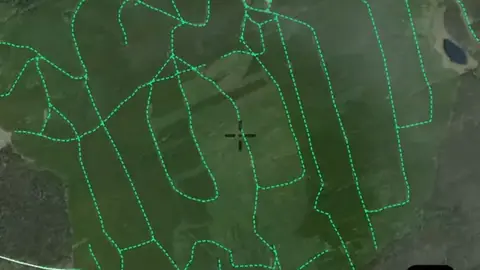
  • FTEN Road Sections in the Detector Maps app, British Columbia© Mapbox, © Maxar
    Forest & Resource RoadsExplorer

    FTEN Road Sections

    Forest and resource roads show routes associated with forestry and other land uses.

    Read the write-up
    FTEN Road Sections in the Detector Maps app, British Columbia© Mapbox, © Maxar

    A screen from the Detector Maps app. Satellite imagery © Mapbox, © Maxar.

    Explorer. Opens with Explorer or Pro. On the Free plan it works inside your one free area of 250 km².

    Open in the app

    About this layer

    Forest and resource roads show routes associated with forestry and other land uses. They can help you plan access into less-developed country. Active operations, closures and road condition can affect whether a route is usable.

    What it is for

    Compare routes with the terrain and land boundaries when planning how to reach an area.

    Limits

    A line on the map does not guarantee a public, open or passable route. Conditions and access can change.

    Source

    Data provided by the Province of British Columbia (DataBC) and the Geological Survey of Canada, licensed under the Open Government Licence, British Columbia

    Legend

    Forest & Resource Roads
    • FTEN Road Sections
    • Digital Road Atlas
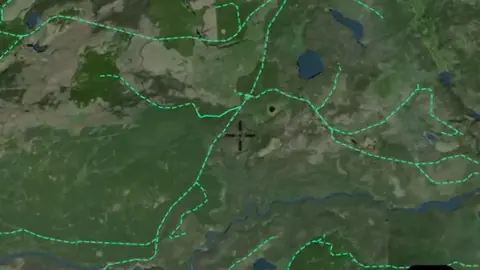
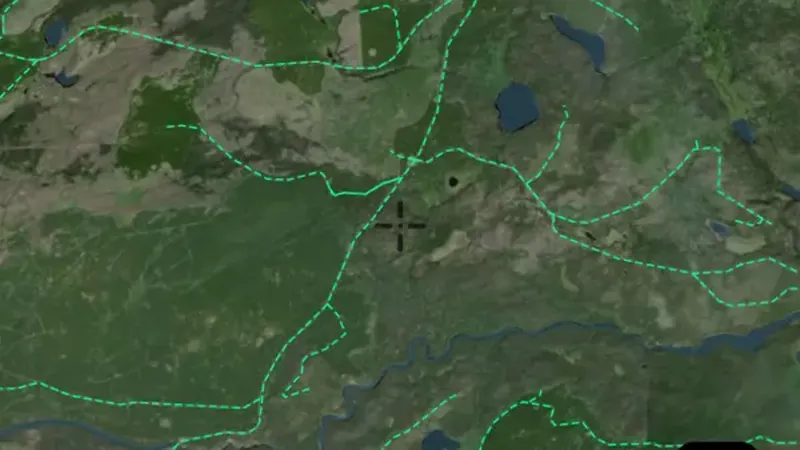
  • Digital Road Atlas in the Detector Maps app, British Columbia© Mapbox, © Maxar
    Forest & Resource RoadsExplorer

    Digital Road Atlas

    Forest and resource roads show routes associated with forestry and other land uses.

    Read the write-up
    Digital Road Atlas in the Detector Maps app, British Columbia© Mapbox, © Maxar

    A screen from the Detector Maps app. Satellite imagery © Mapbox, © Maxar.

    Explorer. Opens with Explorer or Pro. On the Free plan it works inside your one free area of 250 km².

    Open in the app

    About this layer

    Forest and resource roads show routes associated with forestry and other land uses. They can help you plan access into less-developed country. Active operations, closures and road condition can affect whether a route is usable.

    What it is for

    Compare routes with the terrain and land boundaries when planning how to reach an area.

    Limits

    A line on the map does not guarantee a public, open or passable route. Conditions and access can change.

    Source

    Data provided by the Province of British Columbia (DataBC) and the Geological Survey of Canada, licensed under the Open Government Licence, British Columbia

    Legend

    Forest & Resource Roads
    • FTEN Road Sections
    • Digital Road Atlas

Water & Hydrology

1
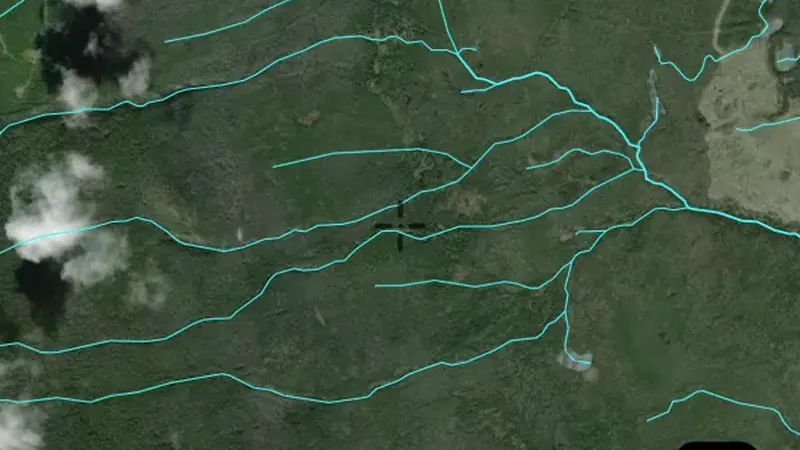
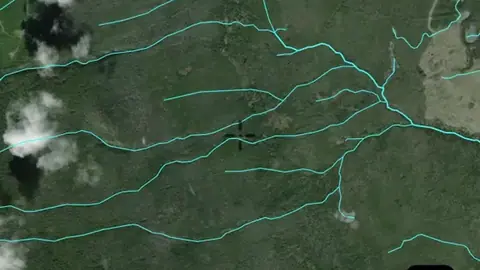
  • Watercourses in the Detector Maps app, British Columbia© Mapbox, © Maxar
    Water & HydrologyExplorer

    Watercourses

    Waterways show the mapped routes of rivers, creeks and drainage lines.

    Read the write-up
    Watercourses in the Detector Maps app, British Columbia© Mapbox, © Maxar

    A screen from the Detector Maps app. Satellite imagery © Mapbox, © Maxar.

    Explorer. Opens with Explorer or Pro. On the Free plan it works inside your one free area of 250 km².

    Open in the app

    About this layer

    Waterways show the mapped routes of rivers, creeks and drainage lines. Follow their connections and compare them with terrain when researching how sediment moves. A mapped waterway may be dry or altered, and does not establish access.

    What it is for

    Follow drainage connections and compare them with terrain. Read the selected layer name and legend to distinguish feature types.

    Limits

    A mapped waterway may be dry, altered or difficult to cross. It does not establish access or permission to work in the waterway.

    Source

    Data provided by the Province of British Columbia (DataBC) and the Geological Survey of Canada, licensed under the Open Government Licence, British Columbia

    Legend

    Water & Hydrology
    • Named Water Features
    • Major Streams
    • Minor Streams
    • Rivers
    • Lakes
    • Wetlands
    • Glaciers

Current Fires

2
  • Fire Perimeters in the Detector Maps app, British Columbia© Mapbox, © Maxar
    Current FiresExplorer

    Fire Perimeters

    Fire perimeters show the mapped extent of recorded fires.

    Read the write-up
    Fire Perimeters in the Detector Maps app, British Columbia© Mapbox, © Maxar

    A screen from the Detector Maps app. Satellite imagery © Mapbox, © Maxar.

    Explorer. Opens with Explorer or Pro. On the Free plan it works inside your one free area of 250 km².

    Open in the app

    About this layer

    Fire perimeters show the mapped extent of recorded fires. They can help you understand changes to vegetation and access in an area. The outline is not live emergency advice or confirmation that it is safe to enter.

    What it is for

    Check the layer time period and legend. Use the responsible fire agency for current warnings and closures.

    Limits

    These map records are not live emergency advice. Missing or old records cannot establish that an area is safe.

    Source

    Data provided by the Province of British Columbia (DataBC) and the Geological Survey of Canada, licensed under the Open Government Licence, British Columbia

    Legend

    Current Fires
    • Fire Perimeters
    • Fire Locations
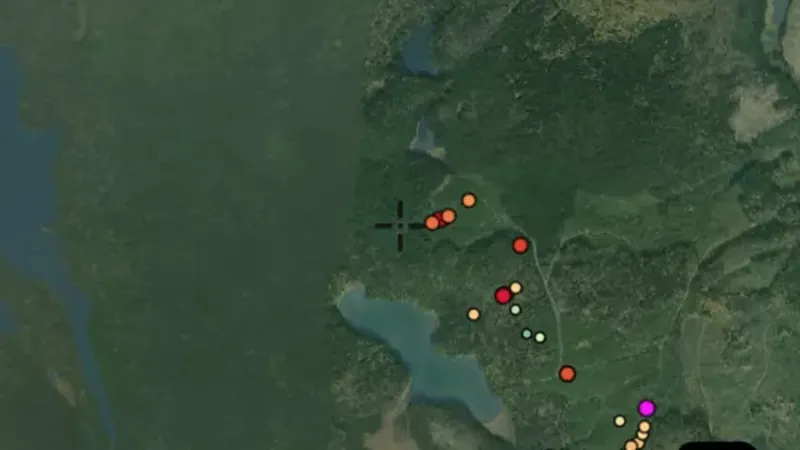
  • Fire Locations in British Columbia, drawn over satellite imagery© Mapbox, © Maxar
    Current FiresExplorer

    Fire Locations

    Fire detections or locations show where fire activity has been recorded for the period named in the layer.

    Read the write-up
    Fire Locations in British Columbia, drawn over satellite imagery© Mapbox, © Maxar

    The layer drawn over satellite imagery. Satellite imagery © Mapbox, © Maxar.

    Explorer. Opens with Explorer or Pro. On the Free plan it works inside your one free area of 250 km².

    Open in the app

    About this layer

    Fire detections or locations show where fire activity has been recorded for the period named in the layer. Use them to understand the record, then consult current agency warnings. Missing detections do not establish that an area is safe.

    What it is for

    Check the layer time period and legend. Use the responsible fire agency for current warnings and closures.

    Limits

    These map records are not live emergency advice. Missing or old records cannot establish that an area is safe.

    Source

    Data provided by the Province of British Columbia (DataBC) and the Geological Survey of Canada, licensed under the Open Government Licence, British Columbia

    Legend

    Current Fires
    • Fire Perimeters
    • Fire Locations

Mineral Reserves

2
  • Mineral Reserve Sites in the Detector Maps app, British Columbia© Mapbox, © Maxar
    Mineral ReservesExplorer

    Mineral Reserve Sites

    Mineral reserve sites identify areas with specified limits or conditions on mineral activities.

    Read the write-up
    Mineral Reserve Sites in the Detector Maps app, British Columbia© Mapbox, © Maxar

    A screen from the Detector Maps app. Satellite imagery © Mapbox, © Maxar.

    Explorer. Opens with Explorer or Pro. On the Free plan it works inside your one free area of 250 km².

    Open in the app

    About this layer

    Mineral reserve sites identify areas with specified limits or conditions on mineral activities. Read the individual record to understand what is reserved and why. Different reserves can have different conditions.

    What it is for

    Turn on the relevant layers together and read their legends and notes. Check current conditions with the land manager before planning a visit.

    Limits

    An unshaded area is not automatically available for detecting. Different permissions and restrictions can overlap.

    Source

    Data provided by the Province of British Columbia (DataBC) and the Geological Survey of Canada, licensed under the Open Government Licence, British Columbia

    Legend

    Mineral Reserves
    • Mineral Reserve Site
    • Recreational Panning Reserve
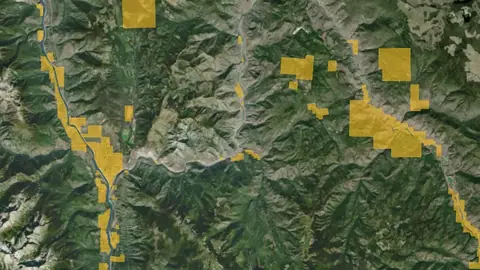
  • Recreational Panning Reserves in British Columbia, drawn over satellite imagery© Mapbox, © Maxar
    Mineral ReservesExplorer

    Recreational Panning Reserves

    These are mapped fossicking or recreational prospecting areas.

    Read the write-up
    Recreational Panning Reserves in British Columbia, drawn over satellite imagery© Mapbox, © Maxar

    The layer drawn over satellite imagery. Satellite imagery © Mapbox, © Maxar.

    Explorer. Opens with Explorer or Pro. On the Free plan it works inside your one free area of 250 km².

    Open in the app

    About this layer

    These are mapped fossicking or recreational prospecting areas. Open the area details and check the permitted activities, boundaries and conditions before visiting. Rules can vary between sites and between panning, detecting and other equipment.

    What it is for

    Read the individual area details and source guidance before visiting. Check the boundary and the activities covered by that arrangement.

    Limits

    Conditions may vary by site, equipment and activity. A panning or fossicking area is not automatically permission for every form of detecting.

    Source

    Data provided by the Province of British Columbia (DataBC) and the Geological Survey of Canada, licensed under the Open Government Licence, British Columbia

    Legend

    Mineral Reserves
    • Mineral Reserve Site
    • Recreational Panning Reserve

Land Parcels

1
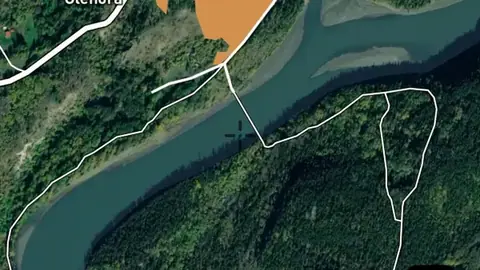
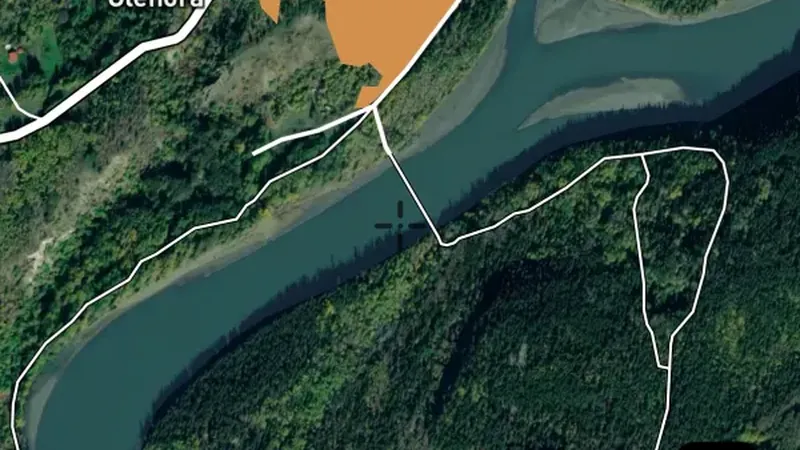
  • ParcelMap BC in the Detector Maps app, British Columbia© Mapbox, © Maxar
    Land ParcelsExplorer

    ParcelMap BC

    Property boundaries show how the land is divided into parcels.

    Read the write-up
    ParcelMap BC in the Detector Maps app, British Columbia© Mapbox, © Maxar

    A screen from the Detector Maps app. Satellite imagery © Mapbox, © Maxar.

    Explorer. Opens with Explorer or Pro. On the Free plan it works inside your one free area of 250 km².

    Open in the app

    About this layer

    Property boundaries show how the land is divided into parcels. Use the outlines to identify the land you want to research and check the available parcel details. A boundary does not give permission to enter or establish a public route.

    What it is for

    Use the outlines to identify the parcel you want to research, then check the relevant land records and access arrangements.

    Limits

    Map boundaries can be approximate. A parcel outline does not identify a public route or give permission to enter.

    Source

    Data provided by the Province of British Columbia (DataBC) and the Geological Survey of Canada, licensed under the Open Government Licence, British Columbia

    Legend

    Land Parcels
    • ParcelMap BC

Land Use & Access

6
  • National Parks in the Detector Maps app, British Columbia© Mapbox, © Maxar
    Land Use & AccessExplorer

    National Parks

    These boundaries show parks, reserves or conservation areas.

    Read the write-up
    National Parks in the Detector Maps app, British Columbia© Mapbox, © Maxar

    A screen from the Detector Maps app. Satellite imagery © Mapbox, © Maxar.

    Explorer. Opens with Explorer or Pro. On the Free plan it works inside your one free area of 250 km².

    Open in the app

    About this layer

    These boundaries show parks, reserves or conservation areas. They help you identify the land manager and areas that need further access checks. A park boundary alone does not tell you which activities are permitted there.

    What it is for

    Turn on the relevant layers together and read their legends and notes. Check current conditions with the land manager before planning a visit.

    Limits

    An unshaded area is not automatically available for detecting. Different permissions and restrictions can overlap.

    Source

    Data provided by the Province of British Columbia (DataBC) and the Geological Survey of Canada, licensed under the Open Government Licence, British Columbia

    Legend

    Land Use & Access
    • National Parks
    • BC Parks & Protected Areas
    • Conservancy Areas
    • Indian Reserves
    • Agricultural Land Reserve
    • Crown Land Tenures
  • BC Parks & Protected Areas in the Detector Maps app, British Columbia© Mapbox, © Maxar
    Land Use & AccessExplorer

    BC Parks & Protected Areas

    These boundaries show parks, reserves or conservation areas.

    Read the write-up
    BC Parks & Protected Areas in the Detector Maps app, British Columbia© Mapbox, © Maxar

    A screen from the Detector Maps app. Satellite imagery © Mapbox, © Maxar.

    Explorer. Opens with Explorer or Pro. On the Free plan it works inside your one free area of 250 km².

    Open in the app

    About this layer

    These boundaries show parks, reserves or conservation areas. They help you identify the land manager and areas that need further access checks. A park boundary alone does not tell you which activities are permitted there.

    What it is for

    Turn on the relevant layers together and read their legends and notes. Check current conditions with the land manager before planning a visit.

    Limits

    An unshaded area is not automatically available for detecting. Different permissions and restrictions can overlap.

    Source

    Data provided by the Province of British Columbia (DataBC) and the Geological Survey of Canada, licensed under the Open Government Licence, British Columbia

    Legend

    Land Use & Access
    • National Parks
    • BC Parks & Protected Areas
    • Conservancy Areas
    • Indian Reserves
    • Agricultural Land Reserve
    • Crown Land Tenures
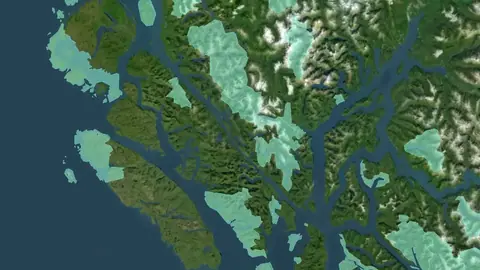
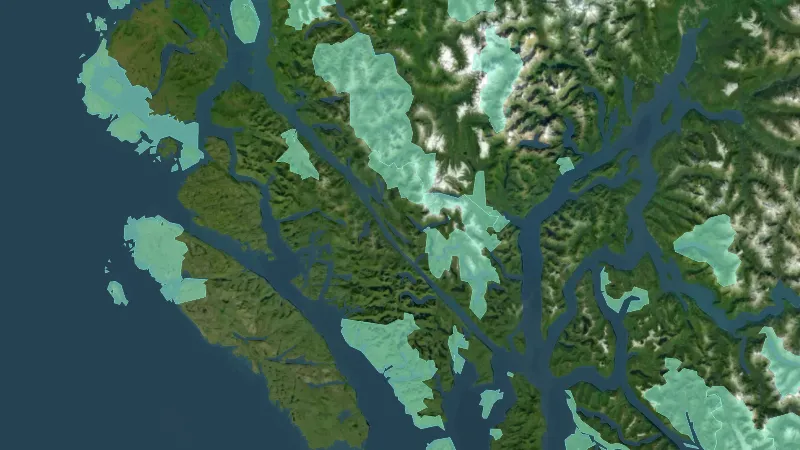
  • Conservancy Areas in British Columbia, drawn over satellite imagery© Mapbox, © Maxar
    Land Use & AccessExplorer

    Conservancy Areas

    These boundaries show parks, reserves or conservation areas.

    Read the write-up
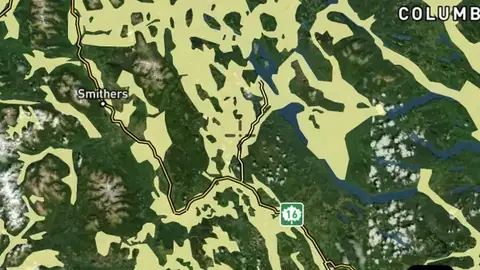
    Conservancy Areas in British Columbia, drawn over satellite imagery© Mapbox, © Maxar

    The layer drawn over satellite imagery. Satellite imagery © Mapbox, © Maxar.

    Explorer. Opens with Explorer or Pro. On the Free plan it works inside your one free area of 250 km².

    Open in the app

    About this layer

    These boundaries show parks, reserves or conservation areas. They help you identify the land manager and areas that need further access checks. A park boundary alone does not tell you which activities are permitted there.

    What it is for

    Turn on the relevant layers together and read their legends and notes. Check current conditions with the land manager before planning a visit.

    Limits

    An unshaded area is not automatically available for detecting. Different permissions and restrictions can overlap.

    Source

    Data provided by the Province of British Columbia (DataBC) and the Geological Survey of Canada, licensed under the Open Government Licence, British Columbia

    Legend

    Land Use & Access
    • National Parks
    • BC Parks & Protected Areas
    • Conservancy Areas
    • Indian Reserves
    • Agricultural Land Reserve
    • Crown Land Tenures
  • Indian Reserves in British Columbia, drawn over satellite imagery© Mapbox, © Maxar
    Land Use & AccessExplorer

    Indian Reserves

    These boundaries identify the Indigenous land or reserve areas named in the layer.

    Read the write-up
    Indian Reserves in British Columbia, drawn over satellite imagery© Mapbox, © Maxar

    The layer drawn over satellite imagery. Satellite imagery © Mapbox, © Maxar.

    Explorer. Opens with Explorer or Pro. On the Free plan it works inside your one free area of 250 km².

    Open in the app

    About this layer

    These boundaries identify the Indigenous land or reserve areas named in the layer. Use them to identify where further information and permission checks are needed. They do not create a right to enter or detect.

    What it is for

    Turn on the relevant layers together and read their legends and notes. Check current conditions with the land manager before planning a visit.

    Limits

    An unshaded area is not automatically available for detecting. Different permissions and restrictions can overlap.

    Source

    Data provided by the Province of British Columbia (DataBC) and the Geological Survey of Canada, licensed under the Open Government Licence, British Columbia

    Legend

    Land Use & Access
    • National Parks
    • BC Parks & Protected Areas
    • Conservancy Areas
    • Indian Reserves
    • Agricultural Land Reserve
    • Crown Land Tenures
  • Agricultural Land Reserve in British Columbia, drawn over satellite imagery© Mapbox, © Maxar
    Land Use & AccessExplorer

    Agricultural Land Reserve

    Agricultural Land Reserve areas show land designated for agricultural purposes.

    Read the write-up
    Agricultural Land Reserve in British Columbia, drawn over satellite imagery© Mapbox, © Maxar

    The layer drawn over satellite imagery. Satellite imagery © Mapbox, © Maxar.

    Explorer. Opens with Explorer or Pro. On the Free plan it works inside your one free area of 250 km².

    Open in the app

    About this layer

    Agricultural Land Reserve areas show land designated for agricultural purposes. Use the boundary to identify the designation around your location and check the responsible authority's current information. The map does not establish permission to enter or detect.

    What it is for

    Turn on the relevant layers together and read their legends and notes. Check current conditions with the land manager before planning a visit.

    Limits

    An unshaded area is not automatically available for detecting. Different permissions and restrictions can overlap.

    Source

    Data provided by the Province of British Columbia (DataBC) and the Geological Survey of Canada, licensed under the Open Government Licence, British Columbia

    Legend

    Land Use & Access
    • National Parks
    • BC Parks & Protected Areas
    • Conservancy Areas
    • Indian Reserves
    • Agricultural Land Reserve
    • Crown Land Tenures
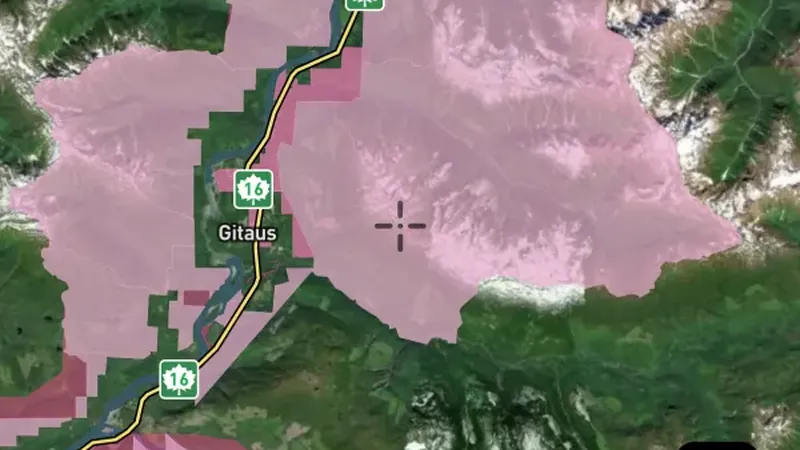
  • Crown Land Tenures in British Columbia, drawn over satellite imagery© Mapbox, © Maxar
    Land Use & AccessExplorer

    Crown Land Tenures

    Crown land tenures identify recorded rights or arrangements over government-held land.

    Read the write-up
    Crown Land Tenures in British Columbia, drawn over satellite imagery© Mapbox, © Maxar

    The layer drawn over satellite imagery. Satellite imagery © Mapbox, © Maxar.

    Explorer. Opens with Explorer or Pro. On the Free plan it works inside your one free area of 250 km².

    Open in the app

    About this layer

    Crown land tenures identify recorded rights or arrangements over government-held land. Use the record to find out what activity or interest applies in the area. A Crown tenure is different from an open public access area.

    What it is for

    Turn on the relevant layers together and read their legends and notes. Check current conditions with the land manager before planning a visit.

    Limits

    An unshaded area is not automatically available for detecting. Different permissions and restrictions can overlap.

    Source

    Data provided by the Province of British Columbia (DataBC) and the Geological Survey of Canada, licensed under the Open Government Licence, British Columbia

    Legend

    Land Use & Access
    • National Parks
    • BC Parks & Protected Areas
    • Conservancy Areas
    • Indian Reserves
    • Agricultural Land Reserve
    • Crown Land Tenures

Geology

4
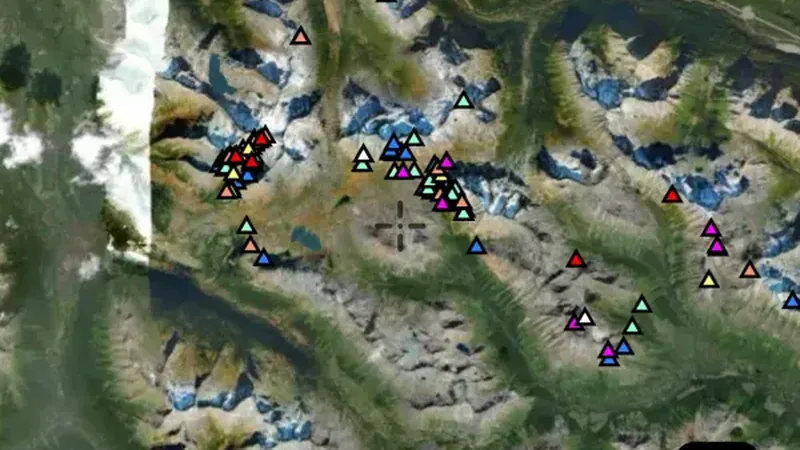
  • Ice Flow Indicators in British Columbia, drawn over satellite imagery© Mapbox, © Maxar
    GeologyExplorer

    Ice Flow Indicators

    Ice-flow indicators show evidence of the direction glaciers moved.

    Read the write-up
    Ice Flow Indicators in British Columbia, drawn over satellite imagery© Mapbox, © Maxar

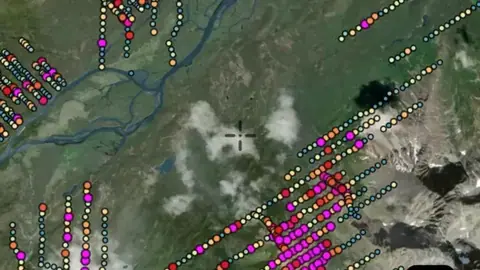
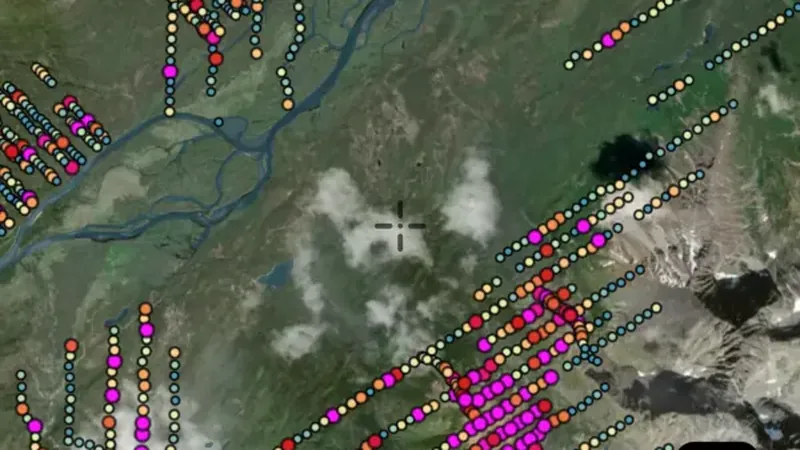
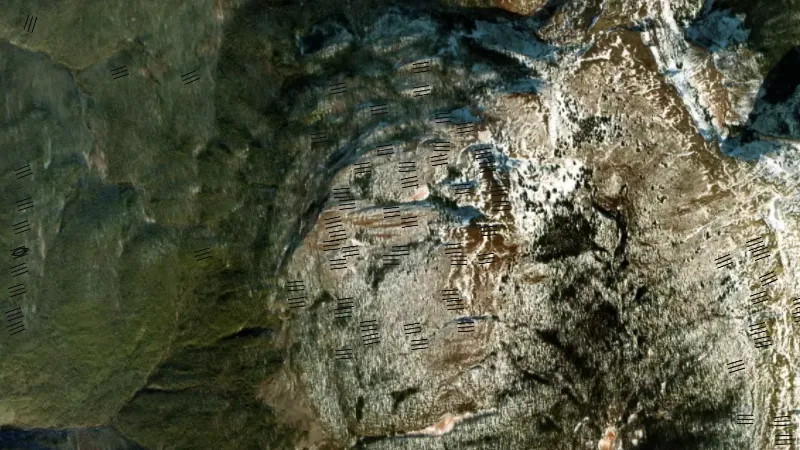
    Nationwide data: nothing of this layer showed inside British Columbia at the zoom tried, so the picture is drawn over 60.7, -125.4 elsewhere in the country. Satellite imagery © Mapbox, © Maxar.

    Explorer. Opens with Explorer or Pro. On the Free plan it works inside your one free area of 250 km².

    Open in the app

    About this layer

    Ice-flow indicators show evidence of the direction glaciers moved. Use them with till samples to consider where sampled material may have come from. Local ice movement can be complex, so a single arrow is only part of the picture.

    What it is for

    Use the legend to identify colours and line symbols. Compare rock boundaries and structures with mineral records and terrain.

    Limits

    Geological maps simplify the ground at their stated scale. Boundaries are interpretations and may not match what is exposed at the surface.

    Source

    Data provided by the Province of British Columbia (DataBC) and the Geological Survey of Canada, licensed under the Open Government Licence, British Columbia

    Legend

    Geology
    Bedrock & Quaternary are coloured by geological unit; swatch is representative only.
    • Bedrock
    • Quaternary
    • Faults
    • Ice Flow Indicators
  • Quaternary in the Detector Maps app, British Columbia© Mapbox, © Maxar
    GeologyExplorer

    Quaternary

    Quaternary geology maps comparatively recent deposits, such as river sediment or material left by glaciers.

    Read the write-up
    Quaternary in the Detector Maps app, British Columbia© Mapbox, © Maxar

    A screen from the Detector Maps app. Satellite imagery © Mapbox, © Maxar.

    Explorer. Opens with Explorer or Pro. On the Free plan it works inside your one free area of 250 km².

    Open in the app

    About this layer

    Quaternary geology maps comparatively recent deposits, such as river sediment or material left by glaciers. It helps explain what covers the bedrock and how the landscape developed. These deposits can carry material away from its original source.

    What it is for

    Use the legend to identify colours and line symbols. Compare rock boundaries and structures with mineral records and terrain.

    Limits

    Geological maps simplify the ground at their stated scale. Boundaries are interpretations and may not match what is exposed at the surface.

    Source

    Data provided by the Province of British Columbia (DataBC) and the Geological Survey of Canada, licensed under the Open Government Licence, British Columbia

    Legend

    Geology
    Bedrock & Quaternary are coloured by geological unit; swatch is representative only.
    • Bedrock
    • Quaternary
    • Faults
    • Ice Flow Indicators
  • Faults in the Detector Maps app, British Columbia© Mapbox, © Maxar
    GeologyExplorer

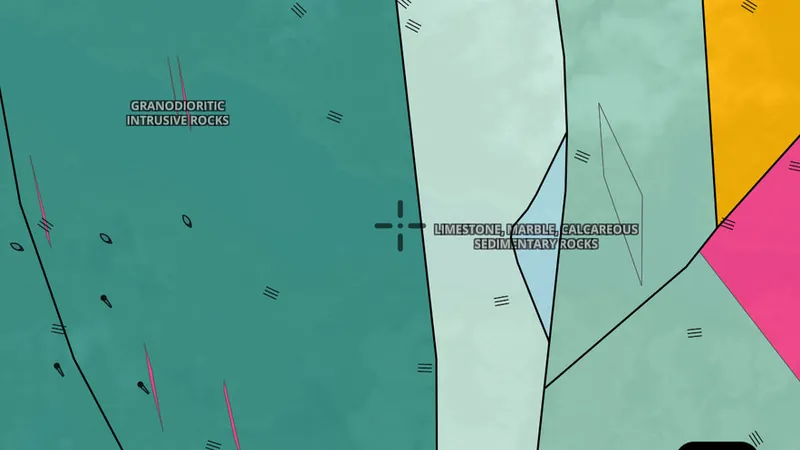
    Faults

    Faults are breaks where rock has moved. Their mapped position can help you understand how rock units meet and how the ground has been altered.

    Read the write-up
    Faults in the Detector Maps app, British Columbia© Mapbox, © Maxar

    A screen from the Detector Maps app. Satellite imagery © Mapbox, © Maxar.

    Explorer. Opens with Explorer or Pro. On the Free plan it works inside your one free area of 250 km².

    Open in the app

    About this layer

    Faults are breaks where rock has moved. Their mapped position can help you understand how rock units meet and how the ground has been altered. Some positions are approximate or inferred beneath cover.

    What it is for

    Use the legend to identify colours and line symbols. Compare rock boundaries and structures with mineral records and terrain.

    Limits

    Geological maps simplify the ground at their stated scale. Boundaries are interpretations and may not match what is exposed at the surface.

    Source

    Data provided by the Province of British Columbia (DataBC) and the Geological Survey of Canada, licensed under the Open Government Licence, British Columbia

    Legend

    Geology
    Bedrock & Quaternary are coloured by geological unit; swatch is representative only.
    • Bedrock
    • Quaternary
    • Faults
    • Ice Flow Indicators
  • Bedrock in the Detector Maps app, British Columbia© Mapbox, © Maxar
    GeologyExplorer

    Bedrock

    Bedrock geology describes the solid rock beneath soil and loose surface material.

    Read the write-up
    Bedrock in the Detector Maps app, British Columbia© Mapbox, © Maxar

    A screen from the Detector Maps app. Satellite imagery © Mapbox, © Maxar.

    Explorer. Opens with Explorer or Pro. On the Free plan it works inside your one free area of 250 km².

    Open in the app

    About this layer

    Bedrock geology describes the solid rock beneath soil and loose surface material. Compare rock units and their boundaries with mineral records to understand possible patterns. Some buried boundaries are interpreted rather than directly observed.

    What it is for

    Use the legend to identify colours and line symbols. Compare rock boundaries and structures with mineral records and terrain.

    Limits

    Geological maps simplify the ground at their stated scale. Boundaries are interpretations and may not match what is exposed at the surface.

    Source

    Data provided by the Province of British Columbia (DataBC) and the Geological Survey of Canada, licensed under the Open Government Licence, British Columbia

    Legend

    Geology
    Bedrock & Quaternary are coloured by geological unit; swatch is representative only.
    • Bedrock
    • Quaternary
    • Faults
    • Ice Flow Indicators

Topography

1
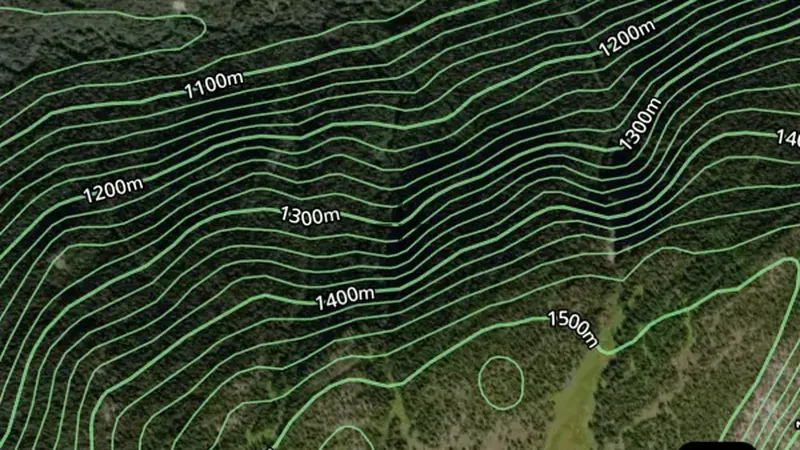
  • Contours in the Detector Maps app, British Columbia© Mapbox, © Maxar
    TopographyExplorer

    Contours

    Contour lines join places at the same height.

    Read the write-up
    Contours in the Detector Maps app, British Columbia© Mapbox, © Maxar

    A screen from the Detector Maps app. Satellite imagery © Mapbox, © Maxar.

    Explorer. Opens with Explorer or Pro. On the Free plan it works inside your one free area of 250 km².

    Open in the app

    About this layer

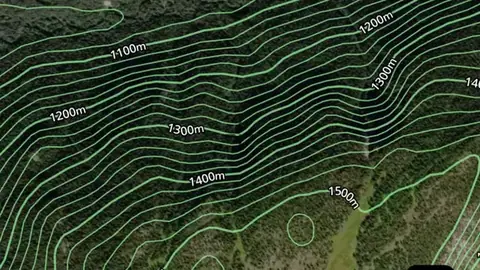
    Contour lines join places at the same height. Closely spaced lines usually show steeper ground; wider gaps show gentler slopes. Use the height labels and nearby waterways to understand ridges, valleys and possible routes.

    What it is for

    Closely spaced lines indicate steeper ground. Use the labels and terrain together to understand ridges, slopes and valleys.

    Limits

    Contours simplify the terrain at their map scale. Small workings, obstacles and local hazards may not appear.

    Source

    Data provided by the Province of British Columbia (DataBC) and the Geological Survey of Canada, licensed under the Open Government Licence, British Columbia

    Legend

    Topography
    • Contours

Terrain+™ LiDAR

2
  • Terrain+™ Analysis in British Columbia, drawn over satellite imagery© Mapbox, © Maxar
    Terrain+™ LiDARExplorerNext update

    Terrain+™ Analysis

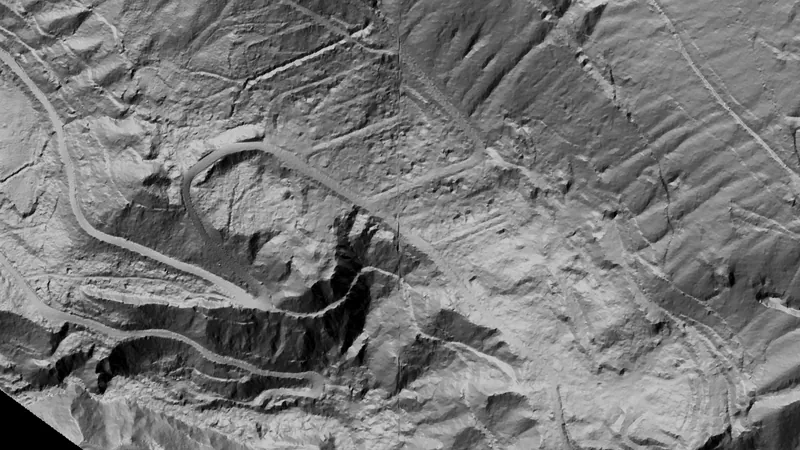
    Outline an area of any shape up to 4.8 km across over British Columbia's 0.5 m LiDAR and see the ground full screen as a 3D surface, with a VE slider to raise or flatten it. Any layer can be draped over it. It shows Dynamic LiDAR™, turned on as it is built, and its LiDAR button sets Dynamic LiDAR™'s look on the model and the map alike: hillshade, slope, local relief, sky view and openness, multi-scale relief, VAT, red relief, Multi-Light PCA or the SVF/LRM Composite, each with settings to bring out the features you are after. Save a model with the button beside the X to keep it on the phone for 30 days and open it from the Terrain+™ LiDAR menu in the field, without a connection.

    Read the write-up
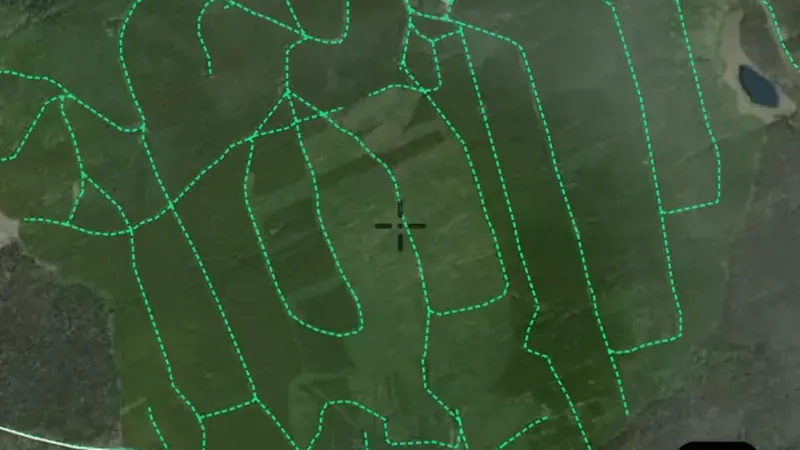
    Terrain+™ Analysis in British Columbia, drawn over satellite imagery© Mapbox, © Maxar

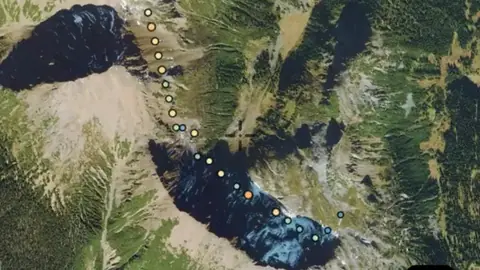
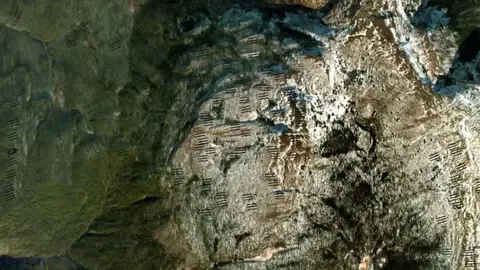
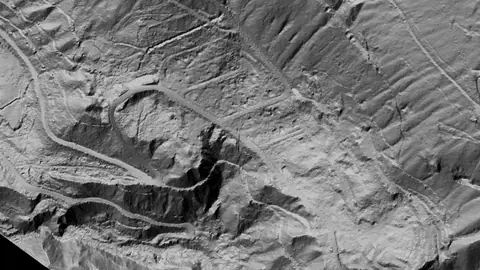
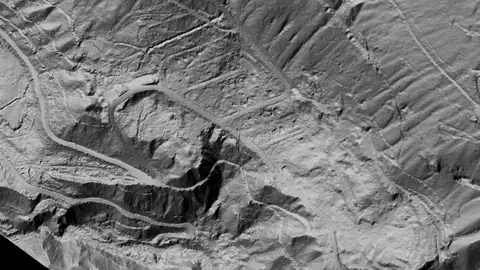
    Terrain+ builds a 3D model of an outlined area and shows Dynamic LiDAR on it. This is that Dynamic LiDAR look (Bralorne, British Columbia), not a 3D screenshot. Satellite imagery © Mapbox, © Maxar.

    Explorer. Opens with Explorer or Pro. Arrives in the next app update.

    Open in the app

    About this layer

    Terrain+™ Analysis builds a 3D model of an area of ground you outline, any shape up to 4.8 km across, from British Columbia's 0.5 m LiDAR. Raise the VE slider to make old diggings, benches and tailings easier to see and drape any layer over the model. It shows Dynamic LiDAR™ in the look you choose, such as local relief, sky view or VAT. The model shows the ground surface the lidar measured, not what lies beneath it.

    What it is for

    Tap round the area you want to model, build it, then tilt, turn and raise the VE slider to bring out low banks, pits and hollows. Drape any layer over it. The model shows Dynamic LiDAR™, turned on as it is built: its LiDAR button sets the look (hillshade, slope, local relief, sky view and openness, VAT and more), each with settings to bring out the features you are after.

    Limits

    The model shows the ground surface the lidar measured, not what lies beneath it. Detail and dates vary between surveys, and gaps are filled from the ground around them.

    Source

    Data provided by the Province of British Columbia (DataBC) and the Geological Survey of Canada, licensed under the Open Government Licence, British Columbia

  • Dynamic LiDAR™ in British Columbia, drawn over satellite imagery© Mapbox, © Maxar
    Terrain+™ LiDARExplorerNext update

    Dynamic LiDAR™

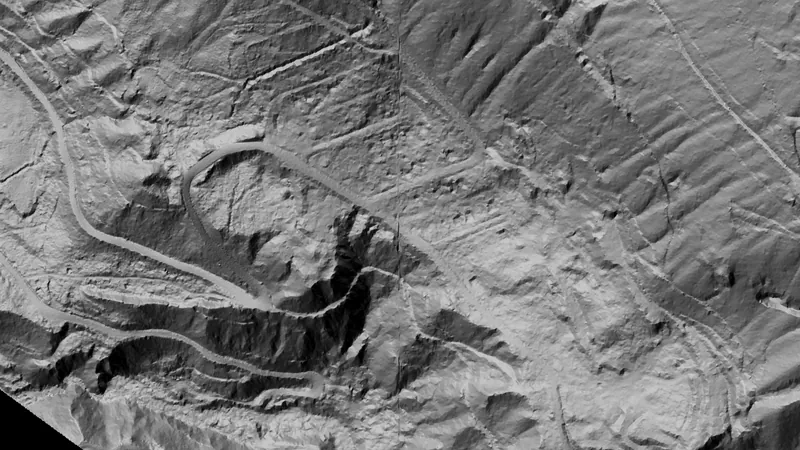
    Dynamic LiDAR™ draws British Columbia's 0.5 m LiDAR over the map on the phone as you move, in any of Terrain+™'s relief renderings (hillshade, slope, local relief, sky view and openness, multi-scale relief, VAT and red relief), Multi-Light PCA or the SVF/LRM Composite.

    Read the write-up
    Dynamic LiDAR™ in British Columbia, drawn over satellite imagery© Mapbox, © Maxar

    Drawn by the app's own engine from the live survey files at Bralorne, British Columbia. Satellite imagery © Mapbox, © Maxar.

    Explorer. Opens with Explorer or Pro. Arrives in the next app update.

    Open in the app

    About this layer

    Dynamic LiDAR™ draws British Columbia's 0.5 m LiDAR over the map on the phone as you move, in any of Terrain+™'s relief renderings (hillshade, slope, local relief, sky view and openness, multi-scale relief, VAT and red relief), Multi-Light PCA or the SVF/LRM Composite. Change a rendering's settings with the LiDAR button or in Active Layers and the map redraws straight away. It shows the ground surface the lidar measured, not what lies beneath it, and can be saved with an offline area to use without a connection.

    What it is for

    Open its filter in Active Layers and choose a rendering from the pictures, drawn from the ground in the middle of the view. Move a setting and the map redraws: a lower sun for faint banks, a radius about the width of the features you are after.

    Limits

    It shows the ground surface the lidar measured, not what lies beneath it. It needs a connection, and new ground takes a moment to draw.

    Source

    Data provided by the Province of British Columbia (DataBC) and the Geological Survey of Canada, licensed under the Open Government Licence, British Columbia

    Draws from zoom 6.

All Mineral Occurrences

1
  • MINFILE - All Mineral Occurrences in the Detector Maps app, British Columbia© Mapbox, © Maxar
    All Mineral OccurrencesPro

    MINFILE - All Mineral Occurrences

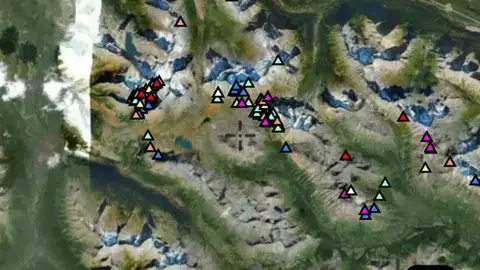
    MINFILE occurrences for every commodity, not just gold. Use the commodity filter to show a single commodity.

    Read the write-up
    MINFILE - All Mineral Occurrences in the Detector Maps app, British Columbia© Mapbox, © Maxar

    A screen from the Detector Maps app. Satellite imagery © Mapbox, © Maxar.

    Pro. Opens with Pro.

    Open in the app

    About this layer

    Mineral occurrence records show places where particular minerals have been reported or investigated. Check the mineral named in each record: an occurrence is not necessarily gold, a working mine or a place open to detecting.
    What it is for

    Compare nearby records with geology and terrain. Open available map details to see what was recorded at a location.

    Limits

    A record is a starting point for research. It does not show how much material remains, or whether you can access the land.

    Source

    Data provided by the Province of British Columbia (DataBC) and the Geological Survey of Canada, licensed under the Open Government Licence, British Columbia
    MINFILE © Province of BC (BC Geological Survey). Access Only, used with permission.
    Legend

    All Mineral Occurrences
    • Aggregate
    • Aluminum
    • Antimony
    • Arsenic
    • Barite
    • Bentonite
    • Bismuth
    • Bitumen
    • Chromium
    • Coal
    • Cobalt
    • Copper
    • Diamond
    • Gemstones
    • Gold
    • Graphite
    • Hafnium
    • Industrial Minerals / Quarry
    • Iron
    • Kaolinite
    • Lead
    • Magnesium
    • Manganese
    • Mercury
    Show all 44
    • Mica
    • Molybdenum
    • Nickel
    • Niobium
    • Phosphate
    • Platinum
    • Rare Earths
    • Silica
    • Silver
    • Sulphur
    • Tantalum
    • Thorium
    • Tin
    • Titanium
    • Tungsten
    • Uranium
    • Vanadium
    • Vermiculite
    • Zinc
    • Other

    Filters in the app

    Attribute filters
Sources

Where the data comes from.

Every card names its source. The sources named on this page are:

Satellite imagery © Mapbox, © Maxar. Layer data from the sources named on each card.

Plans

What the pills mean.

Every layer shows the plan that opens it. The free plan never runs out. Prices are shown once, here.

Free

Open on every plan, forever. Includes gold records.

Explorer

Opens every base layer, and offline maps for the areas you choose. C$99 a year or C$9.99 a month.

Pro

All of MINFILE. Claim alerts. Report search across 50,000+ exploration reports. C$249 a year or C$34.99 a month.

7-day free trial on yearly plans · Nothing charged until it ends · Cancel anytime.

Prices are in Canadian dollars.

Satellite imagery © Mapbox, © Maxar. Layer data from the sources named on each card.

Get Detector Maps

Plan the next trip tonight.

Free to download on iPhone and Android.

On iPhone? Get it on the App StoreOn Android? Get it on Google Play

Free to download on iPhone and Android.

7-day free trial on yearly plans · Nothing charged until it ends · Cancel anytime.

Scan with your phone camera to get the app
Open the web map

On your phone: App Store · Google Play

7-day free trial on yearly plans · Nothing charged until it ends · Cancel anytime.

Or open the web map

The Detector Maps support inbox is staffed by Matt and Tom, the two brothers who built it. Contact us

Scan with your phone camera to get the app