
01The night before
See where gold was recorded.
Gold occurrences are plotted across the country. Tap one to read its record.
- Gold Occurrences Free
- Historic mines Explorer
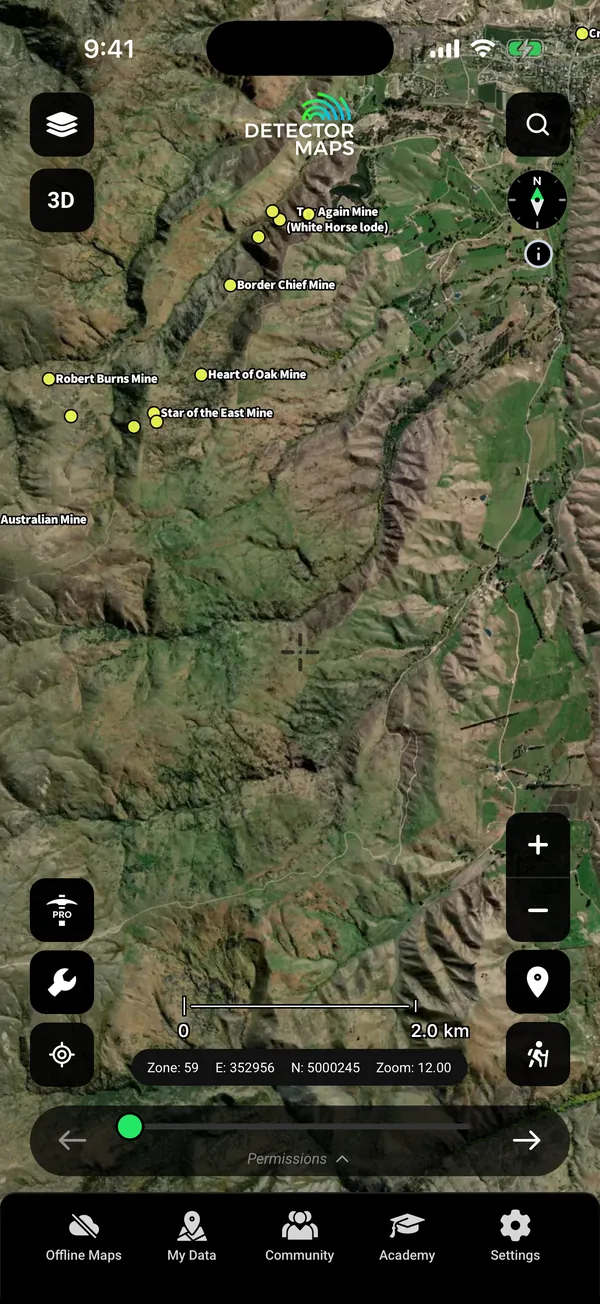
Otago. Named gold occurrences.
Free gold records. Free active permits. Fossicking areas and a 1 m LiDAR hillshade on Explorer. Plan at home, use it with no signal.
On iPhone? Get it on the App StoreOn Android? Get it on Google Play
Free to download on iPhone and Android.
7-day free trial on yearly plans · Nothing charged until it ends · Cancel anytime.
On your phone: App Store · Google Play
7-day free trial on yearly plans · Nothing charged until it ends · Cancel anytime.
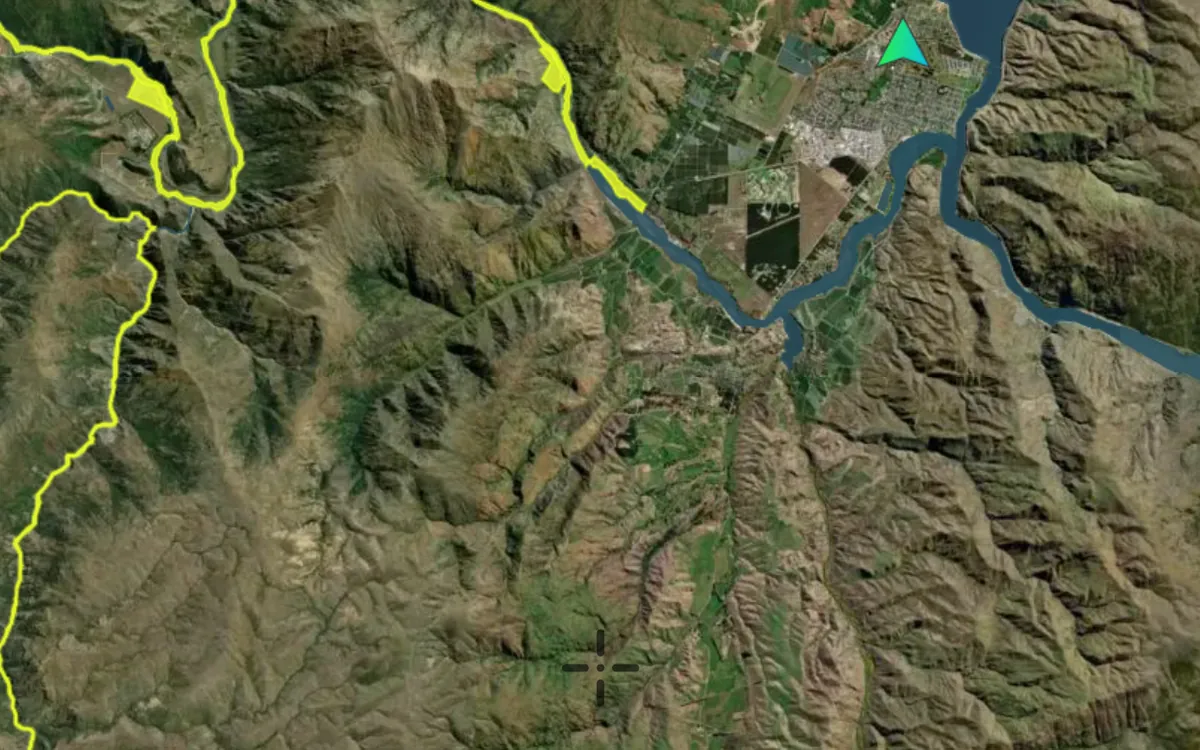 Fossicking areas · Explorer© Mapbox, © Maxar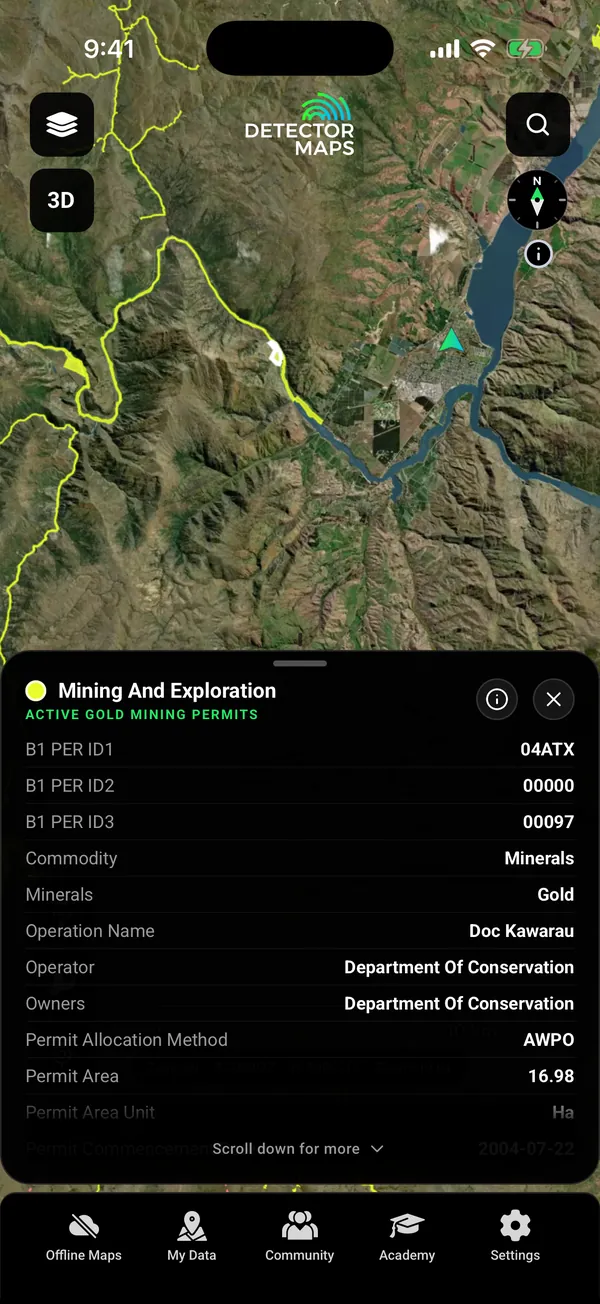
Gold fossicking areas and active gold mining permits, Kawarau Gorge. Satellite imagery © Mapbox, © Maxar. Layer data from the sources named on each card.
Start with the free layers. Pay only if the map earns it.
Inside your free area every layer works except LiDAR.
Gold occurrences are plotted across the country. Tap one to read its record.
Otago. Named gold occurrences.
Active permits draw on the map so you can see who holds the ground. The gold mining permits layer adds the permit number, operator, owner and start date on its card. A mapped permit alone does not tell you whether detecting is allowed.
Active Gold Mining Permits. Explorer.
Areas set aside for gold fossicking are marked on the map. A fossicking area is not automatically permission for every form of detecting, so read the area’s details first.
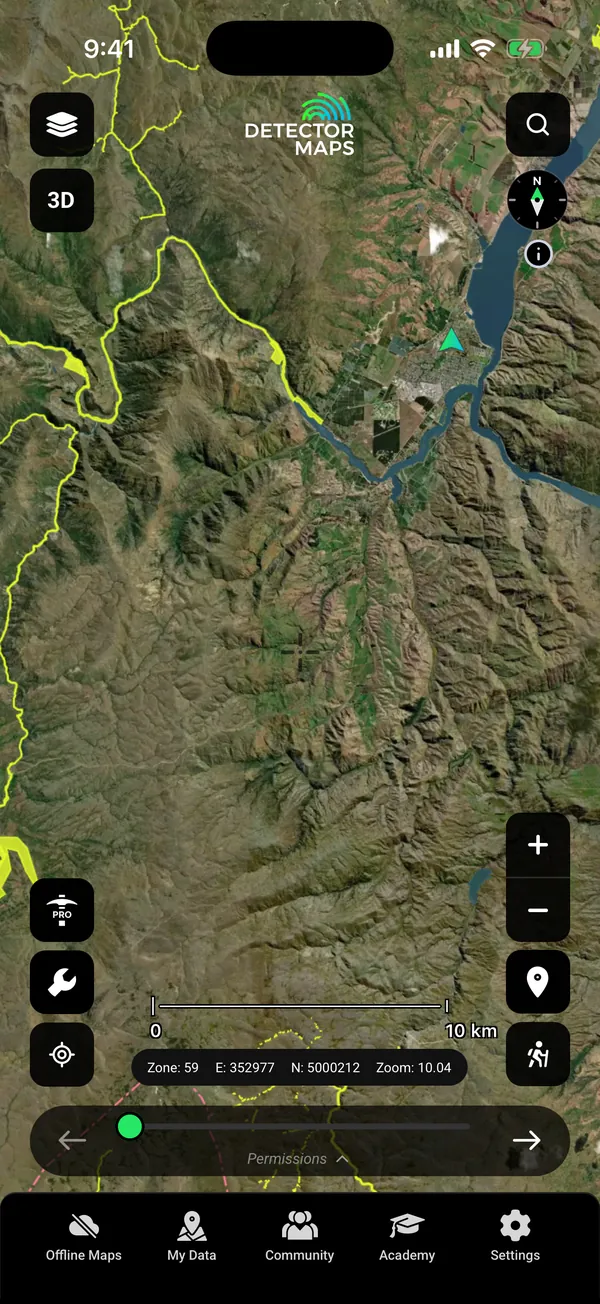
Fossicking areas. Explorer.
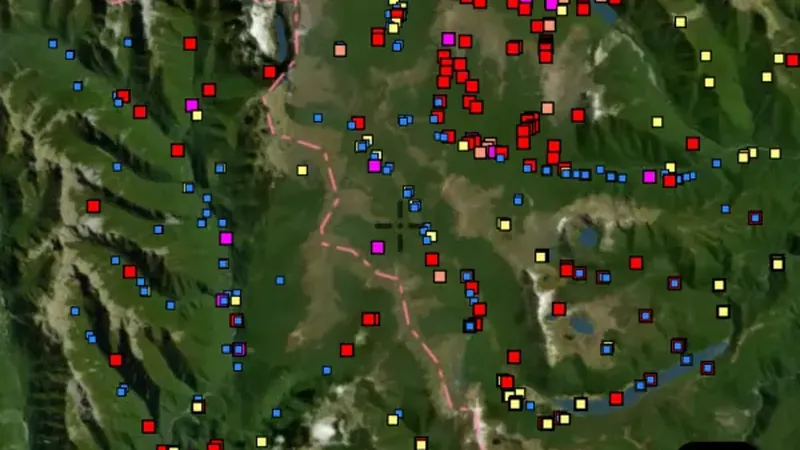
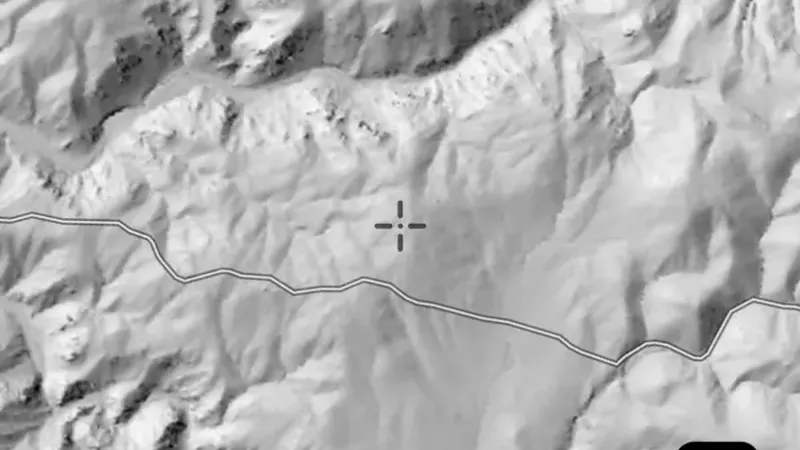
Stream sediment, rock and soil samples sit on the map beside the geology. The LiDAR hillshade has colour ramps, brightness and contrast.
 © Mapbox, © Maxar
Stream sediments. Explorer.
 © Mapbox, © Maxar
LiDAR hillshade. Explorer.
Satellite imagery © Mapbox, © Maxar. Layer data from the sources named on each card.
Pick the blocks you need and save them with your layers. Your records, search and waypoints keep working with no reception.
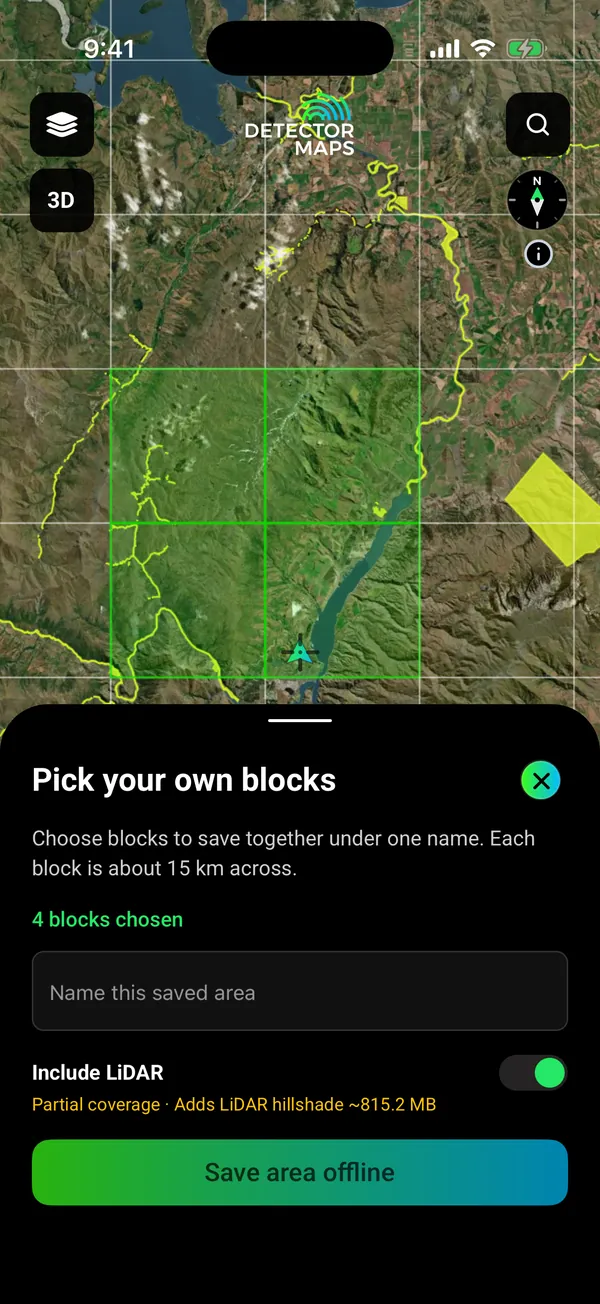
Pick your blocks. Save with your layers.
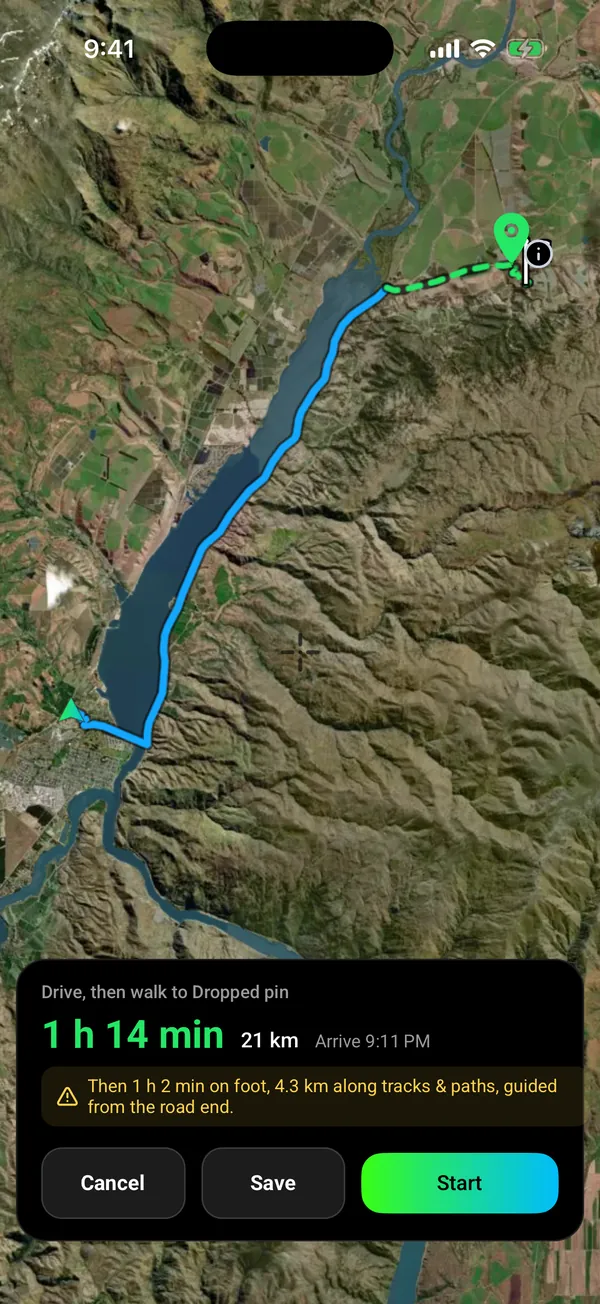
Drive, then walk. Voice on the road.
Open app.detectormaps.com in your browser and sign in with the same account. One plan covers your phone and the web.
Download free and open your area on your phone.
On iPhone? Get it on the App StoreOn Android? Get it on Google Play
Free to download on iPhone and Android.
7-day free trial on yearly plans · Nothing charged until it ends · Cancel anytime.
On your phone: App Store · Google Play
7-day free trial on yearly plans · Nothing charged until it ends · Cancel anytime.
“I use Detector Maps every time I go out prospecting. Puts me in the right spot every time. Worth every cent.”
“With regular updates and extra features constantly added it really makes the fee very reasonable.”
Try the map properly.
Everything most prospectors need.
7-day free trial on the yearly plan.
Industry-grade data.
7-day free trial on the yearly plan.
Prices are in New Zealand dollars.
On iPhone? Get it on the App StoreOn Android? Get it on Google Play
Free to download on iPhone and Android.
7-day free trial on yearly plans · Nothing charged until it ends · Cancel anytime.
On your phone: App Store · Google Play
7-day free trial on yearly plans · Nothing charged until it ends · Cancel anytime.
Not sure which plan? Start free. You can cancel in the app, under Settings, then Subscription.
Free is free forever. Paid plans start with a 7-day free trial on yearly plans. A card is taken up front, but nothing is charged until the trial ends. Cancel in the app under Settings, then Subscription. Cancel before the trial ends and you pay nothing. Notifications on? We remind you on day 5. Explorer NZ$99 a year or NZ$9.99 a month.
The sources are public, and we name them on every layer. You get the work: merging them into one map, keeping them current, tiling them for offline and drawing every place the same way. LINZ, GNS Science, NZP&M.
Yes, for the areas you save. Download them on Wi-Fi with your layers. GPS works without reception. Saving new areas needs Explorer. Your free area is saved offline on the Free plan.
Private by default. Waypoints, Trails and finds are visible to your account only. Nothing goes to the Community unless you post it. Location sharing runs only in a session you start. Backups go to your own iCloud Drive or Google Drive.
A mapped boundary alone does not tell you whether detecting is permitted. Fossicking areas are marked. A fossicking area is not automatically permission for every form of detecting.
Check your place in the Library before you download. The whole country on one map.
Start with the free layers. Tap any record to read what it is. Every layer has an (i) that says what it shows and where it falls short. Five short in-app lessons walk you through the map.
“D maps are amazingly simple to understand.”
Offline mode and a battery-saver GPS mode are built for a full day in the field on most modern phones.
Yes, for the areas you save. Download them on Wi-Fi before you go, with your layers. Your phone’s GPS works without reception, so the map, your records and your waypoints keep working. Saving new areas needs Explorer. Your one free area is saved offline on the Free plan.
Yes. Open app.detectormaps.com in your browser and sign in with the same account. Your plan works there too. So do the waypoints and Trails you sync from your phone. The web map needs a connection, so save areas in the phone app for places with no signal.
Free is free forever. Explorer is NZ$99 a year or NZ$9.99 a month. Pro is NZ$249 a year or NZ$34.99 a month. Yearly plans start with a 7-day free trial. A card is taken up front, but nothing is charged until the trial ends. Cancel before then and you pay nothing. Notifications on? We remind you on day 5.
The sources are public and credited: Land Information New Zealand, GNS Science and New Zealand Petroleum and Minerals. What you get is the merging, the offline tiles, and the permits, fossicking areas and gold records drawn on one map.
Gold Fossicking Areas mark areas set aside for fossicking (Explorer). Conservation land layers show who manages the ground. A mapped permit or area does not give permission by itself. Read the area’s details and the rules for that land first.
No app can promise that. Gold records show where gold was recorded. Permits show whose ground it is. You choose better country.
Permit alerts, permits ending soon, and report search across 5,000+ exploration reports.
Real data, named sources.
Download free and check the permits before you drive.
On iPhone? Get it on the App StoreOn Android? Get it on Google Play
Free to download on iPhone and Android.
7-day free trial on yearly plans · Nothing charged until it ends · Cancel anytime.
On your phone: App Store · Google Play
7-day free trial on yearly plans · Nothing charged until it ends · Cancel anytime.
The Detector Maps support inbox is staffed by Matt and Tom, the two brothers who built it. Contact us