Map library · Australia

Victoria map layers

35 layers for gold prospecting in Victoria, in 14 categories. 3 are free on every plan: Gold Occurrences, Live Tenements and Coverage Areas. 28 more open with Explorer. 1 needs Pro and 3 are add-ons.

Add-ons here: the Victorian LiDAR add-on, A$39.99 a year. 11 of these are also in other states in Australia. Each links to one page that lists them all.

35 layers14 categoriesFree 3Explorer 28Pro 1Add-on 3

Other states

On iPhone? Get it on the App StoreOn Android? Get it on Google Play

Free to download on iPhone and Android.

7-day free trial on yearly plans · Nothing charged until it ends · Cancel anytime.

Scan with your phone camera to get the app
Start free trialOpen the web map

On your phone: App Store · Google Play

7-day free trial on yearly plans · Nothing charged until it ends · Cancel anytime.

4.7 / 5 from 2,400+ ratings on the App Store and Google Play · 10,000+ prospectors and detectorists
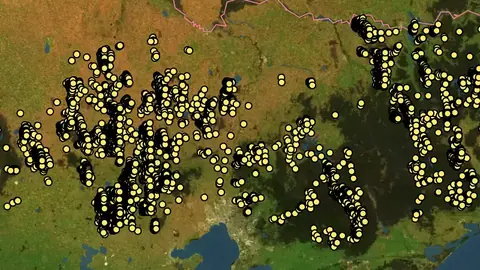
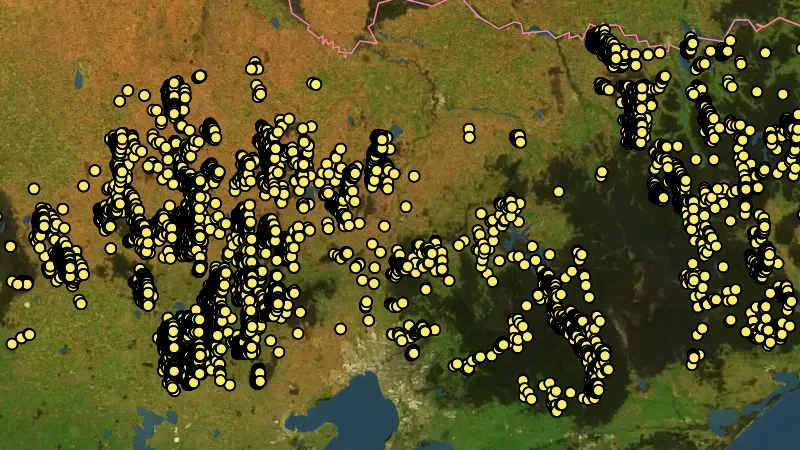
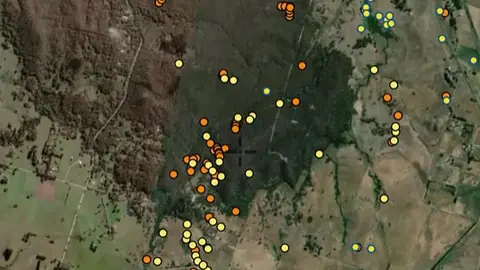
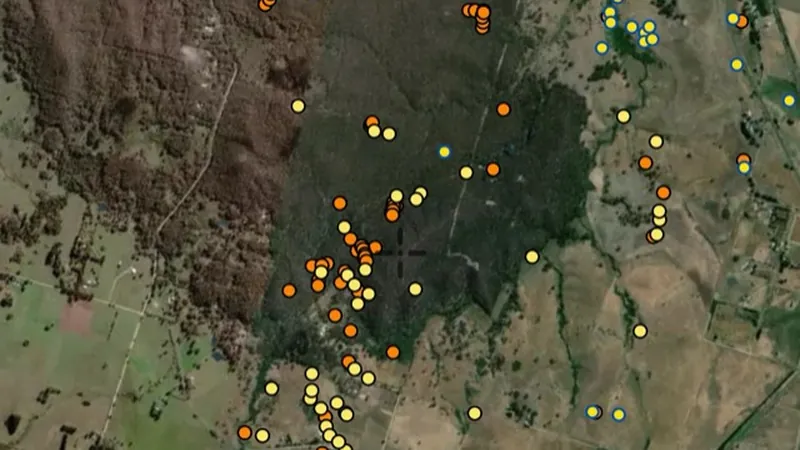
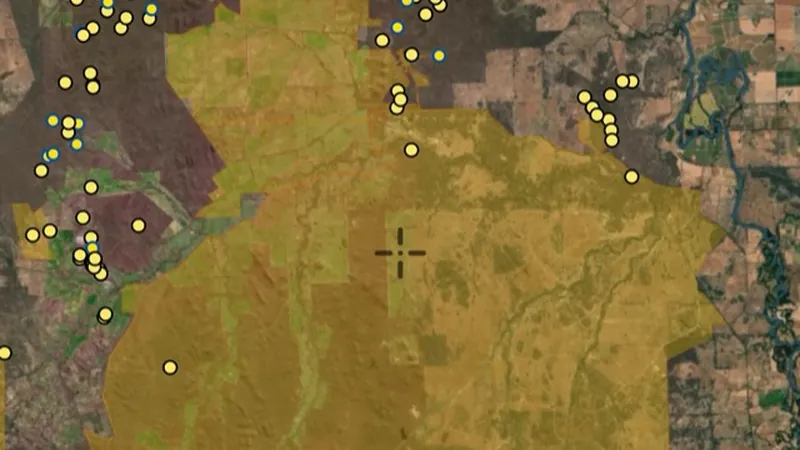
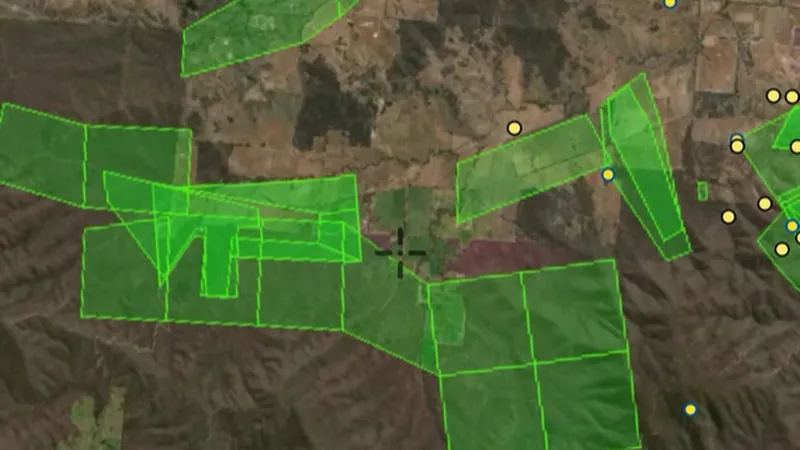
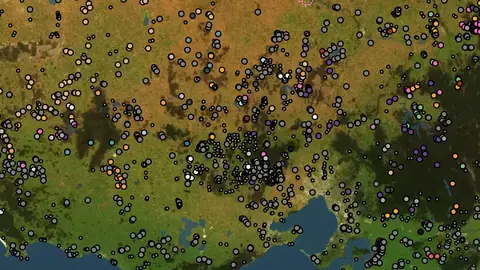
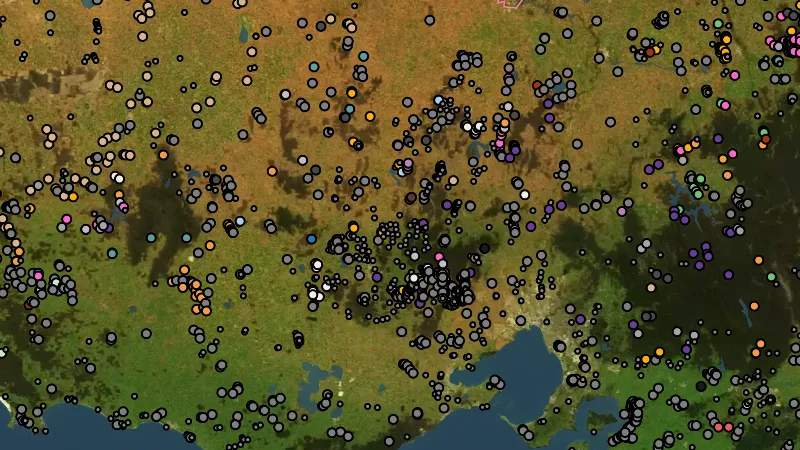
Gold Occurrences in Victoria, drawn over satellite imagery© Mapbox, © Maxar

Satellite imagery © Mapbox, © Maxar. Layer data from the sources named on each card.

Satellite imagery © Mapbox, © Maxar. Layer data from the sources named on each card.

Historic Gold

6
  • Gold Occurrences in Victoria, drawn over satellite imagery© Mapbox, © Maxar
    Historic GoldFree

    Gold Occurrences

    Official records of past gold finds, old mines and workings.

    Also in 3 other states in Australia
    Read the write-up
    Gold Occurrences in Victoria, drawn over satellite imagery© Mapbox, © Maxar

    The layer drawn over satellite imagery. Satellite imagery © Mapbox, © Maxar.

    Free. Opens on every plan, including Free.

    Open in the app

    This layer works the same way in 4 places in Australia, so its full write-up, legend and plan are on one page.

    Read the full write-up

    Source in Victoria

    Data provided by State of Victoria (Geological Survey of Victoria 2024, Department of Energy Environment and Climate Action 2024, Department of Jobs Skills Industry and Regions 2024, Department of Transport and Planning - 1m DEM LiDAR Dataset), licensed under CC BY 4.0

    Filters in the app

    Attribute filtersCategory filter
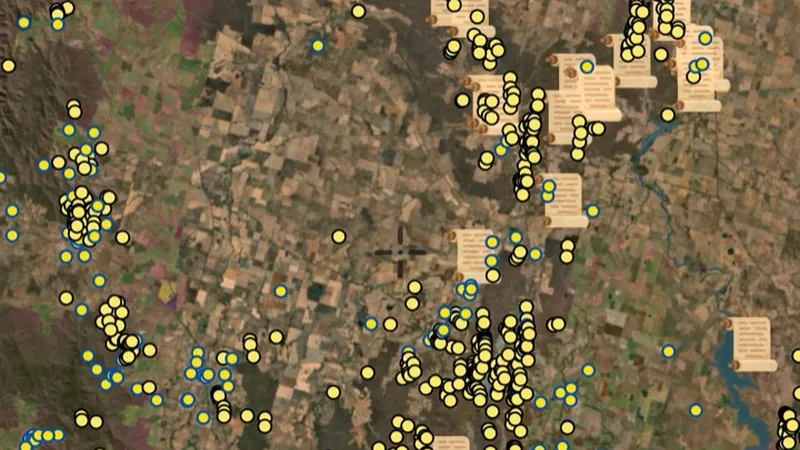
  • Historic Gold Nuggets in the Detector Maps app, Victoria© Mapbox, © Maxar
    Historic GoldExplorer

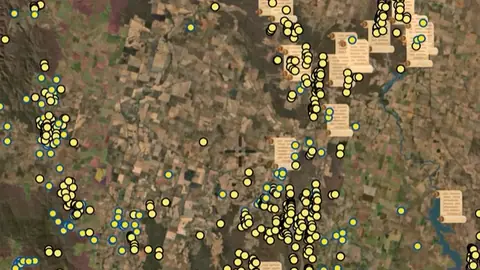
    Historic Gold Nuggets

    Reported locations of larger nugget finds drawn from historic references.

    Read the write-up
    Historic Gold Nuggets in the Detector Maps app, Victoria© Mapbox, © Maxar

    A screen from the Detector Maps app. Satellite imagery © Mapbox, © Maxar.

    Explorer. Opens with Explorer or Pro. On the Free plan it works inside your one free area of 250 km².

    Open in the app

    About this layer

    Historic nugget records show reported gold finds from the past. Use several nearby records to understand the wider goldfield, rather than treating one marker as an exact digging spot. Older locations can be approximate.

    What it is for

    Look for patterns across several records, then compare them with creeks, slopes and geology.

    Limits

    Historic locations can be approximate. Past finds do not guarantee gold remains or that it is within detector depth.

    Source

    Data provided by State of Victoria (Geological Survey of Victoria 2024, Department of Energy Environment and Climate Action 2024, Department of Jobs Skills Industry and Regions 2024, Department of Transport and Planning - 1m DEM LiDAR Dataset), licensed under CC BY 4.0

    Legend

    Historic Gold
    • Gold Occurrences
    • Historic References
    • Shallow Alluvial Leads
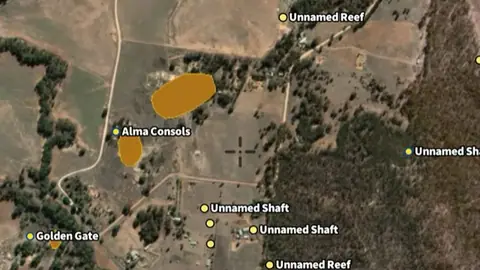
  • Mullock Heaps in the Detector Maps app, Victoria© Mapbox, © Maxar
    Historic GoldExplorer

    Mullock Heaps

    Spoil heaps of waste rock from old mines. Often worth scanning for missed gold.

    Read the write-up
    Mullock Heaps in the Detector Maps app, Victoria© Mapbox, © Maxar

    A screen from the Detector Maps app. Satellite imagery © Mapbox, © Maxar.

    Explorer. Opens with Explorer or Pro. On the Free plan it works inside your one free area of 250 km².

    Open in the app

    About this layer

    Mullock heaps are piles of waste rock left by mining. Their position can help you trace nearby workings and the direction of old reefs. The pile is a clue to past activity, not a promise that usable gold remains.

    What it is for

    Look for patterns across several records, then compare them with creeks, slopes and geology.

    Limits

    Historic locations can be approximate. Past finds do not guarantee gold remains or that it is within detector depth.

    Source

    Data provided by State of Victoria (Geological Survey of Victoria 2024, Department of Energy Environment and Climate Action 2024, Department of Jobs Skills Industry and Regions 2024, Department of Transport and Planning - 1m DEM LiDAR Dataset), licensed under CC BY 4.0

    Legend

    Mullock Heaps
    • Mullock Heaps
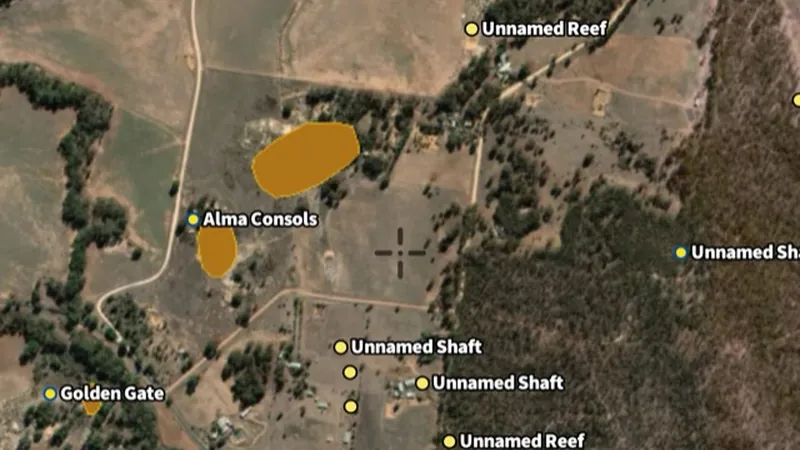
  • Shafts in the Detector Maps app, Victoria© Mapbox, © Maxar
    Historic GoldExplorer

    Shafts

    Locations of old shafts and underground workings. Confirms areas of serious past mining activity.

    Read the write-up
    Shafts in the Detector Maps app, Victoria© Mapbox, © Maxar

    A screen from the Detector Maps app. Satellite imagery © Mapbox, © Maxar.

    Explorer. Opens with Explorer or Pro. On the Free plan it works inside your one free area of 250 km².

    Open in the app

    About this layer

    A shaft is a hole dug down into the ground for mining. These records help you identify old workings and understand the history of an area. Keep clear of shafts and unstable ground, including openings hidden by vegetation.

    What it is for

    Look for patterns across several records, then compare them with creeks, slopes and geology.

    Limits

    Historic locations can be approximate. Past finds do not guarantee gold remains or that it is within detector depth.

    Source

    Data provided by State of Victoria (Geological Survey of Victoria 2024, Department of Energy Environment and Climate Action 2024, Department of Jobs Skills Industry and Regions 2024, Department of Transport and Planning - 1m DEM LiDAR Dataset), licensed under CC BY 4.0

    Legend

    Shafts
    • Shafts
  • Former Mining Features (FMQF) in the Detector Maps app, Victoria© Mapbox, © Maxar
    Historic GoldExplorer

    Former Mining Features (FMQF)

    Mapped legacy mining features from the Former Mining Quarrying Features dataset.

    Read the write-up
    Former Mining Features (FMQF) in the Detector Maps app, Victoria© Mapbox, © Maxar

    A screen from the Detector Maps app. Satellite imagery © Mapbox, © Maxar.

    Explorer. Opens with Explorer or Pro. On the Free plan it works inside your one free area of 250 km².

    Open in the app

    About this layer

    Mine records show locations associated with mining. They can help you understand what people worked and how activity followed the local geology. Research the surrounding area without entering shafts, tunnels or unstable workings.

    What it is for

    Look for patterns across several records, then compare them with creeks, slopes and geology.

    Limits

    Historic locations can be approximate. Past finds do not guarantee gold remains or that it is within detector depth.

    Source

    Data provided by State of Victoria (Geological Survey of Victoria 2024, Department of Energy Environment and Climate Action 2024, Department of Jobs Skills Industry and Regions 2024, Department of Transport and Planning - 1m DEM LiDAR Dataset), licensed under CC BY 4.0

    Legend

    Former Mining Features (FMQF)
    • alluvial workings
    • Shaft
    • Surface workings, Pit
    • Adit, Tunnel
    • Mullock heap, Residual chemicals, Tailings
    • Other

    Filters in the app

    Category filter
  • Alluvial & Deep Leads in the Detector Maps app, Victoria© Mapbox, © Maxar
    Historic GoldExplorer

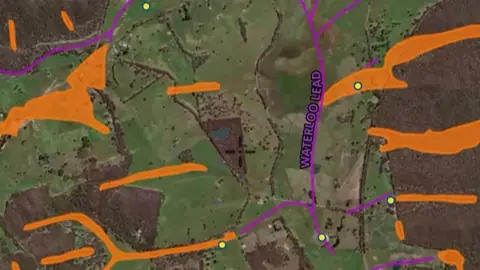
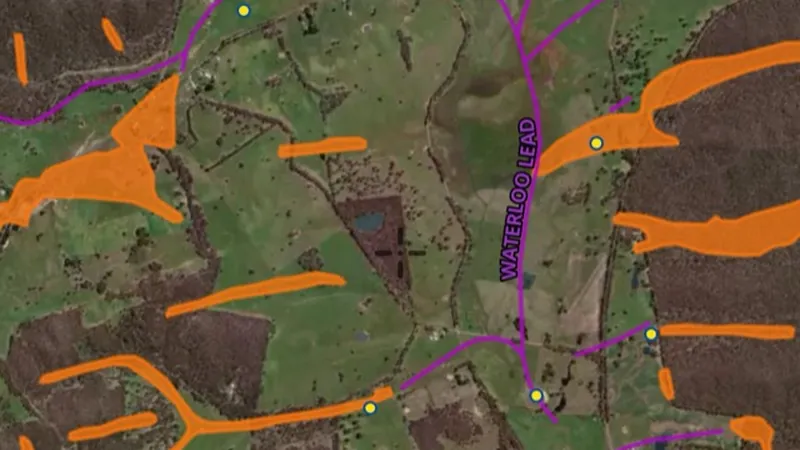
    Alluvial & Deep Leads

    Leads are mapped routes of gold-bearing river sediment, including channels from older landscapes.

    Read the write-up
    Alluvial & Deep Leads in the Detector Maps app, Victoria© Mapbox, © Maxar

    A screen from the Detector Maps app. Satellite imagery © Mapbox, © Maxar.

    Explorer. Opens with Explorer or Pro. On the Free plan it works inside your one free area of 250 km².

    Open in the app

    About this layer

    Leads are mapped routes of gold-bearing river sediment, including channels from older landscapes. Compare them with modern creeks to see how drainage has changed. Deep leads may be buried far below the reach of a detector.

    What it is for

    Compare the mapped routes with modern creeks and terrain to understand how the landscape has changed.

    Limits

    Deep leads can be buried well below detector depth. A mapped route is an interpretation, not a precise line of remaining gold.

    Source

    Data provided by State of Victoria (Geological Survey of Victoria 2024, Department of Energy Environment and Climate Action 2024, Department of Jobs Skills Industry and Regions 2024, Department of Transport and Planning - 1m DEM LiDAR Dataset), licensed under CC BY 4.0

    Legend

    Alluvial & Deep Leads
    • Shallow Alluvial Leads
    • Shallow Alluvial Lines
    • Deep Leads
    • Deep Lead Lines

    Filters in the app

    Layer switches

Mining Boundaries & Areas

4
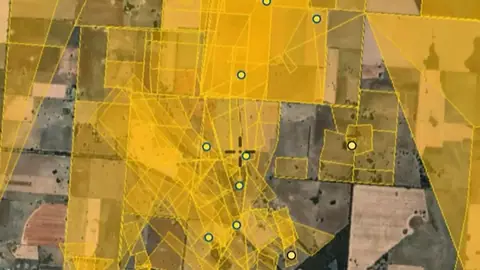
  • Live Tenements in the Detector Maps app, Victoria© Mapbox, © Maxar
    Mining Boundaries & AreasFree

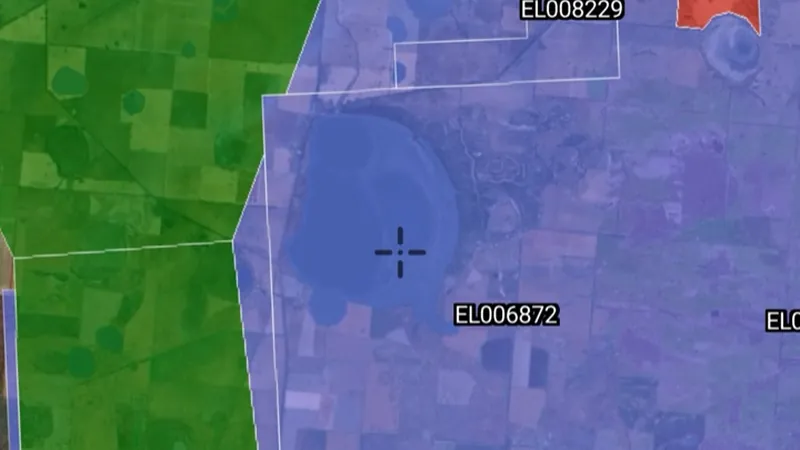
    Live Tenements

    Current exploration and mining titles.

    Read the write-up
    Live Tenements in the Detector Maps app, Victoria© Mapbox, © Maxar

    A screen from the Detector Maps app. Satellite imagery © Mapbox, © Maxar.

    Free. Opens on every plan, including Free.

    Open in the app

    About this layer

    Current mineral tenure shows mapped mining rights, licences or permits. Check the record type and status together with land-access information. A mineral boundary does not by itself establish who may enter or prospect.

    What it is for

    Check the legend, status and available record details. Confirm the current record and relevant access arrangements before visiting.

    Limits

    Applications and granted rights are different. A mapped boundary alone does not tell you whether detecting is permitted.

    Source

    Data provided by State of Victoria (Geological Survey of Victoria 2024, Department of Energy Environment and Climate Action 2024, Department of Jobs Skills Industry and Regions 2024, Department of Transport and Planning - 1m DEM LiDAR Dataset), licensed under CC BY 4.0

    Updated daily 6AM local time.

    Legend

    Mining Boundaries
    • Exploration Licence
    • Mining Licence
    • Prospecting Licence
    • Retention Licence
    • Work Authority

    Filters in the app

    Attribute filtersCategory filterExpiry filter
  • Pending Tenements in the Detector Maps app, Victoria© Mapbox, © Maxar
    Mining Boundaries & AreasExplorer

    Pending Tenements

    Pending tenement applications. Ground is in transition. Check status before entering.

    Read the write-up
    Pending Tenements in the Detector Maps app, Victoria© Mapbox, © Maxar

    A screen from the Detector Maps app. Satellite imagery © Mapbox, © Maxar.

    Explorer. Opens with Explorer or Pro. On the Free plan it works inside your one free area of 250 km².

    Open in the app

    About this layer

    Applications show proposed mineral rights that are still recorded as applications. They are different from granted rights. Check for overlapping current tenure and confirm the latest status before making an access decision.

    What it is for

    Check the legend, status and available record details. Confirm the current record and relevant access arrangements before visiting.

    Limits

    Applications and granted rights are different. A mapped boundary alone does not tell you whether detecting is permitted.

    Source

    Data provided by State of Victoria (Geological Survey of Victoria 2024, Department of Energy Environment and Climate Action 2024, Department of Jobs Skills Industry and Regions 2024, Department of Transport and Planning - 1m DEM LiDAR Dataset), licensed under CC BY 4.0

    Updated daily 6AM local time.

    Legend

    Pending Tenements
    • Pending Tenements
  • Historic Gold Leases in the Detector Maps app, Victoria© Mapbox, © Maxar
    Mining Boundaries & AreasExplorer

    Historic Gold Leases

    Footprints of expired gold leases showing where past gold mining was concentrated.

    Read the write-up
    Historic Gold Leases in the Detector Maps app, Victoria© Mapbox, © Maxar

    A screen from the Detector Maps app. Satellite imagery © Mapbox, © Maxar.

    Explorer. Opens with Explorer or Pro. On the Free plan it works inside your one free area of 250 km².

    Open in the app

    About this layer

    Historic claims and leases show where mineral rights were recorded in the past. They can help you trace earlier exploration and mining interest. An expired or historical record does not mean the land is now open.

    What it is for

    Check the legend, status and available record details. Confirm the current record and relevant access arrangements before visiting.

    Limits

    Applications and granted rights are different. A mapped boundary alone does not tell you whether detecting is permitted.

    Source

    Data provided by State of Victoria (Geological Survey of Victoria 2024, Department of Energy Environment and Climate Action 2024, Department of Jobs Skills Industry and Regions 2024, Department of Transport and Planning - 1m DEM LiDAR Dataset), licensed under CC BY 4.0

    Updated daily 6AM local time.

    Legend

    Historic Gold Leases
    • Historic Gold Leases
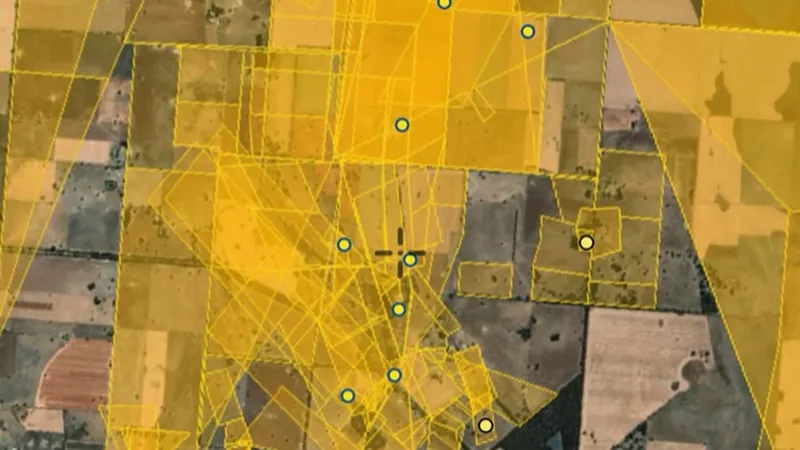
  • Historic Mining Leases in the Detector Maps app, Victoria© Mapbox, © Maxar
    Mining Boundaries & AreasExplorer

    Historic Mining Leases

    Historic footprints of mineral licences (1860s-1958) highlighting areas worked in the past.

    Read the write-up
    Historic Mining Leases in the Detector Maps app, Victoria© Mapbox, © Maxar

    A screen from the Detector Maps app. Satellite imagery © Mapbox, © Maxar.

    Explorer. Opens with Explorer or Pro. On the Free plan it works inside your one free area of 250 km².

    Open in the app

    About this layer

    Historic claims and leases show where mineral rights were recorded in the past. They can help you trace earlier exploration and mining interest. An expired or historical record does not mean the land is now open.

    What it is for

    Compare historic activity with current tenure, geology and access layers when researching an area.

    Limits

    An expired or closed record does not mean land is now open. Check current records and permissions separately.

    Source

    Data provided by State of Victoria (Geological Survey of Victoria 2024, Department of Energy Environment and Climate Action 2024, Department of Jobs Skills Industry and Regions 2024, Department of Transport and Planning - 1m DEM LiDAR Dataset), licensed under CC BY 4.0

    Updated daily 6AM local time.

    Legend

    Historic Mining Leases
    • Historic Mining Leases

LiDAR Hillshade

2
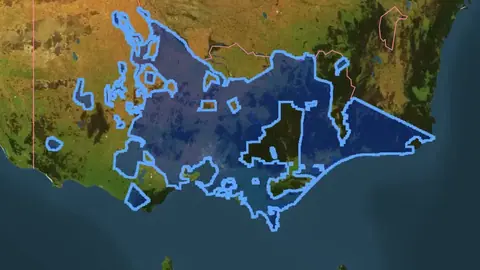
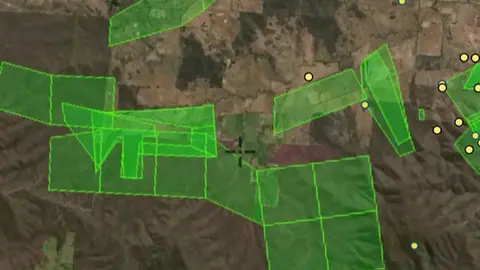
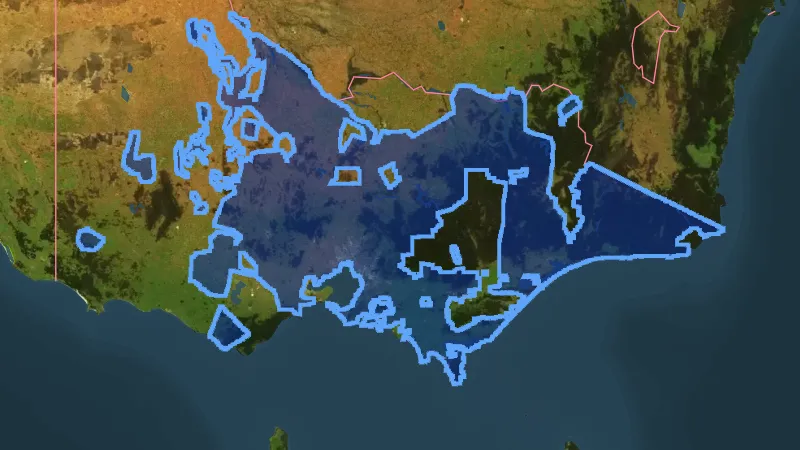
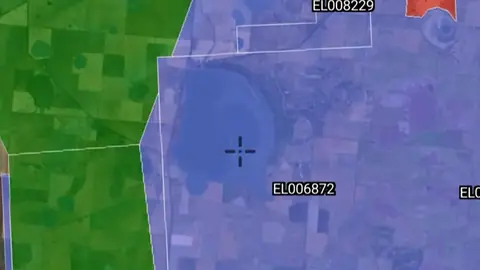
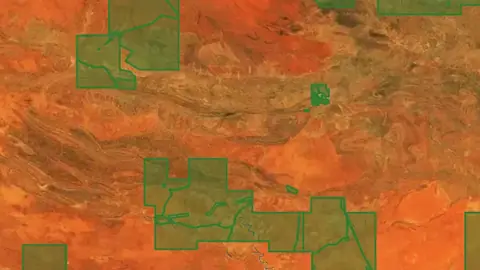
  • Coverage Areas in Victoria, drawn over satellite imagery© Mapbox, © Maxar
    LiDAR HillshadeFree

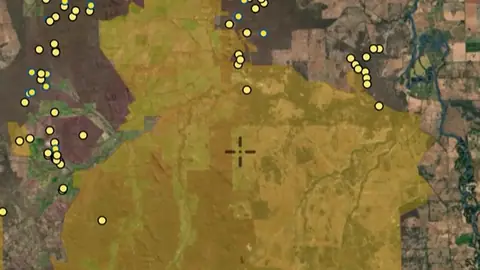
    Coverage Areas

    Areas where high-resolution LiDAR coverage exists.

    Read the write-up
    Coverage Areas in Victoria, drawn over satellite imagery© Mapbox, © Maxar

    The layer drawn over satellite imagery. Satellite imagery © Mapbox, © Maxar.

    Free. Opens on every plan, including Free.

    Open in the app

    About this layer

    Coverage outlines show where the named LiDAR data is available. Check whether your area lies inside the boundary before relying on that hillshade layer. Being inside an outline does not guarantee every small patch has usable data.

    What it is for

    Zoom in and compare shapes with the basemap. If this layer offers lighting or rendering controls, compare more than one view.

    Limits

    Natural features and modern disturbance can resemble old workings or archaeology. Coverage and detail vary between surveys.

    Source

    Data provided by State of Victoria (Geological Survey of Victoria 2024, Department of Energy Environment and Climate Action 2024, Department of Jobs Skills Industry and Regions 2024, Department of Transport and Planning - 1m DEM LiDAR Dataset), licensed under CC BY 4.0

    Legend

    LiDAR Coverage Areas
    • Licensed
    • Other
  • Premium LiDAR Hillshade in the Detector Maps app, Victoria© Mapbox, © Maxar
    LiDAR HillshadeAdd-on

    Premium LiDAR Hillshade

    High-detail 1m shaded relief built from LiDAR. Each variation below reads the same ground a different way, so a working that is invisible in one can be obvious in another. Hillshade: the familiar one, lit from a single direction. Best all-round read of the country, but anything running parallel to the light can disappear into its own shadow. Sky View Factor: measures how much sky each point can see, so anything cut into the ground goes dark. The one for shafts, costeans, puddler holes and dams. Multi-Light PCA: eight hillshades combined into one, so nothing hides in shadow whichever way it runs. A good first pass over ground you do not know. Positive Openness: the opposite reading, ground that stands proud. Mullock heaps, spoil, tailings and the dumps thrown up beside a shaft. Local Relief 10m: strips the hillside away and leaves only the small stuff sitting on it. Alluvial workings, sluice channels and shallow pits on a slope. Directional SVF: sky view weighted to the north-west, which throws up features running across that line. Water races, tramways and long costeans. SVF + Slope: sky view sharpened by steepness, so rims and edges harden. The lip of a shaft, the edge of a paddocked or sluiced flat. Multi-Scale LRM: local relief at three scales at once. Shows the individual workings and the shape of the lead or gully they sit in together. SVF/LRM Composite: depth and relief in one colour image, slope-tinted. The most information in a single view, for reading a whole field at a glance. RRIM: red relief image map. Ridges and hollows both read without any light direction at all, which is what makes it strong on faint, weathered ground.

    Read the write-up
    Premium LiDAR Hillshade in the Detector Maps app, Victoria© Mapbox, © Maxar
    A screen from the Detector Maps app. Satellite imagery © Mapbox, © Maxar.

    Add-on. Needs the Victorian LiDAR add-on, A$39.99 a year.

    Open in the app

    About this layer

    LiDAR uses laser measurements to map the shape of the ground. Hillshade adds simulated light and shadow so banks, channels, diggings and other surface features are easier to see. It shows ground shape, not buried metal.

    What it is for

    Zoom in and compare shapes with the basemap. If this layer offers lighting or rendering controls, compare more than one view.

    Limits

    Natural features and modern disturbance can resemble old workings or archaeology. Coverage and detail vary between surveys.

    Source

    Data provided by State of Victoria (Geological Survey of Victoria 2024, Department of Energy Environment and Climate Action 2024, Department of Jobs Skills Industry and Regions 2024, Department of Transport and Planning - 1m DEM LiDAR Dataset), licensed under CC BY 4.0

    Filters in the app

    Looks

    Draws from zoom 6.

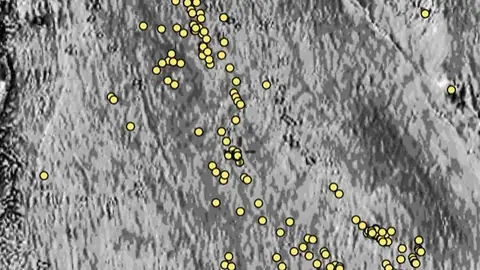
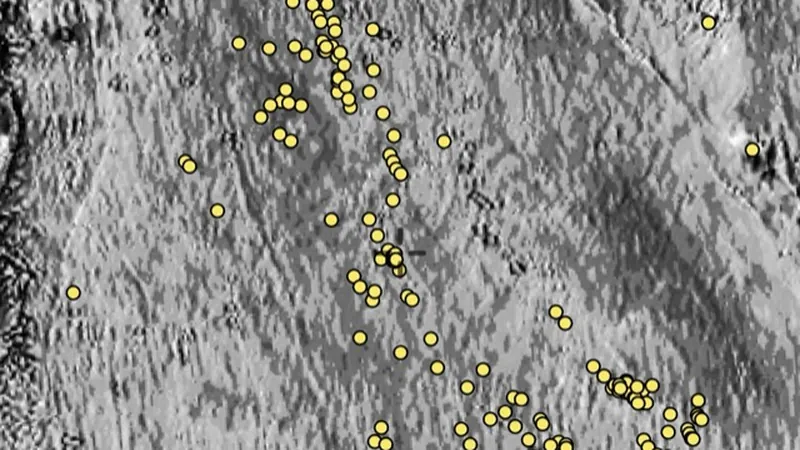
Geochemistry

3
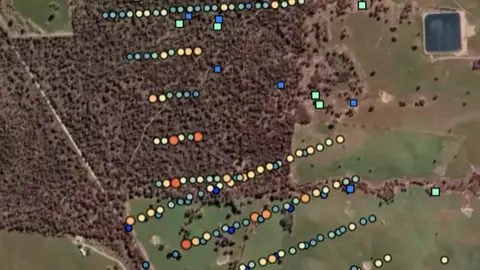
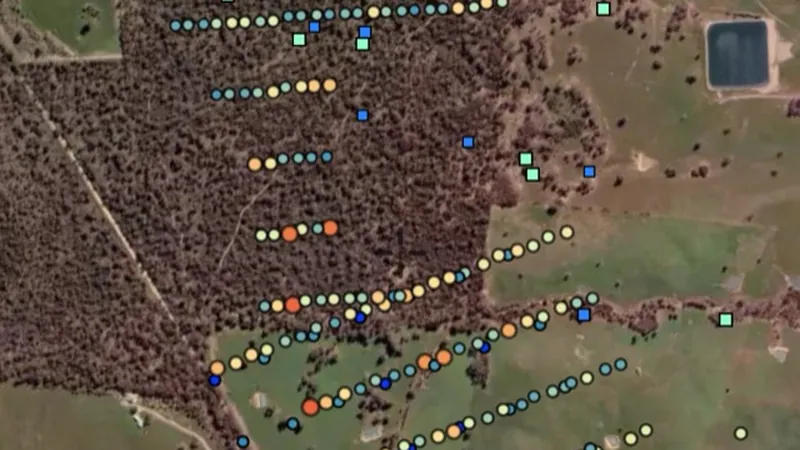
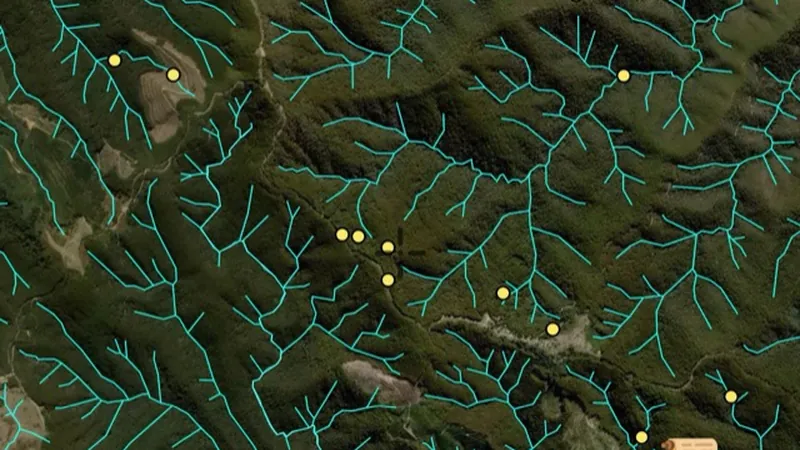
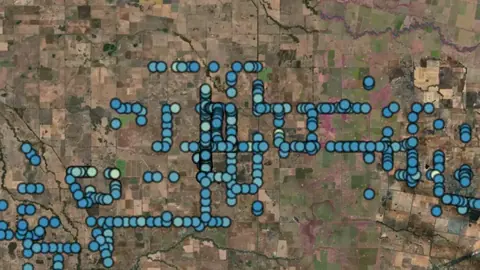
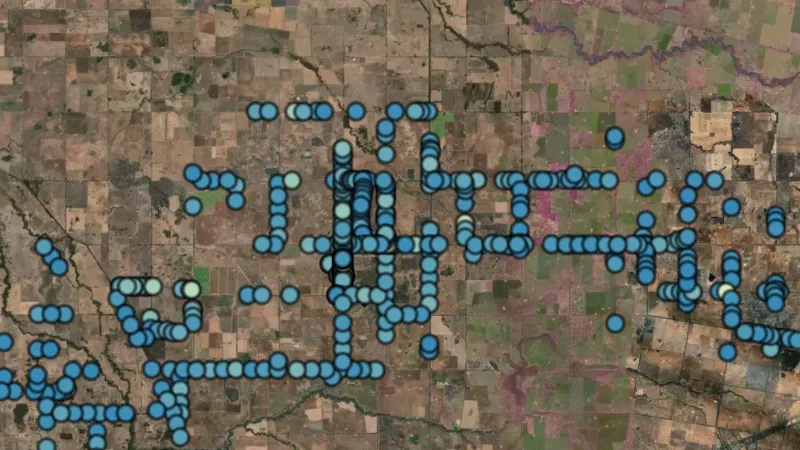
  • Streams in Victoria, drawn over satellite imagery© Mapbox, © Maxar
    GeochemistryExplorer

    Streams

    Gold concentration in creek sediment samples (ppb).

    Also in 2 other states in Australia
    Read the write-up
    Streams in Victoria, drawn over satellite imagery© Mapbox, © Maxar
    The layer drawn over satellite imagery. Satellite imagery © Mapbox, © Maxar.

    Explorer. Opens with Explorer or Pro. On the Free plan it works inside your one free area of 250 km².

    Open in the app

    This layer works the same way in 3 places in Australia, so its full write-up, legend and plan are on one page.

    Read the full write-up

    Source in Victoria

    Data provided by State of Victoria (Geological Survey of Victoria 2024, Department of Energy Environment and Climate Action 2024, Department of Jobs Skills Industry and Regions 2024, Department of Transport and Planning - 1m DEM LiDAR Dataset), licensed under CC BY 4.0

    Filters in the app

    Soil sample filters
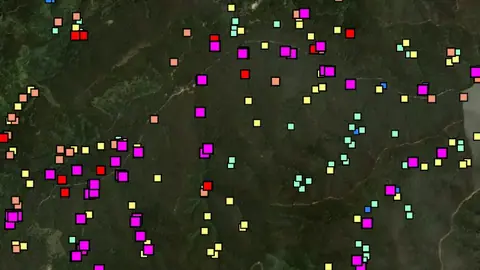
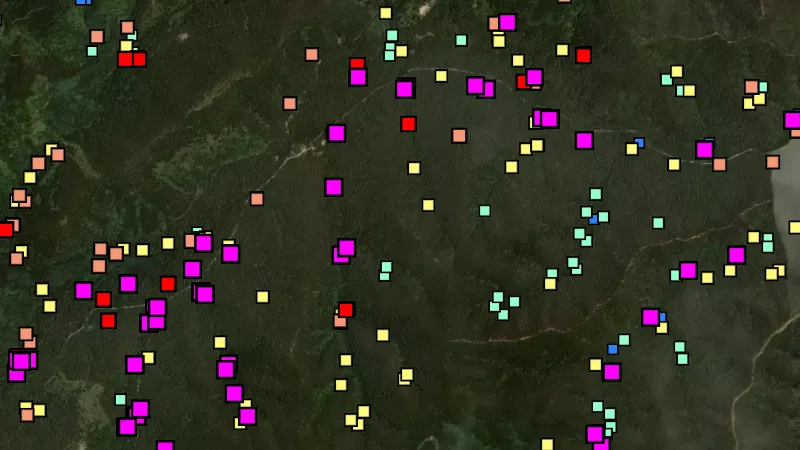
  • Soils in the Detector Maps app, Victoria© Mapbox, © Maxar
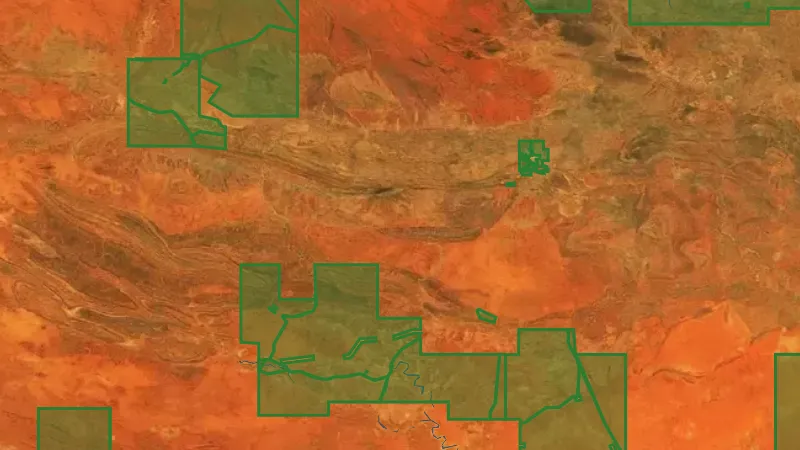
    GeochemistryExplorer

    Soils

    Gold concentration in soil samples taken by exploration companies.

    Read the write-up
    Soils in the Detector Maps app, Victoria© Mapbox, © Maxar
    A screen from the Detector Maps app. Satellite imagery © Mapbox, © Maxar.

    Explorer. Opens with Explorer or Pro. On the Free plan it works inside your one free area of 250 km².

    Open in the app

    About this layer

    Soil samples show what a laboratory measured in soil collected near the surface. Look for clusters of higher readings and compare them with nearby slopes, creeks and rock types. A high reading is a clue in a soil sample, not a detected nugget.

    What it is for

    Use the legend to compare readings from similar samples. Look for clusters and compare them with slopes, drainage and geology.

    Limits

    Soil can move downslope or be transported. A reading describes the collected sample, not the amount of gold beneath the point.

    Source

    Data provided by State of Victoria (Geological Survey of Victoria 2024, Department of Energy Environment and Climate Action 2024, Department of Jobs Skills Industry and Regions 2024, Department of Transport and Planning - 1m DEM LiDAR Dataset), licensed under CC BY 4.0

    Filters in the app

    Soil sample filters
  • Unknown Samples in Victoria, drawn over satellite imagery© Mapbox, © Maxar
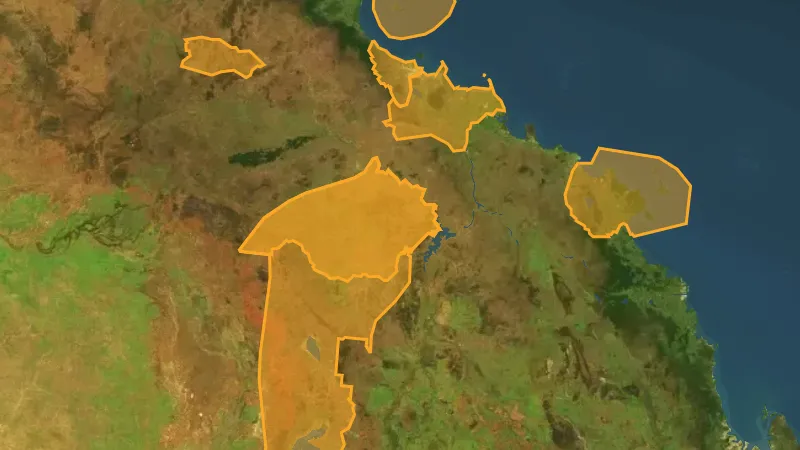
    GeochemistryExplorer

    Unknown Samples

    Geochem samples where sample medium isn't recorded. Still a useful gold signal.

    Read the write-up
    Unknown Samples in Victoria, drawn over satellite imagery© Mapbox, © Maxar
    The layer drawn over satellite imagery. Satellite imagery © Mapbox, © Maxar.

    Explorer. Opens with Explorer or Pro. On the Free plan it works inside your one free area of 250 km².

    Open in the app

    About this layer

    These sample records are grouped separately because their sample type is other or unknown. Read the individual record and units before using the result. Do not assume it was collected from soil, a creek or surface rock.

    What it is for

    Check the sample type, element and units in the legend before comparing readings. Look for patterns across nearby samples.

    Limits

    Sampling methods, depth and laboratory detection limits can differ. A high reading alone does not show a detectable nugget.

    Source

    Data provided by State of Victoria (Geological Survey of Victoria 2024, Department of Energy Environment and Climate Action 2024, Department of Jobs Skills Industry and Regions 2024, Department of Transport and Planning - 1m DEM LiDAR Dataset), licensed under CC BY 4.0

    Legend

    Unknown Samples
    • -999
    • 0.001
    • 6
    • 10
    • 25
    • 50
    • 100

    Filters in the app

    Soil sample filters

Native Title Areas

3
  • NT Determinations in Victoria, drawn over satellite imagery© Mapbox, © Maxar
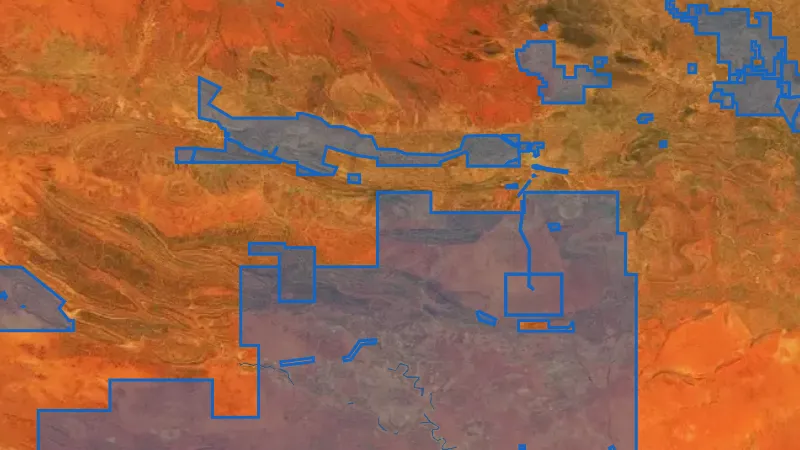
    Native Title AreasExplorer

    NT Determinations

    Native title determinations record decisions about whether native title exists in an area.

    Also in 5 other states in Australia
    Read the write-up
    NT Determinations in Victoria, drawn over satellite imagery© Mapbox, © Maxar
    The layer drawn over satellite imagery. Satellite imagery © Mapbox, © Maxar.

    Explorer. Opens with Explorer or Pro. On the Free plan it works inside your one free area of 250 km².

    Open in the app

    This layer works the same way in 6 places in Australia, so its full write-up, legend and plan are on one page.

    Read the full write-up

    Source in Victoria

    Data provided by State of Victoria (Geological Survey of Victoria 2024, Department of Energy Environment and Climate Action 2024, Department of Jobs Skills Industry and Regions 2024, Department of Transport and Planning - 1m DEM LiDAR Dataset), licensed under CC BY 4.0

  • NT Claims in Victoria, drawn over satellite imagery© Mapbox, © Maxar
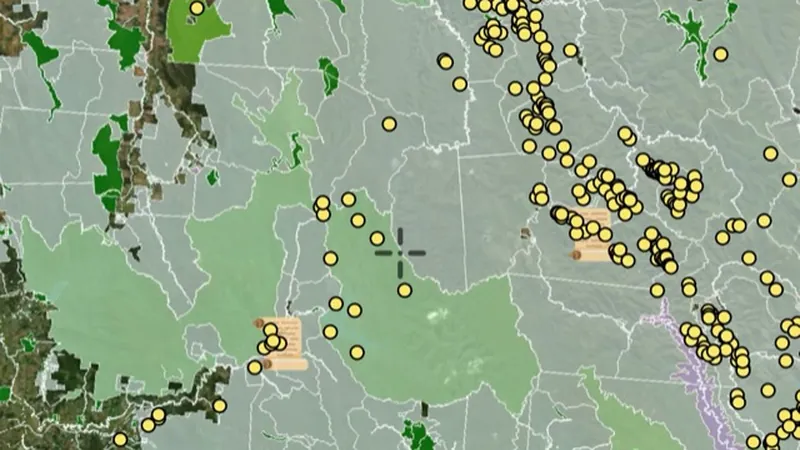
    Native Title AreasExplorer

    NT Claims

    Native title claims show areas covered by applications to recognise native title rights.

    Also in 5 other states in Australia
    Read the write-up
    NT Claims in Victoria, drawn over satellite imagery© Mapbox, © Maxar
    The layer drawn over satellite imagery. Satellite imagery © Mapbox, © Maxar.

    Explorer. Opens with Explorer or Pro. On the Free plan it works inside your one free area of 250 km².

    Open in the app

    This layer works the same way in 6 places in Australia, so its full write-up, legend and plan are on one page.

    Read the full write-up

    Source in Victoria

    Data provided by State of Victoria (Geological Survey of Victoria 2024, Department of Energy Environment and Climate Action 2024, Department of Jobs Skills Industry and Regions 2024, Department of Transport and Planning - 1m DEM LiDAR Dataset), licensed under CC BY 4.0

  • ILUA in Victoria, drawn over satellite imagery© Mapbox, © Maxar
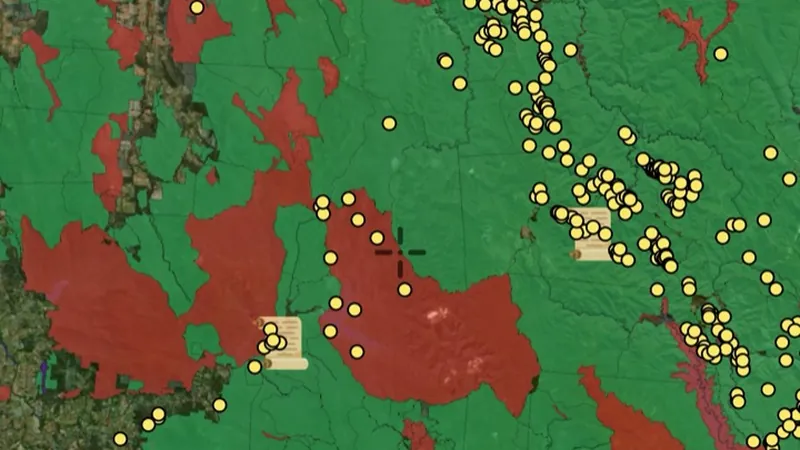
    Native Title AreasExplorer

    ILUA

    An Indigenous Land Use Agreement, or ILUA, is an agreement about land or waters and their use.

    Also in 5 other states in Australia
    Read the write-up
    ILUA in Victoria, drawn over satellite imagery© Mapbox, © Maxar
    The layer drawn over satellite imagery. Satellite imagery © Mapbox, © Maxar.

    Explorer. Opens with Explorer or Pro. On the Free plan it works inside your one free area of 250 km².

    Open in the app

    This layer works the same way in 6 places in Australia, so its full write-up, legend and plan are on one page.

    Read the full write-up

    Source in Victoria

    Data provided by State of Victoria (Geological Survey of Victoria 2024, Department of Energy Environment and Climate Action 2024, Department of Jobs Skills Industry and Regions 2024, Department of Transport and Planning - 1m DEM LiDAR Dataset), licensed under CC BY 4.0

Land Use & Access

3
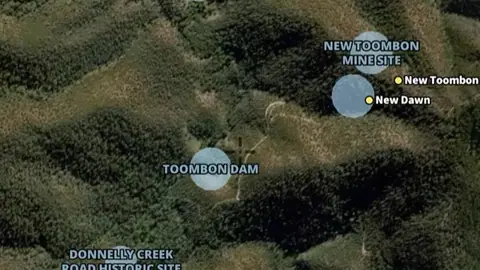
  • Parks & Reserves in the Detector Maps app, Victoria© Mapbox, © Maxar
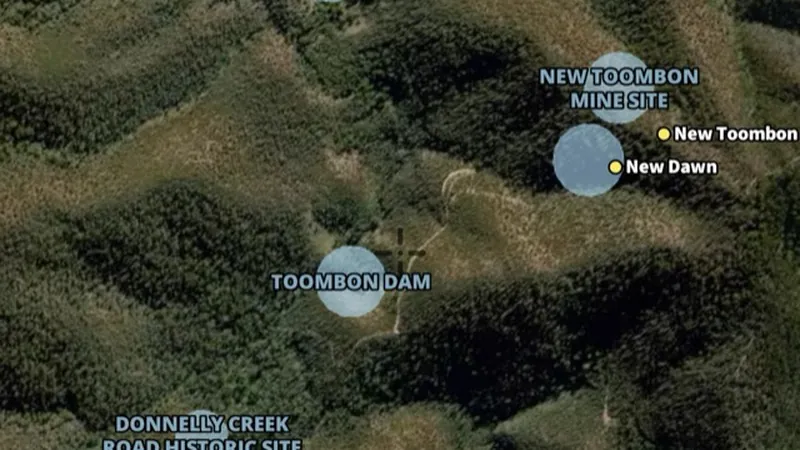
    Land Use & AccessExplorer

    Parks & Reserves

    Park boundaries and protected areas, many with prospecting restrictions.

    Read the write-up
    Parks & Reserves in the Detector Maps app, Victoria© Mapbox, © Maxar
    A screen from the Detector Maps app. Satellite imagery © Mapbox, © Maxar.

    Explorer. Opens with Explorer or Pro. On the Free plan it works inside your one free area of 250 km².

    Open in the app

    About this layer

    These boundaries show parks, reserves or conservation areas. They help you identify the land manager and areas that need further access checks. A park boundary alone does not tell you which activities are permitted there.

    What it is for

    Turn on the relevant layers together and read their legends and notes. Check current conditions with the land manager before planning a visit.

    Limits

    An unshaded area is not automatically available for detecting. Different permissions and restrictions can overlap.

    Source

    Data provided by State of Victoria (Geological Survey of Victoria 2024, Department of Energy Environment and Climate Action 2024, Department of Jobs Skills Industry and Regions 2024, Department of Transport and Planning - 1m DEM LiDAR Dataset), licensed under CC BY 4.0

    Legend

    National Parks
    • National Park
    • State Park
    • State Forest
    • Water Body
    • Regional Park
    • State Park
    • State Forest
    • Water Body
    • Regional Park
  • Prospecting Access in the Detector Maps app, Victoria© Mapbox, © Maxar
    Land Use & AccessExplorer
    Prospecting Access

    Guide showing where recreational prospecting is allowed and not allowed (not official, always verify).

    Read the write-up
    Prospecting Access in the Detector Maps app, Victoria© Mapbox, © Maxar

    A screen from the Detector Maps app. Satellite imagery © Mapbox, © Maxar.

    Explorer. Opens with Explorer or Pro. On the Free plan it works inside your one free area of 250 km².

    Open in the app

    About this layer

    Land-use layers show how areas are managed or classified. Compare overlapping layers before planning a visit and check the details for the land you intend to use. An area with no shading is not automatically open to detecting.

    What it is for

    Turn on the relevant layers together and read their legends and notes. Check current conditions with the land manager before planning a visit.

    Limits

    An unshaded area is not automatically available for detecting. Different permissions and restrictions can overlap.

    Source

    Data provided by State of Victoria (Geological Survey of Victoria 2024, Department of Energy Environment and Climate Action 2024, Department of Jobs Skills Industry and Regions 2024, Department of Transport and Planning - 1m DEM LiDAR Dataset), licensed under CC BY 4.0

    Legend

    Prospecting Access
    • Seek Consent
    • Prospecting Prohibited
    • Prospecting Permitted
    • Lease Freehold
    • Unknown Access

    Filters in the app

    Category filter
  • Heritage in the Detector Maps app, Victoria© Mapbox, © Maxar
    Land Use & AccessExplorer

    Heritage

    Heritage records identify places recognised for their cultural or historic importance.

    Read the write-up
    Heritage in the Detector Maps app, Victoria© Mapbox, © Maxar

    A screen from the Detector Maps app. Satellite imagery © Mapbox, © Maxar.

    Explorer. Opens with Explorer or Pro. On the Free plan it works inside your one free area of 250 km².

    Open in the app

    About this layer

    Heritage records identify places recognised for their cultural or historic importance. Use the records to understand the history and protection of an area. A heritage marker is for research, not an invitation to search or disturb the site.

    What it is for

    Read the available record and compare its date, description and location with other historical sources.

    Limits

    Record locations may be generalised or approximate. Historic interest does not establish permission to detect or disturb a site.

    Source

    Data provided by State of Victoria (Geological Survey of Victoria 2024, Department of Energy Environment and Climate Action 2024, Department of Jobs Skills Industry and Regions 2024, Department of Transport and Planning - 1m DEM LiDAR Dataset), licensed under CC BY 4.0

    Legend

    Heritage
    • Heritage

Rivers & Streams

2
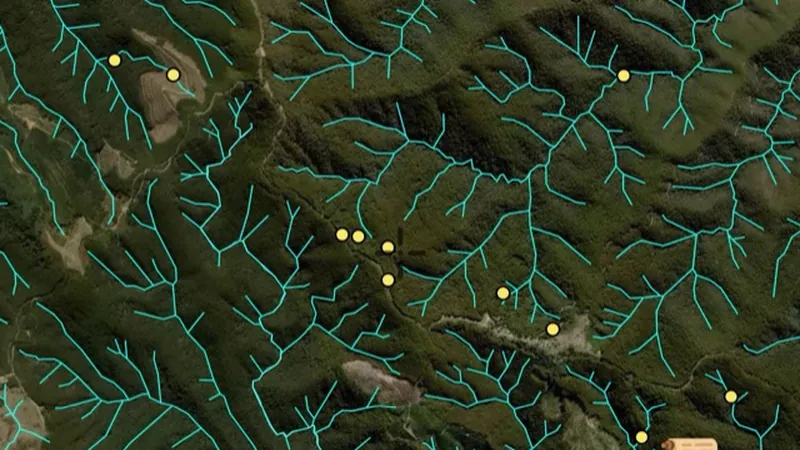
  • Prohibited Streams in the Detector Maps app, Victoria© Mapbox, © Maxar
    Rivers & StreamsExplorer

    Prohibited Streams

    Waterways where prospecting is not allowed. Check before working any creek.

    Read the write-up
    Prohibited Streams in the Detector Maps app, Victoria© Mapbox, © Maxar

    A screen from the Detector Maps app. Satellite imagery © Mapbox, © Maxar.

    Explorer. Opens with Explorer or Pro. On the Free plan it works inside your one free area of 250 km².

    Open in the app

    About this layer

    This layer marks areas identified as not permitting fossicking. Use it early when choosing where to research, alongside land boundaries and other restrictions. Check the current official details before relying on an access decision.

    What it is for

    Follow drainage connections and compare them with terrain. Read the selected layer name and legend to distinguish feature types.

    Limits

    A mapped waterway may be dry, altered or difficult to cross. It does not establish access or permission to work in the waterway.

    Source

    Data provided by State of Victoria (Geological Survey of Victoria 2024, Department of Energy Environment and Climate Action 2024, Department of Jobs Skills Industry and Regions 2024, Department of Transport and Planning - 1m DEM LiDAR Dataset), licensed under CC BY 4.0

    Legend

    Prohibited Streams
    • Prohibited Streams
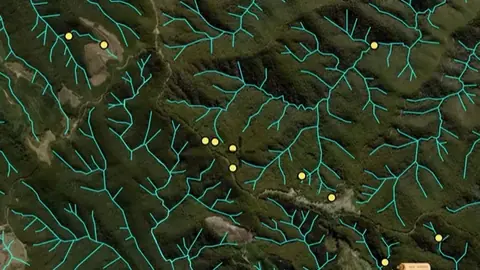
  • Waterways in the Detector Maps app, Victoria© Mapbox, © Maxar
    Rivers & StreamsExplorer

    Waterways

    Creeks, rivers and drainage lines. Shows where water moves and gold may settle.

    Read the write-up
    Waterways in the Detector Maps app, Victoria© Mapbox, © Maxar

    A screen from the Detector Maps app. Satellite imagery © Mapbox, © Maxar.

    Explorer. Opens with Explorer or Pro. On the Free plan it works inside your one free area of 250 km².

    Open in the app

    About this layer

    Waterways show the mapped routes of rivers, creeks and drainage lines. Follow their connections and compare them with terrain when researching how sediment moves. A mapped waterway may be dry or altered, and does not establish access.

    What it is for

    Follow drainage connections and compare them with terrain. Read the selected layer name and legend to distinguish feature types.

    Limits

    A mapped waterway may be dry, altered or difficult to cross. It does not establish access or permission to work in the waterway.

    Source

    Data provided by State of Victoria (Geological Survey of Victoria 2024, Department of Energy Environment and Climate Action 2024, Department of Jobs Skills Industry and Regions 2024, Department of Transport and Planning - 1m DEM LiDAR Dataset), licensed under CC BY 4.0

    Legend

    Waterways
    • Waterways
    • Waterways

Goldfield Maps

1
  • Old Maps of Victorian Goldfields in the Detector Maps app, Victoria© Mapbox, © Maxar
    Goldfield MapsExplorer

    Old Maps of Victorian Goldfields

    Historic goldfields overlay highlighting the productive belts. Good for setting general search regions.

    Read the write-up
    Old Maps of Victorian Goldfields in the Detector Maps app, Victoria© Mapbox, © Maxar

    A screen from the Detector Maps app. Satellite imagery © Mapbox, © Maxar.

    Explorer. Opens with Explorer or Pro. On the Free plan it works inside your one free area of 250 km².

    Open in the app

    About this layer

    Historical maps show how an area was recorded in an earlier period. Compare old roads, buildings, boundaries and workings with the modern basemap. Scans can be misaligned, and features may have moved or disappeared.

    What it is for

    Compare the old map with the modern basemap using opacity. Check the selected map or era before interpreting a feature.

    Limits

    Old maps can be stretched, incomplete or offset from modern coordinates. Treat locations as clues rather than exact positions.

    Source

    Data provided by State of Victoria (Geological Survey of Victoria 2024, Department of Energy Environment and Climate Action 2024, Department of Jobs Skills Industry and Regions 2024, Department of Transport and Planning - 1m DEM LiDAR Dataset), licensed under CC BY 4.0

    Draws from zoom 4.5.

Geology

2
  • Structure & Lines in the Detector Maps app, Victoria© Mapbox, © Maxar
    GeologyExplorer

    Structure & Lines

    Mapped faults, shear zones, contacts and dykes: the structural controls on Victorian gold.

    Read the write-up
    Structure & Lines in the Detector Maps app, Victoria© Mapbox, © Maxar

    A screen from the Detector Maps app. Satellite imagery © Mapbox, © Maxar.

    Explorer. Opens with Explorer or Pro. On the Free plan it works inside your one free area of 250 km².

    Open in the app

    About this layer

    Geological structures show mapped features such as faults, folds, veins and the direction of rock layers. Compare their pattern with nearby mineral records. A mapped line is a geological clue, not a confirmed line of gold.

    What it is for

    Use the legend to identify colours and line symbols. Compare rock boundaries and structures with mineral records and terrain.

    Limits

    Geological maps simplify the ground at their stated scale. Boundaries are interpretations and may not match what is exposed at the surface.

    Source

    Data provided by State of Victoria (Geological Survey of Victoria 2024, Department of Energy Environment and Climate Action 2024, Department of Jobs Skills Industry and Regions 2024, Department of Transport and Planning - 1m DEM LiDAR Dataset), licensed under CC BY 4.0

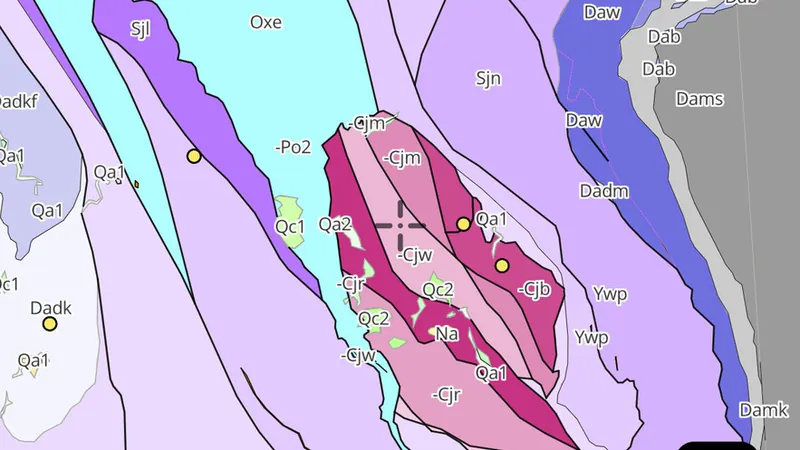
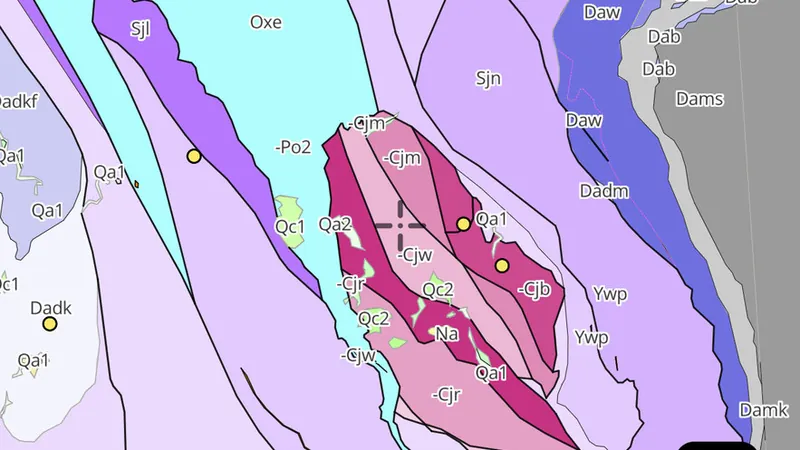
  • Seamless Geology in the Detector Maps app, Victoria© Mapbox, © Maxar
    GeologyExplorer

    Seamless Geology

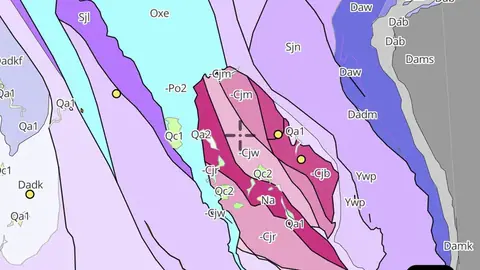
    Continuous statewide rock unit polygons at 1:250,000, coloured by lithology and age.

    Read the write-up
    Seamless Geology in the Detector Maps app, Victoria© Mapbox, © Maxar

    A screen from the Detector Maps app. Satellite imagery © Mapbox, © Maxar.

    Explorer. Opens with Explorer or Pro. On the Free plan it works inside your one free area of 250 km².

    Open in the app

    About this layer

    Geological maps divide the ground into rock or sediment units. Colours and patterns tell you which mapped unit is present; use the legend to read them. Compare the boundaries with mineral records, without assuming one rock type guarantees gold.

    What it is for

    Use the legend to identify colours and line symbols. Compare rock boundaries and structures with mineral records and terrain.

    Limits

    Geological maps simplify the ground at their stated scale. Boundaries are interpretations and may not match what is exposed at the surface.

    Source

    Data provided by State of Victoria (Geological Survey of Victoria 2024, Department of Energy Environment and Climate Action 2024, Department of Jobs Skills Industry and Regions 2024, Department of Transport and Planning - 1m DEM LiDAR Dataset), licensed under CC BY 4.0

    Filters in the app

    Attribute filtersGold host rocks filter

Bushfires

2
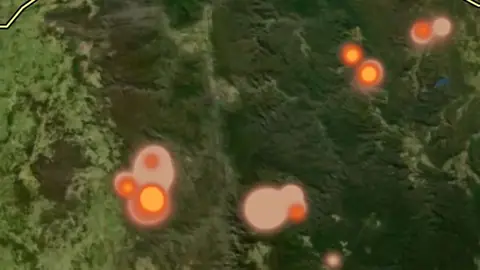
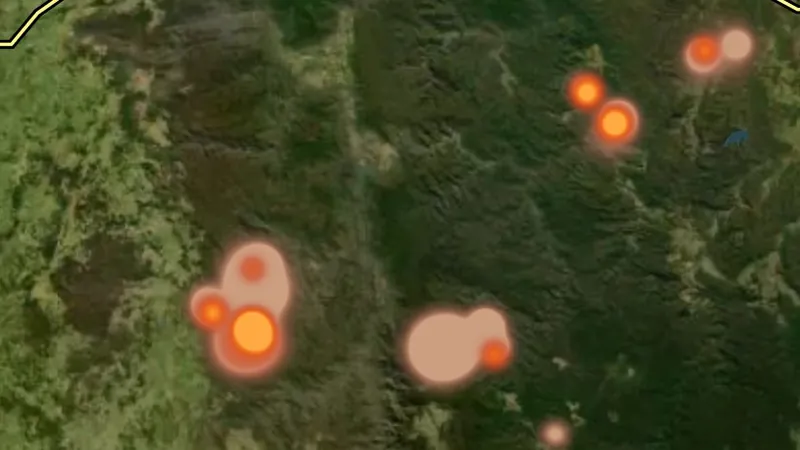
  • Active Fires (10 min updates) in the Detector Maps app, Victoria© Mapbox, © Maxar
    BushfiresExplorer

    Active Fires (10 min updates)

    Where satellites saw fire in the last three days, drawn as a glow: brighter for fiercer fires, coloured by how recently the heat was seen.

    Also in 6 other states in Australia
    Read the write-up
    Active Fires (10 min updates) in the Detector Maps app, Victoria© Mapbox, © Maxar

    A screen from the Detector Maps app. Satellite imagery © Mapbox, © Maxar.

    Explorer. Opens with Explorer or Pro. On the Free plan it works inside your one free area of 250 km².

    Open in the app

    This layer works the same way in 7 places in Australia, so its full write-up, legend and plan are on one page.

    Read the full write-up

    Source in Victoria

    Geoscience Australia DEA Hotspots

    Draws from zoom 3.

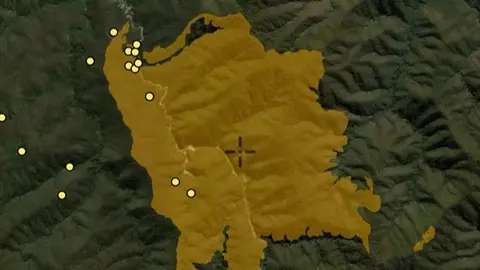
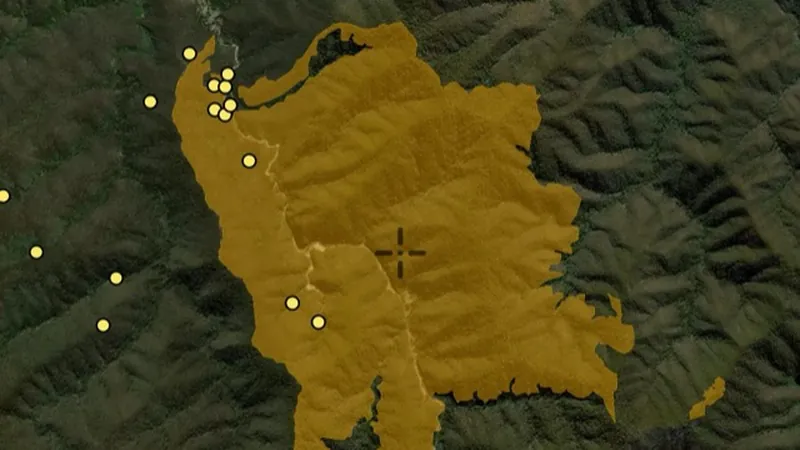
  • Bushfire Areas (This Year) in the Detector Maps app, Victoria© Mapbox, © Maxar
    BushfiresExplorer

    Bushfire Areas (This Year)

    Recently burnt areas. Access may be restricted and conditions hazardous.

    Read the write-up
    Bushfire Areas (This Year) in the Detector Maps app, Victoria© Mapbox, © Maxar

    A screen from the Detector Maps app. Satellite imagery © Mapbox, © Maxar.

    Explorer. Opens with Explorer or Pro. On the Free plan it works inside your one free area of 250 km².

    Open in the app

    About this layer

    Fire perimeters show the mapped extent of recorded fires. They can help you understand changes to vegetation and access in an area. The outline is not live emergency advice or confirmation that it is safe to enter.

    What it is for

    Check the layer time period and legend. Use the responsible fire agency for current warnings and closures.

    Limits

    These map records are not live emergency advice. Missing or old records cannot establish that an area is safe.

    Source

    Data provided by State of Victoria (Geological Survey of Victoria 2024, Department of Energy Environment and Climate Action 2024, Department of Jobs Skills Industry and Regions 2024, Department of Transport and Planning - 1m DEM LiDAR Dataset), licensed under CC BY 4.0

    Legend

    Bushfire Areas (This Year)
    • Bushfire Areas (This Year)

Geophysics

2
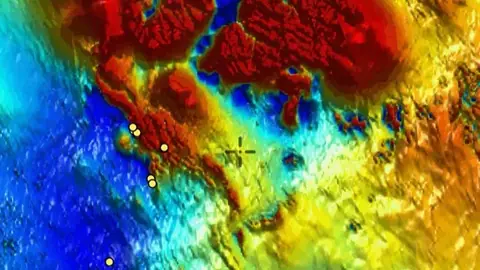
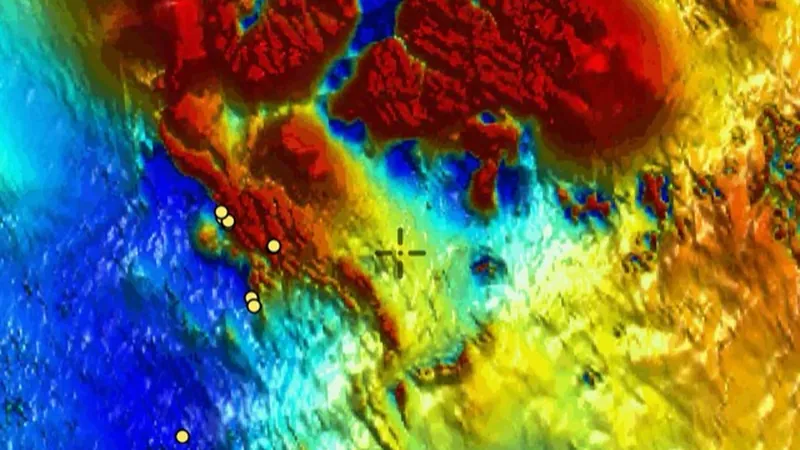
  • Total Magnetic Intensity (RTP) in the Detector Maps app, Victoria© Mapbox, © Maxar
    GeophysicsExplorer

    Total Magnetic Intensity (RTP)

    Reduced-to-pole magnetics revealing subsurface magnetic features and trends.

    Also in 2 other states in Australia
    Read the write-up
    Total Magnetic Intensity (RTP) in the Detector Maps app, Victoria© Mapbox, © Maxar

    A screen from the Detector Maps app. Satellite imagery © Mapbox, © Maxar.

    Explorer. Opens with Explorer or Pro. On the Free plan it works inside your one free area of 250 km².

    Open in the app

    This layer works the same way in 3 places in Australia, so its full write-up, legend and plan are on one page.

    Read the full write-up

    Source in Victoria

    Data provided by State of Victoria (Geological Survey of Victoria 2024, Department of Energy Environment and Climate Action 2024, Department of Jobs Skills Industry and Regions 2024, Department of Transport and Planning - 1m DEM LiDAR Dataset), licensed under CC BY 4.0

  • Total Magnetic Intensity (1VD) in the Detector Maps app, Victoria© Mapbox, © Maxar
    GeophysicsExplorer

    Total Magnetic Intensity (1VD)

    First vertical derivative showing shallow magnetic edges and contacts.

    Also in 2 other states in Australia
    Read the write-up
    Total Magnetic Intensity (1VD) in the Detector Maps app, Victoria© Mapbox, © Maxar

    A screen from the Detector Maps app. Satellite imagery © Mapbox, © Maxar.

    Explorer. Opens with Explorer or Pro. On the Free plan it works inside your one free area of 250 km².

    Open in the app

    This layer works the same way in 3 places in Australia, so its full write-up, legend and plan are on one page.

    Read the full write-up

    Source in Victoria

    Data provided by State of Victoria (Geological Survey of Victoria 2024, Department of Energy Environment and Climate Action 2024, Department of Jobs Skills Industry and Regions 2024, Department of Transport and Planning - 1m DEM LiDAR Dataset), licensed under CC BY 4.0

Basemap

2
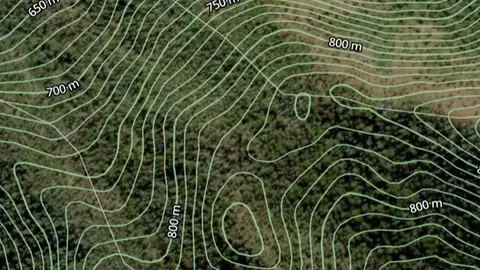
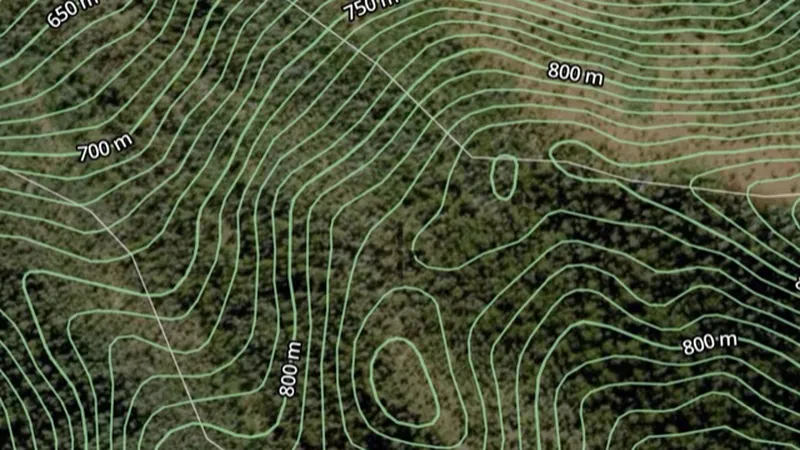
  • Contours in the Detector Maps app, Victoria© Mapbox, © Maxar
    BasemapExplorer

    Contours

    Lines of equal elevation showing hills, valleys and slopes.

    Read the write-up
    Contours in the Detector Maps app, Victoria© Mapbox, © Maxar

    A screen from the Detector Maps app. Satellite imagery © Mapbox, © Maxar.

    Explorer. Opens with Explorer or Pro. On the Free plan it works inside your one free area of 250 km².

    Open in the app

    About this layer

    Contour lines join places at the same height. Closely spaced lines usually show steeper ground; wider gaps show gentler slopes. Use the height labels and nearby waterways to understand ridges, valleys and possible routes.

    What it is for

    Closely spaced lines indicate steeper ground. Use the labels and terrain together to understand ridges, slopes and valleys.

    Limits

    Contours simplify the terrain at their map scale. Small workings, obstacles and local hazards may not appear.

    Source

    Data provided by State of Victoria (Geological Survey of Victoria 2024, Department of Energy Environment and Climate Action 2024, Department of Jobs Skills Industry and Regions 2024, Department of Transport and Planning - 1m DEM LiDAR Dataset), licensed under CC BY 4.0

    Legend

    Contours
    • Contours
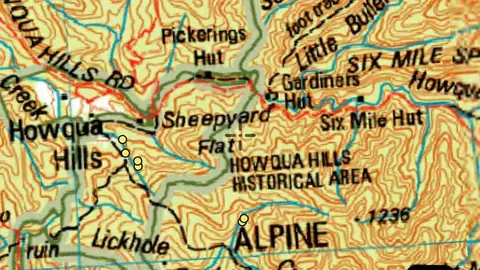
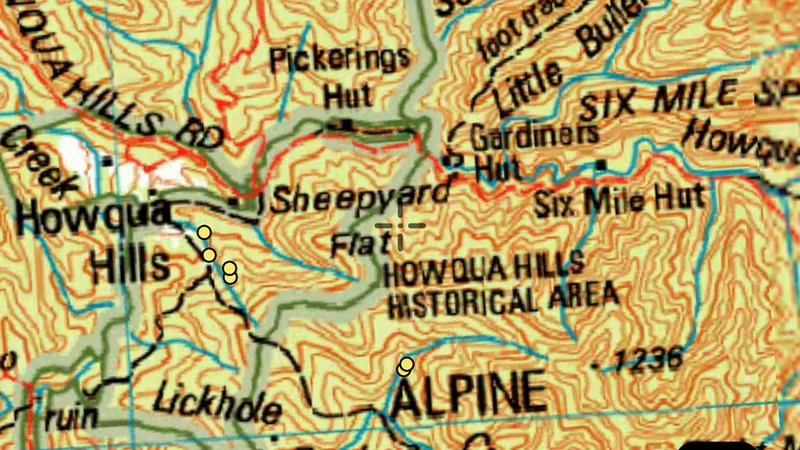
  • 250k Topography (Online Only) in the Detector Maps app, Victoria© Mapbox, © Maxar
    BasemapExplorer

    250k Topography (Online Only)

    Statewide topographic map.

    Read the write-up
    250k Topography (Online Only) in the Detector Maps app, Victoria© Mapbox, © Maxar

    A screen from the Detector Maps app. Satellite imagery © Mapbox, © Maxar.

    Explorer. Opens with Explorer or Pro. On the Free plan it works inside your one free area of 250 km².

    Open in the app

    About this layer

    Topographic maps show the shape of the land alongside mapped features such as waterways, roads and place names. They help you orient yourself and plan a route. Features reflect the map data and may differ from current conditions.

    What it is for

    Compare the basemap with the layers you are researching. Adjust overlay opacity when you need to see both together.

    Limits

    Imagery and mapped features may be from different dates. Small details and current ground conditions may differ.

    Source

    Data provided by State of Victoria (Geological Survey of Victoria 2024, Department of Energy Environment and Climate Action 2024, Department of Jobs Skills Industry and Regions 2024, Department of Transport and Planning - 1m DEM LiDAR Dataset), licensed under CC BY 4.0

All Mineral Occurrences

1
  • All Mineral Occurrences in Victoria, drawn over satellite imagery© Mapbox, © Maxar
    All Mineral OccurrencesPro

    All Mineral Occurrences

    Official records of mineral occurrences for every commodity, not just gold. Use the commodity filter to show a single commodity.

    Also in 6 other states in Australia
    Read the write-up
    All Mineral Occurrences in Victoria, drawn over satellite imagery© Mapbox, © Maxar

    The layer drawn over satellite imagery. Satellite imagery © Mapbox, © Maxar.

    Pro. Opens with Pro.

    Open in the app

    This layer works the same way in 7 places in Australia, so its full write-up, legend and plan are on one page.

    Read the full write-up

    Source in Victoria

    Data provided by State of Victoria (Geological Survey of Victoria 2024, Department of Energy Environment and Climate Action 2024, Department of Jobs Skills Industry and Regions 2024, Department of Transport and Planning - 1m DEM LiDAR Dataset), licensed under CC BY 4.0

    Filters in the app

    Attribute filters

Terrain+™ LiDAR

2
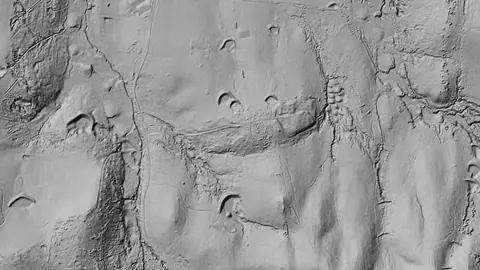
  • Terrain+™ Analysis in Victoria, drawn over satellite imagery© Mapbox, © Maxar
    Terrain+™ LiDARAdd-on

    Terrain+™ Analysis

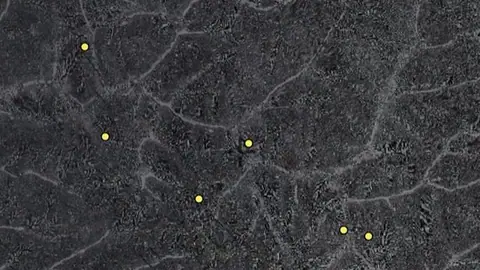
    Outline an area of any shape up to 4.8 km across over Victoria's 0.5 m and 1 m LiDAR (with the Victorian LiDAR add-on) and see the ground full screen as a 3D surface, with a VE slider to raise or flatten it. Any layer can be draped over it. It shows Dynamic LiDAR™, turned on as it is built, and its LiDAR button sets Dynamic LiDAR™'s look on the model and the map alike: hillshade, slope, local relief, sky view and openness, multi-scale relief, VAT, red relief, Multi-Light PCA or the SVF/LRM Composite, each with settings to bring out the features you are after. Save a model with the button beside the X to keep it on the phone for 30 days and open it from the Terrain+™ LiDAR menu in the field, without a connection.

    Also in 3 other states in Australia
    Read the write-up
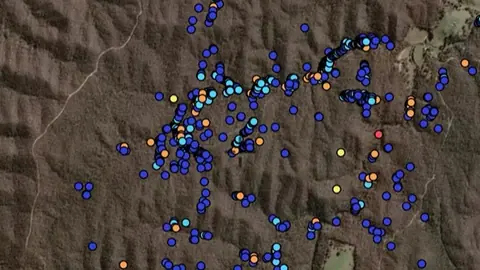
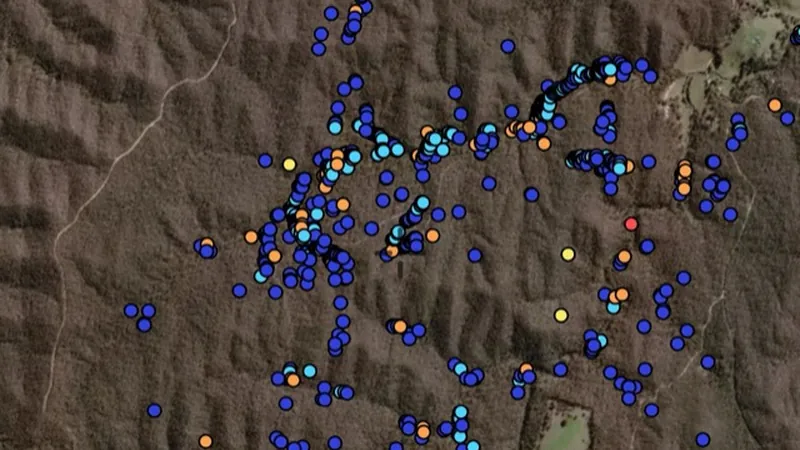
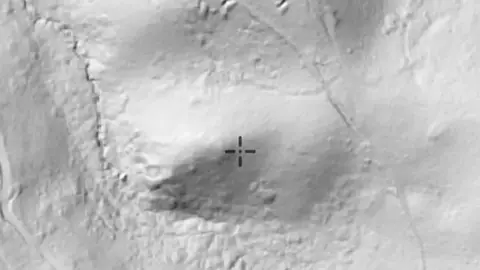
    Terrain+™ Analysis in Victoria, drawn over satellite imagery© Mapbox, © Maxar

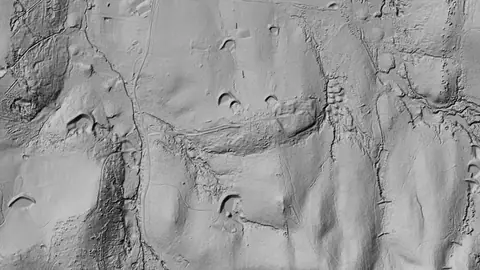
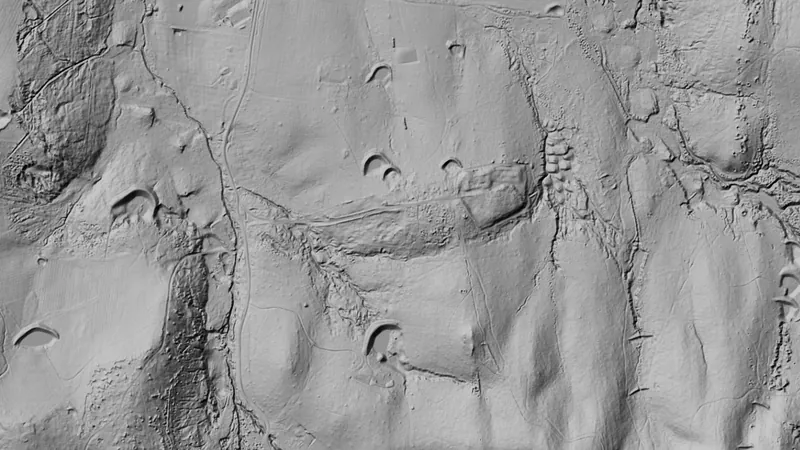
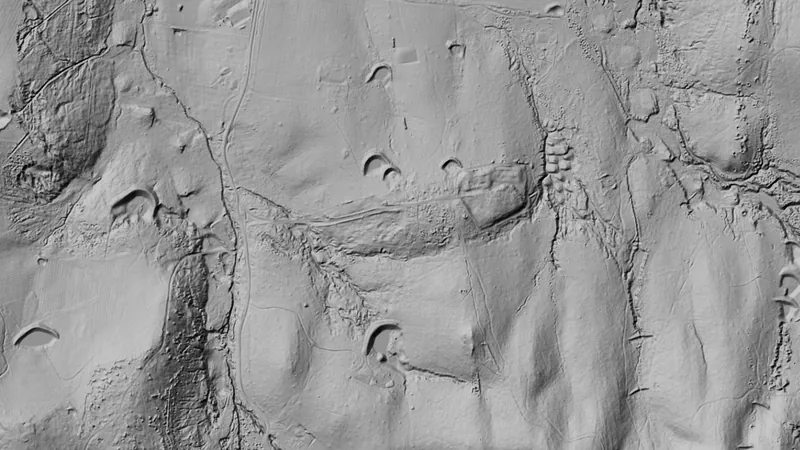
    Terrain+ builds a 3D model of an outlined area and shows Dynamic LiDAR on it. This is that Dynamic LiDAR look (Wattle Gully, near Castlemaine, VIC), not a 3D screenshot. Satellite imagery © Mapbox, © Maxar.

    Add-on. Needs the Victorian LiDAR add-on, A$39.99 a year.

    Open in the app

    This layer works the same way in 4 places in Australia, so its full write-up, legend and plan are on one page.

    Read the full write-up

    Source in Victoria

    Data provided by State of Victoria (Geological Survey of Victoria 2024, Department of Energy Environment and Climate Action 2024, Department of Jobs Skills Industry and Regions 2024, Department of Transport and Planning - 1m DEM LiDAR Dataset), licensed under CC BY 4.0

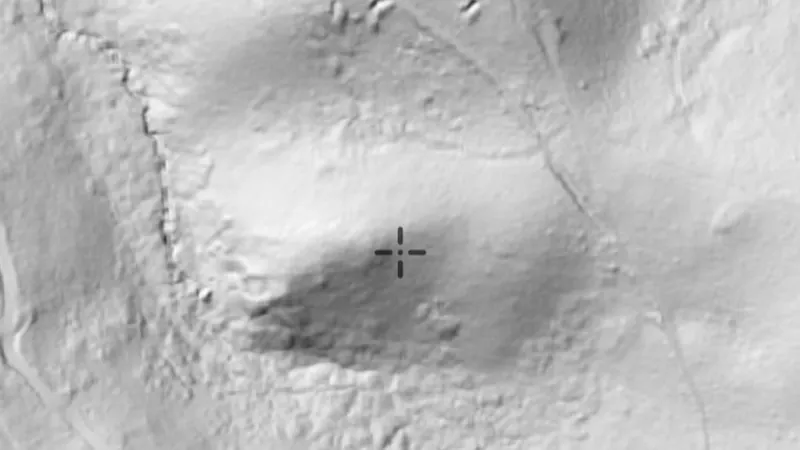
  • Dynamic LiDAR™ in Victoria, drawn over satellite imagery© Mapbox, © Maxar
    Terrain+™ LiDARAdd-on

    Dynamic LiDAR™

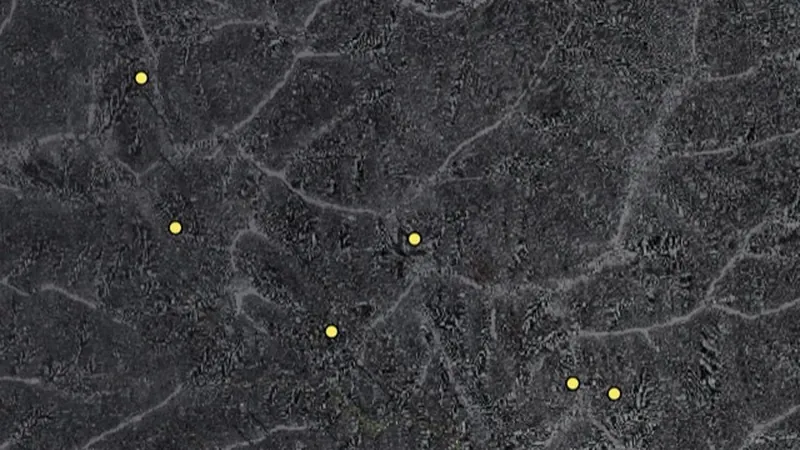
    Dynamic LiDAR™ draws Victoria's 0.5 m and 1 m LiDAR over the map on the phone as you move, in any of Terrain+™'s relief renderings (hillshade, slope, local relief, sky view and openness, multi-scale relief, VAT and red relief), Multi-Light PCA or the SVF/LRM Composite; it comes with the Victorian LiDAR add-on.

    Also in 3 other states in Australia
    Read the write-up
    Dynamic LiDAR™ in Victoria, drawn over satellite imagery© Mapbox, © Maxar

    Drawn by the app's own engine from the live survey files at Wattle Gully, near Castlemaine, VIC. Satellite imagery © Mapbox, © Maxar.

    Add-on. Needs the Victorian LiDAR add-on, A$39.99 a year.

    Open in the app

    This layer works the same way in 4 places in Australia, so its full write-up, legend and plan are on one page.

    Read the full write-up

    Source in Victoria

    Data provided by State of Victoria (Geological Survey of Victoria 2024, Department of Energy Environment and Climate Action 2024, Department of Jobs Skills Industry and Regions 2024, Department of Transport and Planning - 1m DEM LiDAR Dataset), licensed under CC BY 4.0

    Draws from zoom 6.

Sources

Where the data comes from.

Every card names its source. The sources named on this page are:

  • Data provided by State of Victoria (Geological Survey of Victoria 2024, Department of Energy Environment and Climate Action 2024, Department of Jobs Skills Industry and Regions 2024, Department of Transport and Planning - 1m DEM LiDAR Dataset), licensed under CC BY 4.0 CC BY 4.0
  • Geoscience Australia DEA Hotspots

Satellite imagery © Mapbox, © Maxar. Layer data from the sources named on each card.

Plans

What the pills mean.

Every layer shows the plan that opens it. The free plan never runs out. Prices are shown once, here.

Free

Open on every plan, forever. Includes gold records.

Explorer

Opens every base layer, and offline maps for the areas you choose. A$99 a year or A$9.99 a month.

Pro

Tenement alerts for a drawn area or a whole state. Report search across decades of exploration reports. A$249 a year or A$34.99 a month.

Add-on

A layer sold on its own: the Victorian LiDAR add-on, A$39.99 a year.

7-day free trial on yearly plans · Nothing charged until it ends · Cancel anytime.

Satellite imagery © Mapbox, © Maxar. Layer data from the sources named on each card.

Get Detector Maps

Plan the next trip tonight.

Free to download on iPhone and Android.

On iPhone? Get it on the App StoreOn Android? Get it on Google Play

Free to download on iPhone and Android.

7-day free trial on yearly plans · Nothing charged until it ends · Cancel anytime.

Scan with your phone camera to get the app
Start free trialOpen the web map

On your phone: App Store · Google Play

7-day free trial on yearly plans · Nothing charged until it ends · Cancel anytime.

Or open the web map

The Detector Maps support inbox is staffed by Matt and Tom, the two brothers who built it. Contact us

Scan with your phone camera to get the app