Map library · Australia

Tasmania map layers

31 layers for gold prospecting in Tasmania, in 14 categories. 3 are free on every plan: Gold Occurrences, Mining Leases and Exploration Licences. 27 more open with Explorer. 1 needs Pro.

11 of these are also in other states in Australia. Each links to one page that lists them all.

31 layers14 categoriesFree 3Explorer 27Pro 1

Other states

On iPhone? Get it on the App StoreOn Android? Get it on Google Play

Free to download on iPhone and Android.

7-day free trial on yearly plans · Nothing charged until it ends · Cancel anytime.

Scan with your phone camera to get the app
Start free trialOpen the web map

On your phone: App Store · Google Play

7-day free trial on yearly plans · Nothing charged until it ends · Cancel anytime.

4.7 / 5 from 2,400+ ratings on the App Store and Google Play · 10,000+ prospectors and detectorists
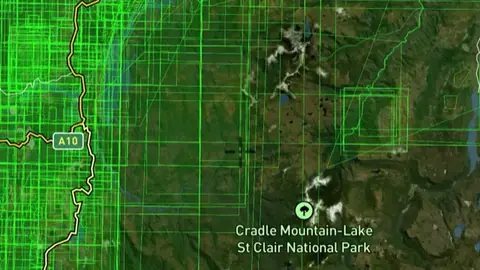
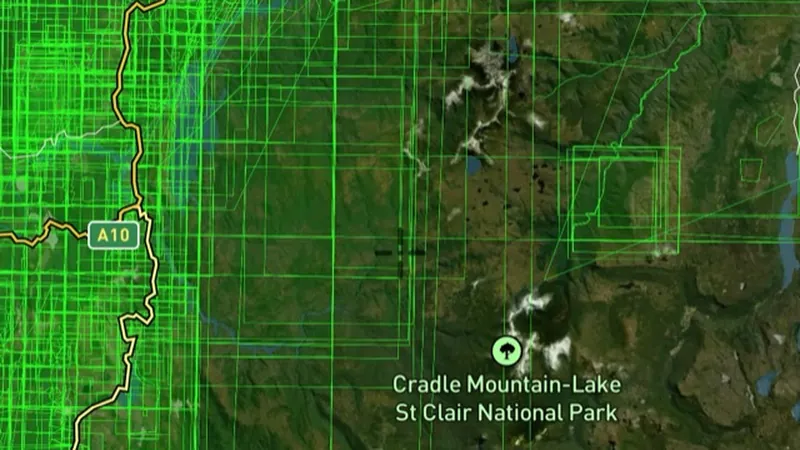
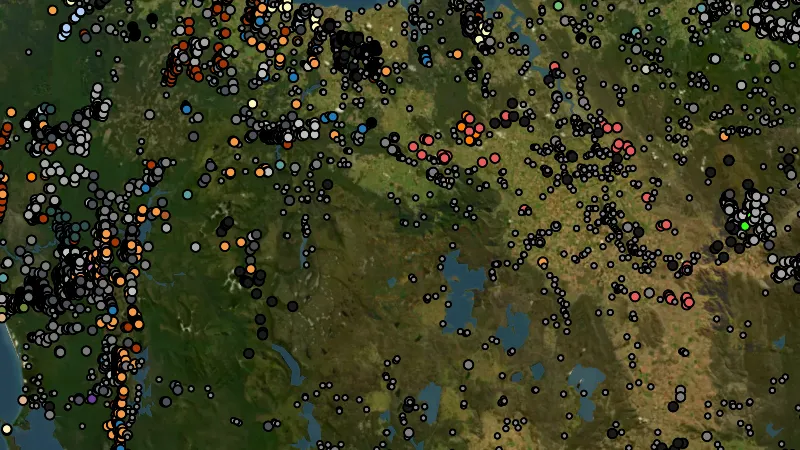
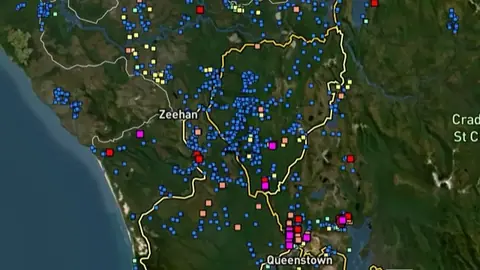
Gold Occurrences in the Detector Maps app, Tasmania© Mapbox, © Maxar

Satellite imagery © Mapbox, © Maxar. Layer data from the sources named on each card.

Satellite imagery © Mapbox, © Maxar. Layer data from the sources named on each card.

Historic Gold

2
  • Gold Occurrences in the Detector Maps app, Tasmania© Mapbox, © Maxar
    Historic GoldFree

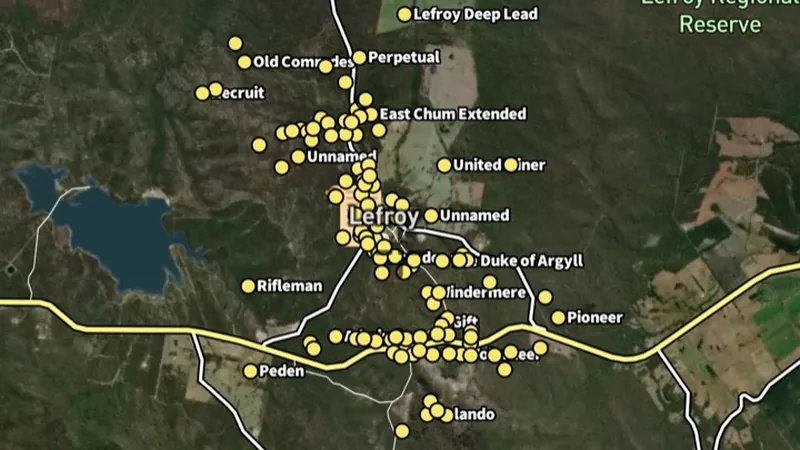
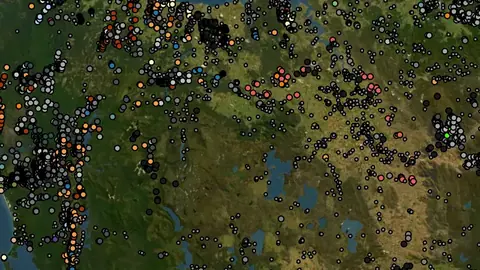
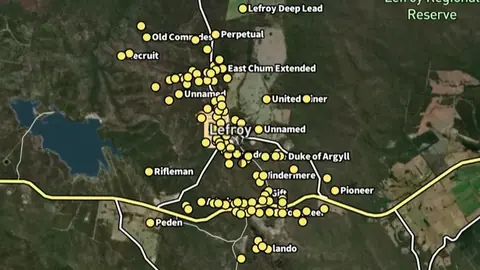
    Gold Occurrences

    Official records of past gold finds, old mines and workings.

    Also in 3 other states in Australia
    Read the write-up
    Gold Occurrences in the Detector Maps app, Tasmania© Mapbox, © Maxar

    A screen from the Detector Maps app. Satellite imagery © Mapbox, © Maxar.

    Free. Opens on every plan, including Free.

    Open in the app

    This layer works the same way in 4 places in Australia, so its full write-up, legend and plan are on one page.

    Read the full write-up

    Source in Tasmania

    Data provided by The State of Tasmania (theLIST) 024, licensed under CC BY 4.0
  • Historic Gold Nuggets in the Detector Maps app, Tasmania© Mapbox, © Maxar
    Historic GoldExplorer

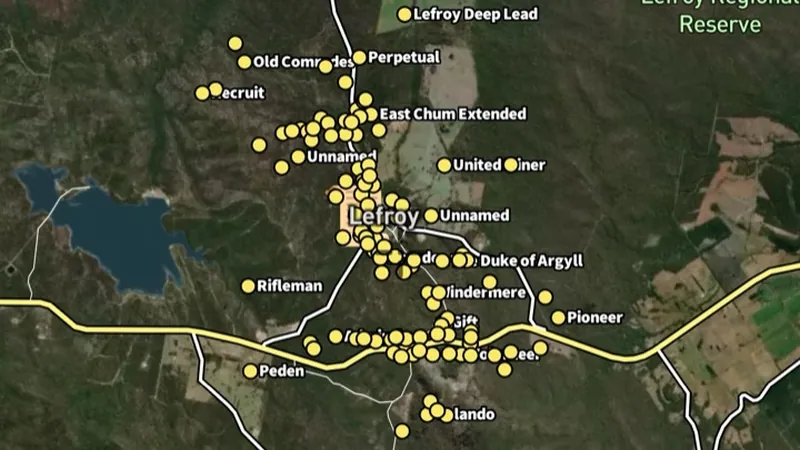
    Historic Gold Nuggets

    Reported locations of larger nugget finds (Trove).

    Also in 1 other state in Australia
    Read the write-up
    Historic Gold Nuggets in the Detector Maps app, Tasmania© Mapbox, © Maxar

    A screen from the Detector Maps app. Satellite imagery © Mapbox, © Maxar.

    Explorer. Opens with Explorer or Pro. On the Free plan it works inside your one free area of 250 km².

    Open in the app

    This layer works the same way in 2 places in Australia, so its full write-up, legend and plan are on one page.

    Read the full write-up

    Source in Tasmania

    Data provided by The State of Tasmania (theLIST) 024, licensed under CC BY 4.0
Mining Boundaries & Areas

2
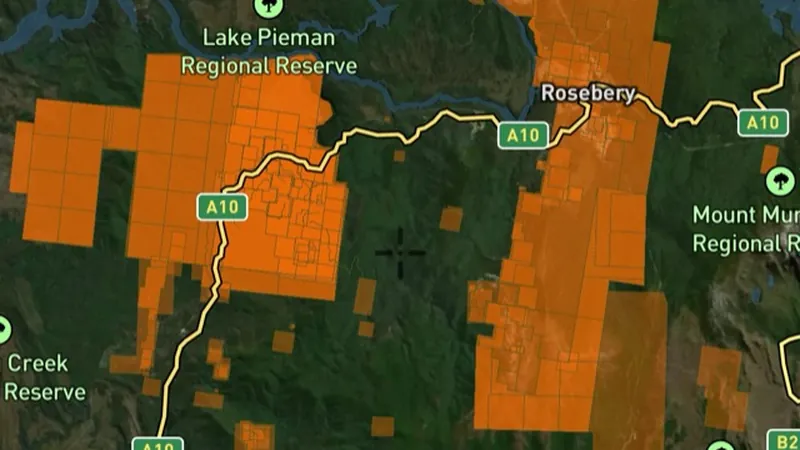
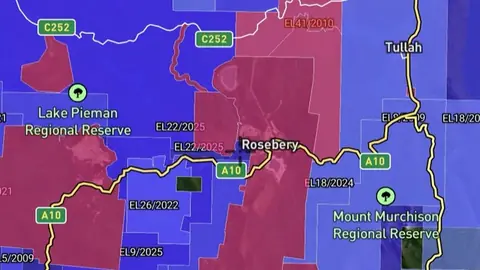
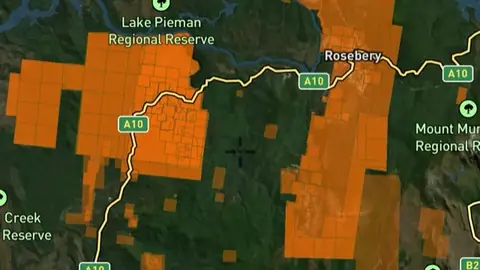
  • Mining Leases in the Detector Maps app, Tasmania© Mapbox, © Maxar
    Mining Boundaries & AreasFree

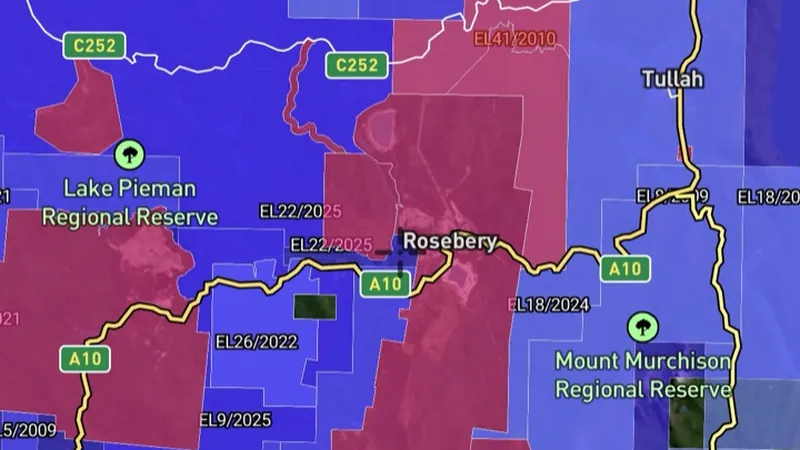
    Mining Leases

    Granted mining title areas. Usually not suitable for recreational fossicking.

    Read the write-up
    Mining Leases in the Detector Maps app, Tasmania© Mapbox, © Maxar

    A screen from the Detector Maps app. Satellite imagery © Mapbox, © Maxar.

    Free. Opens on every plan, including Free.

    Open in the app

    About this layer

    Mining leases identify areas covered by recorded mining rights. Compare them with your intended location and inspect the available lease details. Confirm the current status and permissions before planning work on the land.

    What it is for

    Check the legend, status and available record details. Confirm the current record and relevant access arrangements before visiting.

    Limits

    Applications and granted rights are different. A mapped boundary alone does not tell you whether detecting is permitted.

    Source

    Data provided by The State of Tasmania (theLIST) 024, licensed under CC BY 4.0

    Updated daily 6AM local time.

    Legend

    Mining Lease
    • Perm Required (Lease Holder)
    • Perm Required (Director of Mine)

    Filters in the app

    Expiry filter
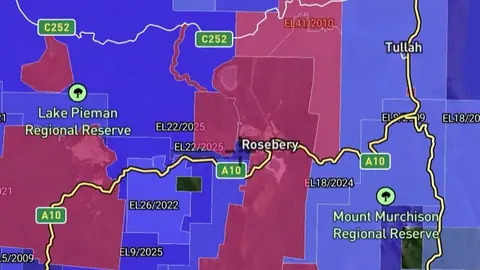
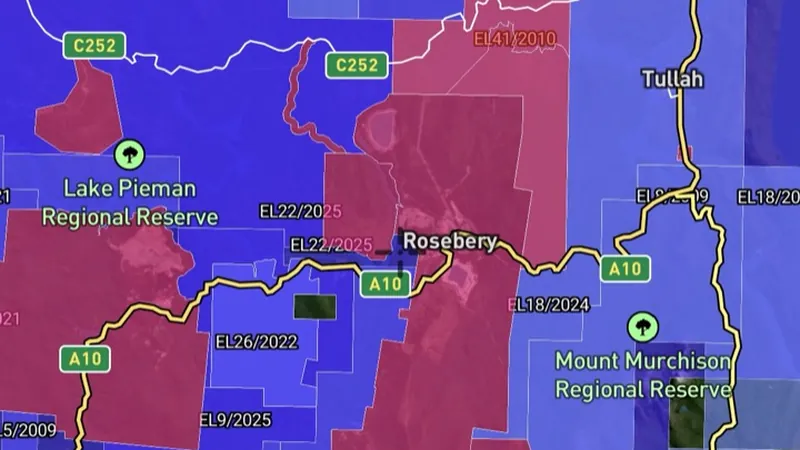
  • Exploration Licences in the Detector Maps app, Tasmania© Mapbox, © Maxar
    Mining Boundaries & AreasFree

    Exploration Licences

    Granted exploration title areas. May set limits or require permissions.

    Read the write-up
    Exploration Licences in the Detector Maps app, Tasmania© Mapbox, © Maxar

    A screen from the Detector Maps app. Satellite imagery © Mapbox, © Maxar.

    Free. Opens on every plan, including Free.

    Open in the app

    About this layer

    Exploration permits or licences identify areas covered by rights to investigate minerals. They help you understand where exploration interests overlap your plans. An exploration boundary does not automatically allow or prohibit your particular activity.

    What it is for

    Check the legend, status and available record details. Confirm the current record and relevant access arrangements before visiting.

    Limits

    Applications and granted rights are different. A mapped boundary alone does not tell you whether detecting is permitted.

    Source

    Data provided by The State of Tasmania (theLIST) 024, licensed under CC BY 4.0

    Updated daily 6AM local time.

    Legend

    Exploration Licence
    • Perm Required (Lease Holder)
    • Perm Required (Director of Mine)

    Filters in the app

    Expiry filter

Geochemistry

4
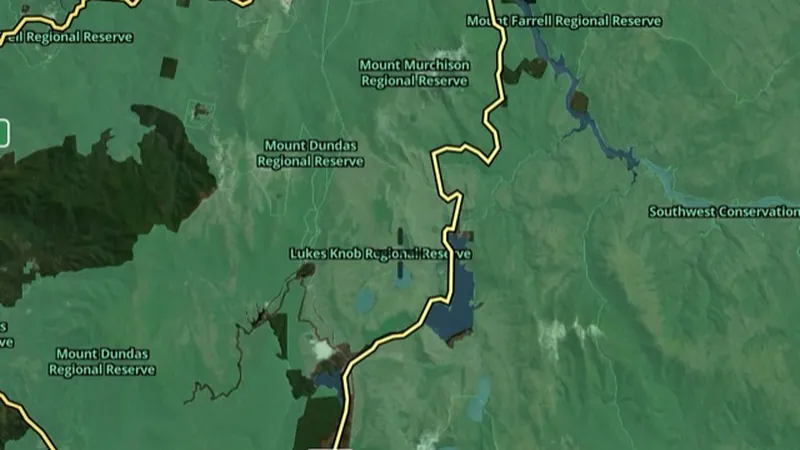
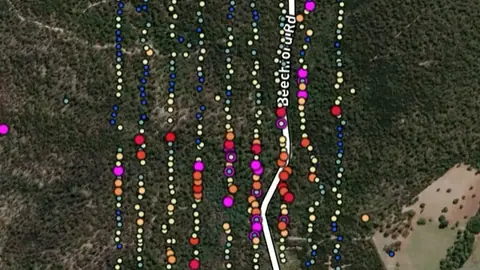
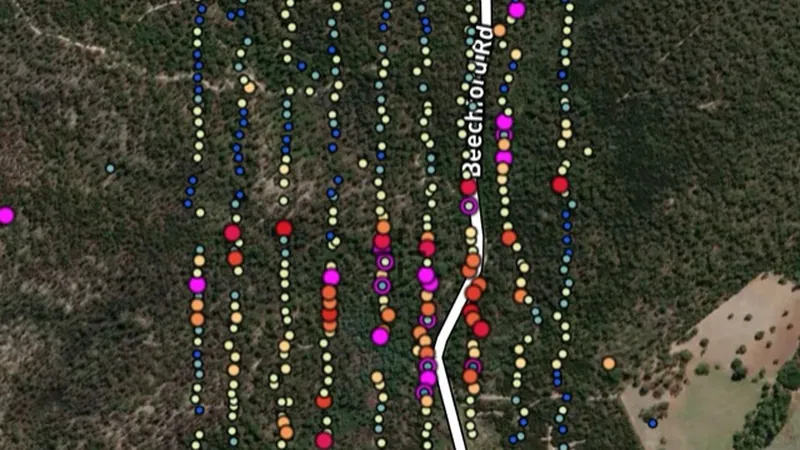
  • Soil Samples in the Detector Maps app, Tasmania© Mapbox, © Maxar
    GeochemistryExplorer

    Soil Samples

    Gold concentrations in soil samples taken by exploration companies.

    Also in 1 other state in Australia
    Read the write-up
    Soil Samples in the Detector Maps app, Tasmania© Mapbox, © Maxar

    A screen from the Detector Maps app. Satellite imagery © Mapbox, © Maxar.

    Explorer. Opens with Explorer or Pro. On the Free plan it works inside your one free area of 250 km².

    Open in the app

    This layer works the same way in 2 places in Australia, so its full write-up, legend and plan are on one page.

    Read the full write-up

    Source in Tasmania

    Data provided by The State of Tasmania (theLIST) 024, licensed under CC BY 4.0
    Filters in the app

    Soil sample filters
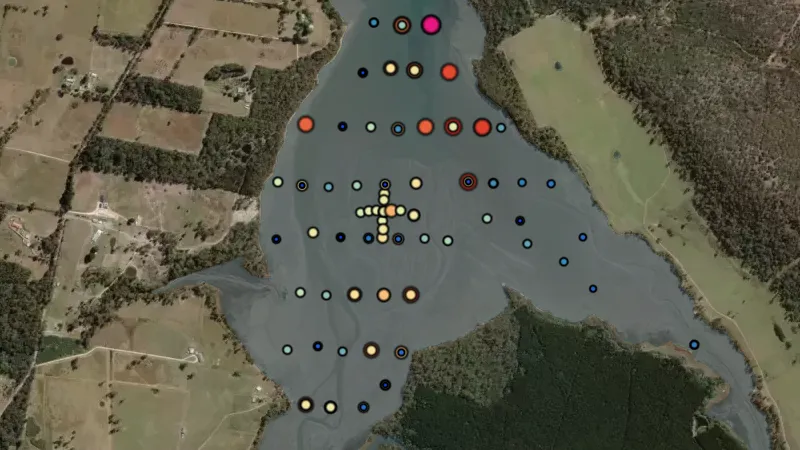
  • Stream Sediments in the Detector Maps app, Tasmania© Mapbox, © Maxar
    GeochemistryExplorer

    Stream Sediments

    Gold concentration in creek sediment samples (ppb), including panned and unpanned samples.

    Read the write-up
    Stream Sediments in the Detector Maps app, Tasmania© Mapbox, © Maxar

    A screen from the Detector Maps app. Satellite imagery © Mapbox, © Maxar.

    Explorer. Opens with Explorer or Pro. On the Free plan it works inside your one free area of 250 km².

    Open in the app

    About this layer

    Stream sediment samples test material collected from creek or river beds. A higher reading can be a clue to mineral-bearing ground somewhere upstream. Compare nearby samples and the upstream drainage; the sample point is not necessarily the source.

    What it is for

    Compare readings along the drainage and with the geology upstream. Check the legend for the element and units.

    Limits

    Sediment can travel and mix with material from different sources. A sample point is not a precise source location.

    Source

    Data provided by The State of Tasmania (theLIST) 024, licensed under CC BY 4.0

    Legend

    Streams · PPB
    Note: only appear at 10+ zoom level
    • Low Gold < 1
    • 1
    • 10
    • Medium Gold 25
    • 50
    • High Gold 100

    Filters in the app

    Soil sample filters
  • Rock Chips in the Detector Maps app, Tasmania© Mapbox, © Maxar
    GeochemistryExplorer

    Rock Chips

    Gold concentration in exposed rock samples, measured in ppm.

    Also in 3 other states in Australia
    Read the write-up
    Rock Chips in the Detector Maps app, Tasmania© Mapbox, © Maxar

    A screen from the Detector Maps app. Satellite imagery © Mapbox, © Maxar.

    Explorer. Opens with Explorer or Pro. On the Free plan it works inside your one free area of 250 km².

    Open in the app

    This layer works the same way in 4 places in Australia, so its full write-up, legend and plan are on one page.

    Read the full write-up

    Source in Tasmania

    Data provided by The State of Tasmania (theLIST) 024, licensed under CC BY 4.0
    Filters in the app

    Soil sample filters
  • Unknown Samples in Tasmania, drawn over satellite imagery© Mapbox, © Maxar
    GeochemistryExplorer

    Unknown Samples

    Geochem samples where sample medium isn't recorded. Still a gold signal worth checking.

    Also in 1 other state in Australia
    Read the write-up
    Unknown Samples in Tasmania, drawn over satellite imagery© Mapbox, © Maxar

    The layer drawn over satellite imagery. Satellite imagery © Mapbox, © Maxar.

    Explorer. Opens with Explorer or Pro. On the Free plan it works inside your one free area of 250 km².

    Open in the app

    This layer works the same way in 2 places in Australia, so its full write-up, legend and plan are on one page.

    Read the full write-up

    Source in Tasmania

    Data provided by The State of Tasmania (theLIST) 024, licensed under CC BY 4.0
    Filters in the app

    Soil sample filters

Property Boundaries

1
  • Property Boundaries in Tasmania, drawn over satellite imagery© Mapbox, © Maxar
    Property BoundariesExplorer

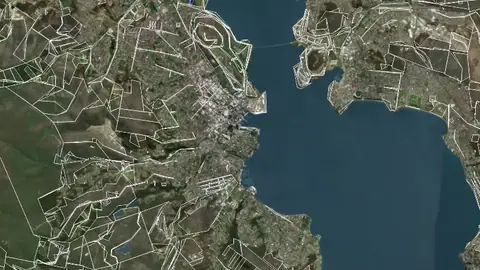
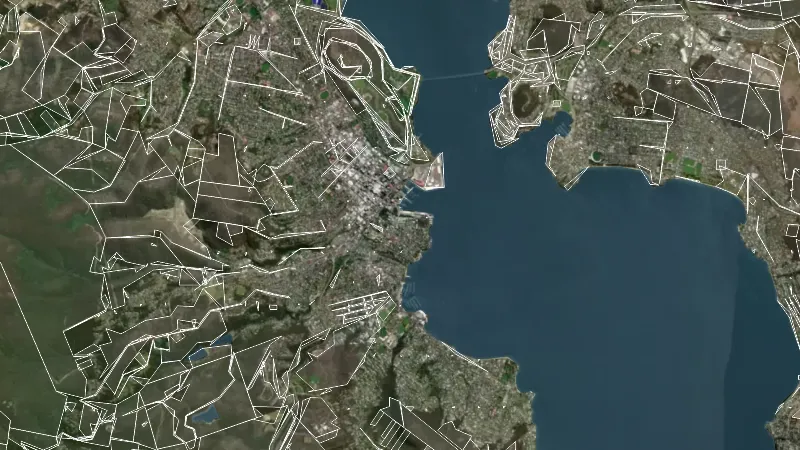
    Property Boundaries

    Parcel boundary data showing land management (private vs public).

    Read the write-up
    Property Boundaries in Tasmania, drawn over satellite imagery© Mapbox, © Maxar

    The layer drawn over satellite imagery. Satellite imagery © Mapbox, © Maxar.

    Explorer. Opens with Explorer or Pro. On the Free plan it works inside your one free area of 250 km².

    Open in the app

    About this layer

    Property boundaries show how the land is divided into parcels. Use the outlines to identify the land you want to research and check the available parcel details. A boundary does not give permission to enter or establish a public route.

    What it is for

    Use the outlines to identify the parcel you want to research, then check the relevant land records and access arrangements.

    Limits

    Map boundaries can be approximate. A parcel outline does not identify a public route or give permission to enter.

    Source

    Data provided by The State of Tasmania (theLIST) 024, licensed under CC BY 4.0

    Legend

    Property Boundaries
    • Property Boundaries

Land Use & Access

7
  • Prospecting Access in the Detector Maps app, Tasmania© Mapbox, © Maxar
    Land Use & AccessExplorer

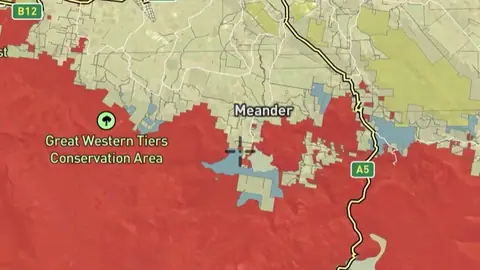
    Prospecting Access

    Areas where recreational prospecting is allowed under listed conditions.

    Read the write-up
    Prospecting Access in the Detector Maps app, Tasmania© Mapbox, © Maxar

    A screen from the Detector Maps app. Satellite imagery © Mapbox, © Maxar.

    Explorer. Opens with Explorer or Pro. On the Free plan it works inside your one free area of 250 km².

    Open in the app

    About this layer

    Land-use layers show how areas are managed or classified. Compare overlapping layers before planning a visit and check the details for the land you intend to use. An area with no shading is not automatically open to detecting.

    What it is for

    Turn on the relevant layers together and read their legends and notes. Check current conditions with the land manager before planning a visit.

    Limits

    An unshaded area is not automatically available for detecting. Different permissions and restrictions can overlap.

    Source

    Data provided by The State of Tasmania (theLIST) 024, licensed under CC BY 4.0

    Legend

    Prospecting Access
    • Allowed
    • Not Allowed
    • Permission Required
    • Cadastrals
  • Fossicking Areas in the Detector Maps app, Tasmania© Mapbox, © Maxar
    Land Use & AccessExplorer

    Fossicking Areas

    Declared fossicking areas where recreational prospecting is allowed under set rules.

    Read the write-up
    Fossicking Areas in the Detector Maps app, Tasmania© Mapbox, © Maxar

    A screen from the Detector Maps app. Satellite imagery © Mapbox, © Maxar.

    Explorer. Opens with Explorer or Pro. On the Free plan it works inside your one free area of 250 km².

    Open in the app

    About this layer

    These are mapped fossicking or recreational prospecting areas. Open the area details and check the permitted activities, boundaries and conditions before visiting. Rules can vary between sites and between panning, detecting and other equipment.

    What it is for

    Read the individual area details and source guidance before visiting. Check the boundary and the activities covered by that arrangement.

    Limits

    Conditions may vary by site, equipment and activity. A panning or fossicking area is not automatically permission for every form of detecting.

    Source

    Data provided by The State of Tasmania (theLIST) 024, licensed under CC BY 4.0

    Legend

    Fossicking Areas
    • Fossicking Areas
  • Public Land in the Detector Maps app, Tasmania© Mapbox, © Maxar
    Land Use & AccessExplorer

    Public Land

    Public land parcels and reserves managed by the state.

    Read the write-up
    Public Land in the Detector Maps app, Tasmania© Mapbox, © Maxar

    A screen from the Detector Maps app. Satellite imagery © Mapbox, © Maxar.

    Explorer. Opens with Explorer or Pro. On the Free plan it works inside your one free area of 250 km².

    Open in the app

    About this layer

    Crown land is land held or administered by government. Use these boundaries to identify the relevant land records and manager. Government ownership does not automatically mean public access or permission to detect.

    What it is for

    Turn on the relevant layers together and read their legends and notes. Check current conditions with the land manager before planning a visit.

    Limits

    An unshaded area is not automatically available for detecting. Different permissions and restrictions can overlap.

    Source

    Data provided by The State of Tasmania (theLIST) 024, licensed under CC BY 4.0

    Legend

    Public Land
    • Public Land
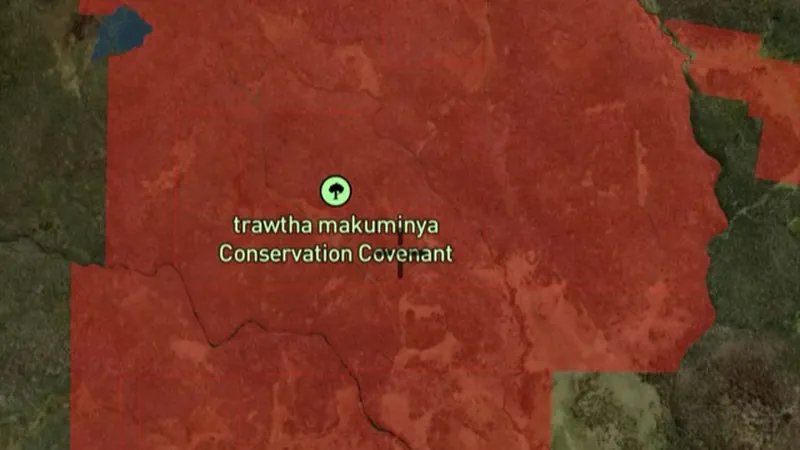
  • Aboriginal Land in the Detector Maps app, Tasmania© Mapbox, © Maxar
    Land Use & AccessExplorer

    Aboriginal Land

    Aboriginal land and reserves with their own access rules.

    Read the write-up
    Aboriginal Land in the Detector Maps app, Tasmania© Mapbox, © Maxar

    A screen from the Detector Maps app. Satellite imagery © Mapbox, © Maxar.

    Explorer. Opens with Explorer or Pro. On the Free plan it works inside your one free area of 250 km².

    Open in the app

    About this layer

    These boundaries identify the Indigenous land or reserve areas named in the layer. Use them to identify where further information and permission checks are needed. They do not create a right to enter or detect.

    What it is for

    Turn on the relevant layers together and read their legends and notes. Check current conditions with the land manager before planning a visit.

    Limits

    An unshaded area is not automatically available for detecting. Different permissions and restrictions can overlap.

    Source

    Data provided by The State of Tasmania (theLIST) 024, licensed under CC BY 4.0

    Legend

    Aboriginal Land
    • Aboriginal Land
  • Reserve Estate in the Detector Maps app, Tasmania© Mapbox, © Maxar
    Land Use & AccessExplorer

    Reserve Estate

    Reserved lands including conservation and recreation reserves.

    Read the write-up
    Reserve Estate in the Detector Maps app, Tasmania© Mapbox, © Maxar

    A screen from the Detector Maps app. Satellite imagery © Mapbox, © Maxar.

    Explorer. Opens with Explorer or Pro. On the Free plan it works inside your one free area of 250 km².

    Open in the app

    About this layer

    Land-use layers show how areas are managed or classified. Compare overlapping layers before planning a visit and check the details for the land you intend to use. An area with no shading is not automatically open to detecting.

    What it is for

    Turn on the relevant layers together and read their legends and notes. Check current conditions with the land manager before planning a visit.

    Limits

    An unshaded area is not automatically available for detecting. Different permissions and restrictions can overlap.

    Source

    Data provided by The State of Tasmania (theLIST) 024, licensed under CC BY 4.0

    Legend

    Reserve Estate
    • Reserve Estate
  • Heritage Register in the Detector Maps app, Tasmania© Mapbox, © Maxar
    Land Use & AccessExplorer

    Heritage Register

    Areas listed for their heritage value. Treat with care.

    Read the write-up
    Heritage Register in the Detector Maps app, Tasmania© Mapbox, © Maxar

    A screen from the Detector Maps app. Satellite imagery © Mapbox, © Maxar.

    Explorer. Opens with Explorer or Pro. On the Free plan it works inside your one free area of 250 km².

    Open in the app

    About this layer

    Heritage records identify places recognised for their cultural or historic importance. Use the records to understand the history and protection of an area. A heritage marker is for research, not an invitation to search or disturb the site.

    What it is for

    Turn on the relevant layers together and read their legends and notes. Check current conditions with the land manager before planning a visit.

    Limits

    An unshaded area is not automatically available for detecting. Different permissions and restrictions can overlap.

    Source

    Data provided by The State of Tasmania (theLIST) 024, licensed under CC BY 4.0

    Legend

    Heritage Register
    • Heritage Register
  • World Heritage Area in the Detector Maps app, Tasmania© Mapbox, © Maxar
    Land Use & AccessExplorer

    World Heritage Area

    UNESCO World Heritage Areas. Off-limits to prospecting.

    Read the write-up
    World Heritage Area in the Detector Maps app, Tasmania© Mapbox, © Maxar

    A screen from the Detector Maps app. Satellite imagery © Mapbox, © Maxar.

    Explorer. Opens with Explorer or Pro. On the Free plan it works inside your one free area of 250 km².

    Open in the app

    About this layer

    Heritage records identify places recognised for their cultural or historic importance. Use the records to understand the history and protection of an area. A heritage marker is for research, not an invitation to search or disturb the site.

    What it is for

    Turn on the relevant layers together and read their legends and notes. Check current conditions with the land manager before planning a visit.

    Limits

    An unshaded area is not automatically available for detecting. Different permissions and restrictions can overlap.

    Source

    Data provided by The State of Tasmania (theLIST) 024, licensed under CC BY 4.0

    Legend

    World Heritage Area
    • World Heritage Area

Historic Mining

2
  • Historic Gold Mining Leases in the Detector Maps app, Tasmania© Mapbox, © Maxar
    Historic MiningExplorer

    Historic Gold Mining Leases

    Footprints of expired gold-focused leases. Highlights areas of concentrated past gold mining.

    Read the write-up
    Historic Gold Mining Leases in the Detector Maps app, Tasmania© Mapbox, © Maxar

    A screen from the Detector Maps app. Satellite imagery © Mapbox, © Maxar.

    Explorer. Opens with Explorer or Pro. On the Free plan it works inside your one free area of 250 km².

    Open in the app

    About this layer

    Historic claims and leases show where mineral rights were recorded in the past. They can help you trace earlier exploration and mining interest. An expired or historical record does not mean the land is now open.

    What it is for

    Compare historic activity with current tenure, geology and access layers when researching an area.

    Limits

    An expired or closed record does not mean land is now open. Check current records and permissions separately.

    Source

    Data provided by The State of Tasmania (theLIST) 024, licensed under CC BY 4.0

    Legend

    Historic Gold Mining Leases
    • Historic Gold Mining Leases
  • Historic Other Mining Leases in the Detector Maps app, Tasmania© Mapbox, © Maxar
    Historic MiningExplorer

    Historic Other Mining Leases

    Footprints of expired non-gold leases. Useful context for past mining activity.

    Read the write-up
    Historic Other Mining Leases in the Detector Maps app, Tasmania© Mapbox, © Maxar

    A screen from the Detector Maps app. Satellite imagery © Mapbox, © Maxar.

    Explorer. Opens with Explorer or Pro. On the Free plan it works inside your one free area of 250 km².

    Open in the app

    About this layer

    Historic claims and leases show where mineral rights were recorded in the past. They can help you trace earlier exploration and mining interest. An expired or historical record does not mean the land is now open.

    What it is for

    Compare historic activity with current tenure, geology and access layers when researching an area.

    Limits

    An expired or closed record does not mean land is now open. Check current records and permissions separately.

    Source

    Data provided by The State of Tasmania (theLIST) 024, licensed under CC BY 4.0

    Legend

    Historic Other Mining Leases
    • Historic Other Mining Leases

Mineral Exploration Reports

1
  • Exploration Reports in the Detector Maps app, Tasmania© Mapbox, © Maxar
    Mineral Exploration ReportsExplorer

    Exploration Reports

    Index of company and government reports covering the area. Useful for digging deeper into past work.

    Read the write-up
    Exploration Reports in the Detector Maps app, Tasmania© Mapbox, © Maxar

    A screen from the Detector Maps app. Satellite imagery © Mapbox, © Maxar.

    Explorer. Opens with Explorer or Pro. On the Free plan it works inside your one free area of 250 km².

    Open in the app

    About this layer

    Report records help you find earlier investigations of an area. Review the available maps, observations and sample results alongside current layers. The mapped location or extent is an index to the report, not proof that every part of the area was tested.

    What it is for

    Open available records and review their maps, observations and sample information alongside the current map.

    Limits

    The mapped location or extent is an index to a report. Findings may apply only to part of that area and reflect the time of the investigation.

    Source

    Data provided by The State of Tasmania (theLIST) 024, licensed under CC BY 4.0

    Legend

    Exploration Reports
    • Exploration Reports

Rivers and Streams

1
  • Waterways in the Detector Maps app, Tasmania© Mapbox, © Maxar
    Rivers and StreamsExplorer

    Waterways

    Lakes, ponds, creeks, rivers and drainage lines.

    Read the write-up
    Waterways in the Detector Maps app, Tasmania© Mapbox, © Maxar

    A screen from the Detector Maps app. Satellite imagery © Mapbox, © Maxar.

    Explorer. Opens with Explorer or Pro. On the Free plan it works inside your one free area of 250 km².

    Open in the app

    About this layer

    Waterways show the mapped routes of rivers, creeks and drainage lines. Follow their connections and compare them with terrain when researching how sediment moves. A mapped waterway may be dry or altered, and does not establish access.

    What it is for

    Follow drainage connections and compare them with terrain. Read the selected layer name and legend to distinguish feature types.

    Limits

    A mapped waterway may be dry, altered or difficult to cross. It does not establish access or permission to work in the waterway.

    Source

    Data provided by The State of Tasmania (theLIST) 024, licensed under CC BY 4.0

    Legend

    Waterways
    • Water Bodies
    • Streams

Bushfires

1
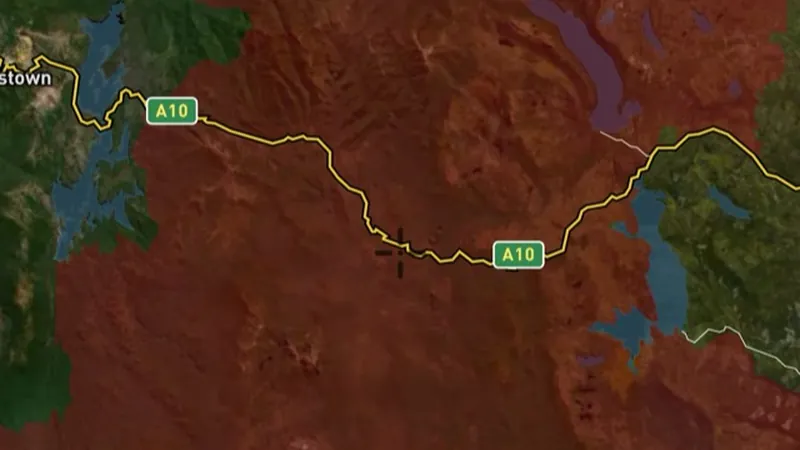
  • Active Fires (10 min updates) in the Detector Maps app, Tasmania© Mapbox, © Maxar
    BushfiresExplorer

    Active Fires (10 min updates)

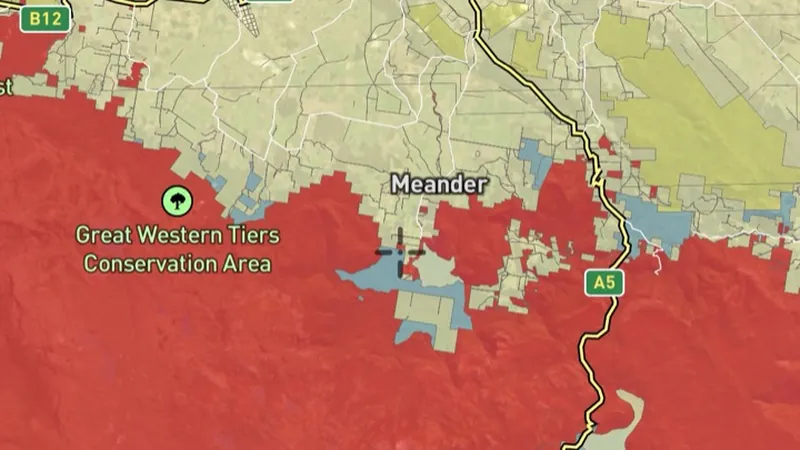
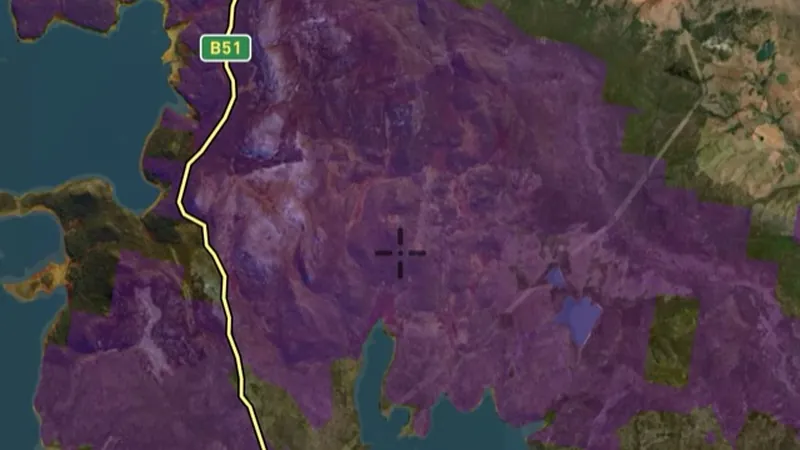
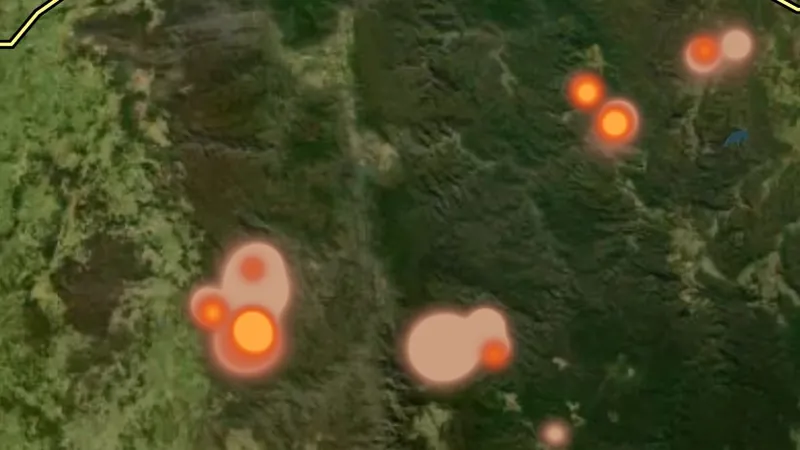
    Where satellites saw fire in the last three days, drawn as a glow: brighter for fiercer fires, coloured by how recently the heat was seen.

    Also in 6 other states in Australia
    Read the write-up
    Active Fires (10 min updates) in the Detector Maps app, Tasmania© Mapbox, © Maxar

    A screen from the Detector Maps app. Satellite imagery © Mapbox, © Maxar.

    Explorer. Opens with Explorer or Pro. On the Free plan it works inside your one free area of 250 km².

    Open in the app

    This layer works the same way in 7 places in Australia, so its full write-up, legend and plan are on one page.

    Read the full write-up

    Source in Tasmania

    Geoscience Australia DEA Hotspots

    Draws from zoom 3.

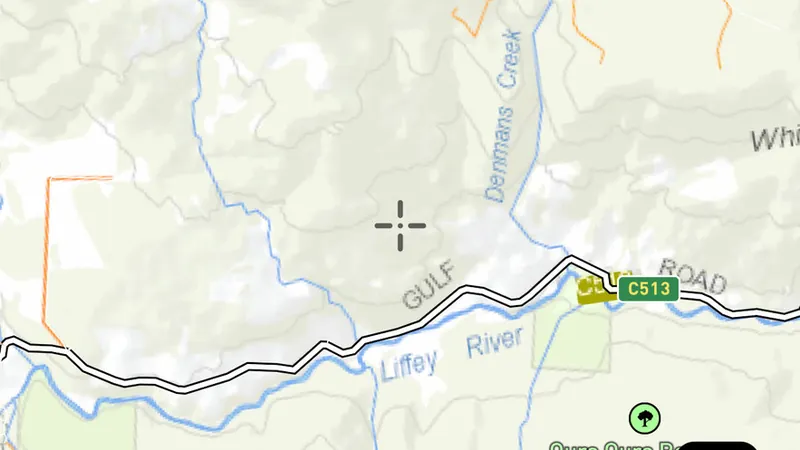
Geology

3
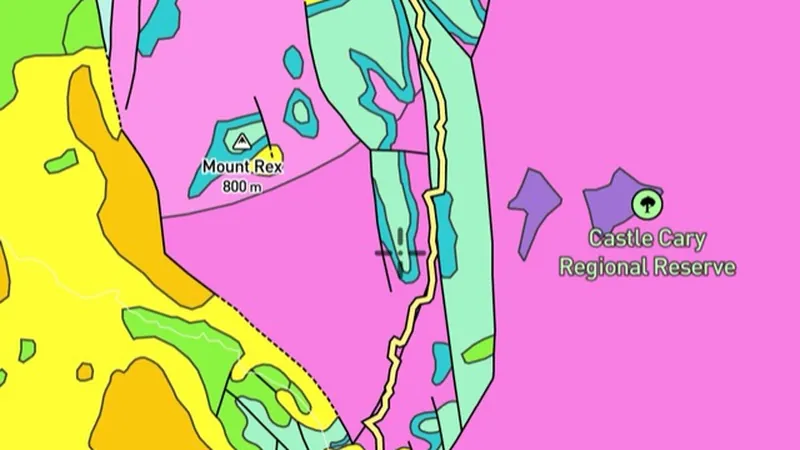
  • 25K Geology in the Detector Maps app, Tasmania© Mapbox, © Maxar
    GeologyExplorer

    25K Geology

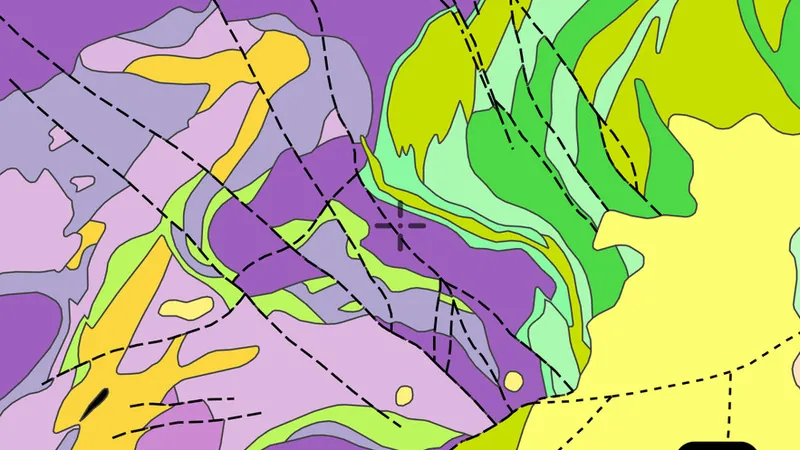
    Highest-detail 1:25,000 geology, available across parts of Tasmania, mainly in mineralised districts.

    Read the write-up
    25K Geology in the Detector Maps app, Tasmania© Mapbox, © Maxar

    A screen from the Detector Maps app. Satellite imagery © Mapbox, © Maxar.

    Explorer. Opens with Explorer or Pro. On the Free plan it works inside your one free area of 250 km².

    Open in the app

    About this layer

    Geological maps divide the ground into rock or sediment units. Colours and patterns tell you which mapped unit is present; use the legend to read them. Compare the boundaries with mineral records, without assuming one rock type guarantees gold.

    What it is for

    Use the legend to identify colours and line symbols. Compare rock boundaries and structures with mineral records and terrain.

    Limits

    Geological maps simplify the ground at their stated scale. Boundaries are interpretations and may not match what is exposed at the surface.

    Source

    Data provided by The State of Tasmania (theLIST) 024, licensed under CC BY 4.0

    Filters in the app

    Attribute filtersGold host rocks filter
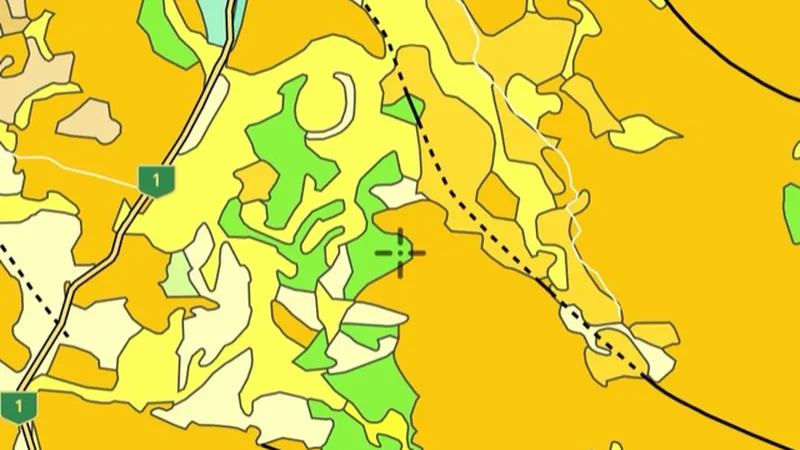
  • 250K Geology in the Detector Maps app, Tasmania© Mapbox, © Maxar
    GeologyExplorer

    250K Geology

    Statewide 1:250,000 geology: rock unit polygons coloured by lithology and age.

    Read the write-up
    250K Geology in the Detector Maps app, Tasmania© Mapbox, © Maxar

    A screen from the Detector Maps app. Satellite imagery © Mapbox, © Maxar.

    Explorer. Opens with Explorer or Pro. On the Free plan it works inside your one free area of 250 km².

    Open in the app

    About this layer

    Geological maps divide the ground into rock or sediment units. Colours and patterns tell you which mapped unit is present; use the legend to read them. Compare the boundaries with mineral records, without assuming one rock type guarantees gold.

    What it is for

    Use the legend to identify colours and line symbols. Compare rock boundaries and structures with mineral records and terrain.

    Limits

    Geological maps simplify the ground at their stated scale. Boundaries are interpretations and may not match what is exposed at the surface.

    Source

    Data provided by The State of Tasmania (theLIST) 024, licensed under CC BY 4.0

    Filters in the app

    Attribute filtersGold host rocks filter
  • 500K Geology in the Detector Maps app, Tasmania© Mapbox, © Maxar
    GeologyExplorer

    500K Geology

    Broad 1:500,000 geology: quick state-wide overview of the major rock domains.

    Read the write-up
    500K Geology in the Detector Maps app, Tasmania© Mapbox, © Maxar

    A screen from the Detector Maps app. Satellite imagery © Mapbox, © Maxar.

    Explorer. Opens with Explorer or Pro. On the Free plan it works inside your one free area of 250 km².

    Open in the app

    About this layer

    Geological maps divide the ground into rock or sediment units. Colours and patterns tell you which mapped unit is present; use the legend to read them. Compare the boundaries with mineral records, without assuming one rock type guarantees gold.

    What it is for

    Use the legend to identify colours and line symbols. Compare rock boundaries and structures with mineral records and terrain.

    Limits

    Geological maps simplify the ground at their stated scale. Boundaries are interpretations and may not match what is exposed at the surface.

    Source

    Data provided by The State of Tasmania (theLIST) 024, licensed under CC BY 4.0

    Filters in the app

    Attribute filtersGold host rocks filter

LiDAR Hillshade

2
  • LiDAR Hillshade in Tasmania, drawn over satellite imagery© Mapbox, © Maxar
    LiDAR HillshadeExplorer

    LiDAR Hillshade

    Where high-detail LiDAR data is freely available.

    Read the write-up
    LiDAR Hillshade in Tasmania, drawn over satellite imagery© Mapbox, © Maxar

    The layer drawn over satellite imagery. Satellite imagery © Mapbox, © Maxar.

    Explorer. Opens with Explorer or Pro.

    Open in the app

    About this layer

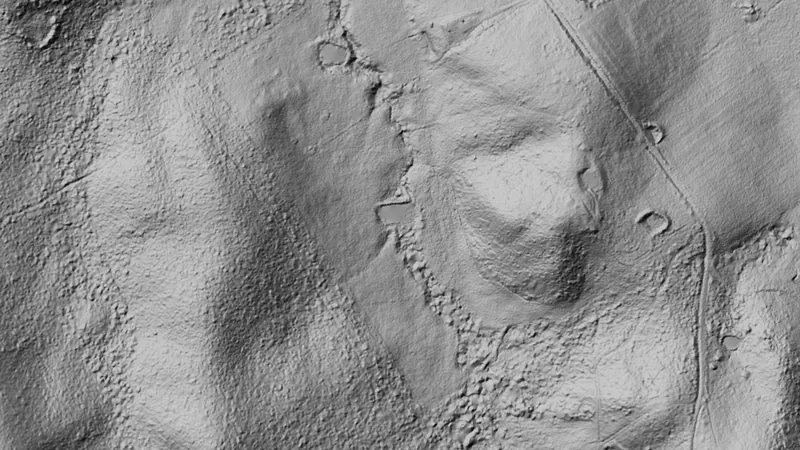
    LiDAR uses laser measurements to map the shape of the ground. Hillshade adds simulated light and shadow so banks, channels, diggings and other surface features are easier to see. It shows ground shape, not buried metal.

    What it is for

    Zoom in and compare shapes with the basemap. If this layer offers lighting or rendering controls, compare more than one view.

    Limits

    Natural features and modern disturbance can resemble old workings or archaeology. Coverage and detail vary between surveys.

    Source

    Data provided by The State of Tasmania (theLIST) 024, licensed under CC BY 4.0

  • Premium LiDAR Hillshade (Online Only) in the Detector Maps app, Tasmania© Mapbox, © Maxar
    LiDAR HillshadeExplorer

    Premium LiDAR Hillshade (Online Only)

    Shaded relief from elevation data. Reveals subtle features like old diggings, benches and linear disturbances.

    Read the write-up
    Premium LiDAR Hillshade (Online Only) in the Detector Maps app, Tasmania© Mapbox, © Maxar

    A screen from the Detector Maps app. Satellite imagery © Mapbox, © Maxar.

    Explorer. Opens with Explorer or Pro.

    Open in the app

    About this layer

    LiDAR uses laser measurements to map the shape of the ground. Hillshade adds simulated light and shadow so banks, channels, diggings and other surface features are easier to see. It shows ground shape, not buried metal.

    What it is for

    Zoom in and compare shapes with the basemap. If this layer offers lighting or rendering controls, compare more than one view.

    Limits

    Natural features and modern disturbance can resemble old workings or archaeology. Coverage and detail vary between surveys.

    Source

    Data provided by The State of Tasmania (theLIST) 024, licensed under CC BY 4.0

    Draws from zoom 6.

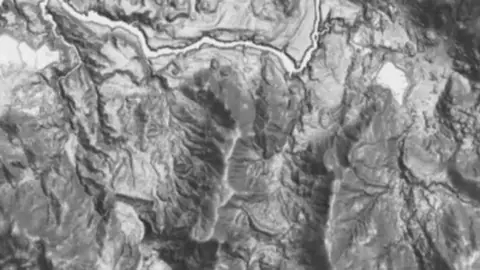
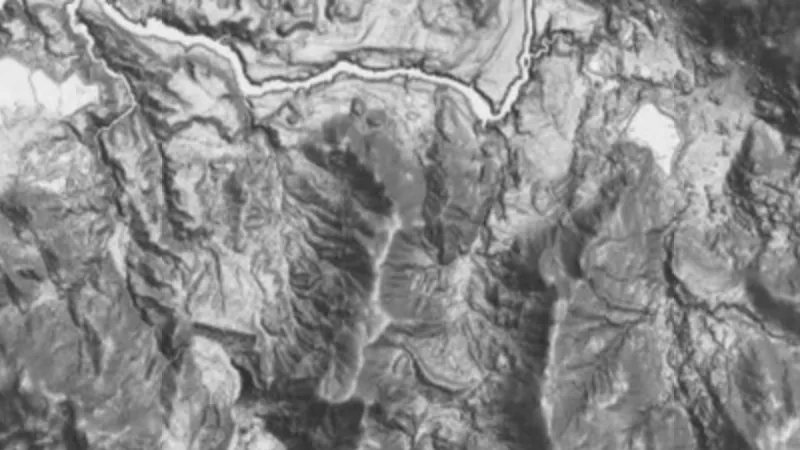
Terrain+™ LiDAR

2
  • Terrain+™ Analysis in Tasmania, drawn over satellite imagery© Mapbox, © Maxar
    Terrain+™ LiDARExplorer

    Terrain+™ Analysis

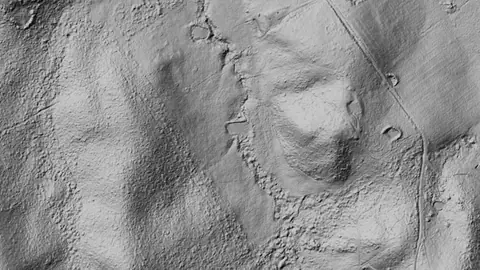
    Outline an area of any shape up to 4.8 km across over Tasmania's LiDAR and see the ground full screen as a 3D surface, with a VE slider to raise or flatten it. Any layer can be draped over it. It shows Dynamic LiDAR™, turned on as it is built, and its LiDAR button sets Dynamic LiDAR™'s look on the model and the map alike: hillshade, slope, local relief, sky view and openness, multi-scale relief, VAT, red relief, Multi-Light PCA or the SVF/LRM Composite, each with settings to bring out the features you are after. Save a model with the button beside the X to keep it on the phone for 30 days and open it from the Terrain+™ LiDAR menu in the field, without a connection.

    Also in 3 other states in Australia
    Read the write-up
    Terrain+™ Analysis in Tasmania, drawn over satellite imagery© Mapbox, © Maxar

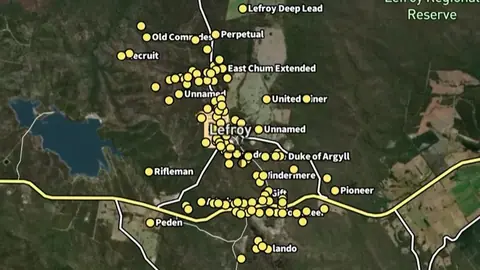
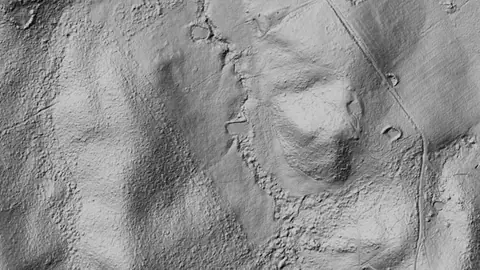
    Terrain+ builds a 3D model of an outlined area and shows Dynamic LiDAR on it. This is that Dynamic LiDAR look (Lefroy goldfield, TAS), not a 3D screenshot. Satellite imagery © Mapbox, © Maxar.

    Explorer. Opens with Explorer or Pro.

    Open in the app

    This layer works the same way in 4 places in Australia, so its full write-up, legend and plan are on one page.

    Read the full write-up

    Source in Tasmania

    Data provided by The State of Tasmania (theLIST) 024, licensed under CC BY 4.0
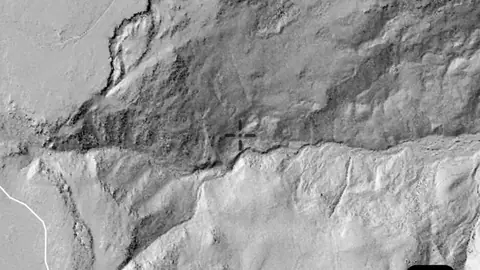
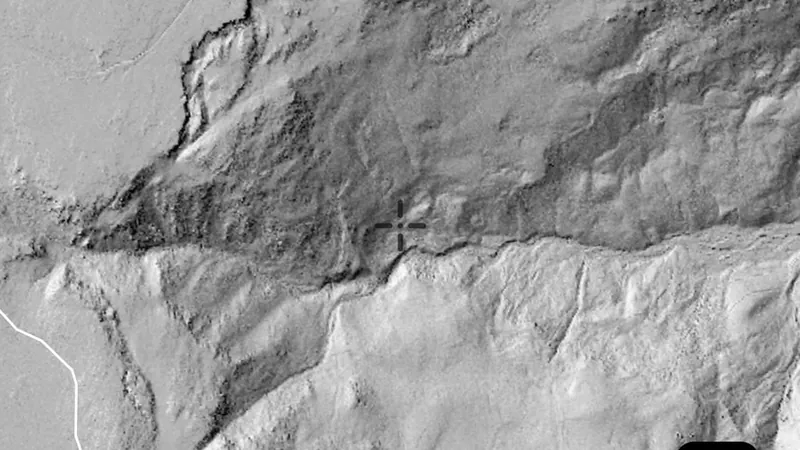
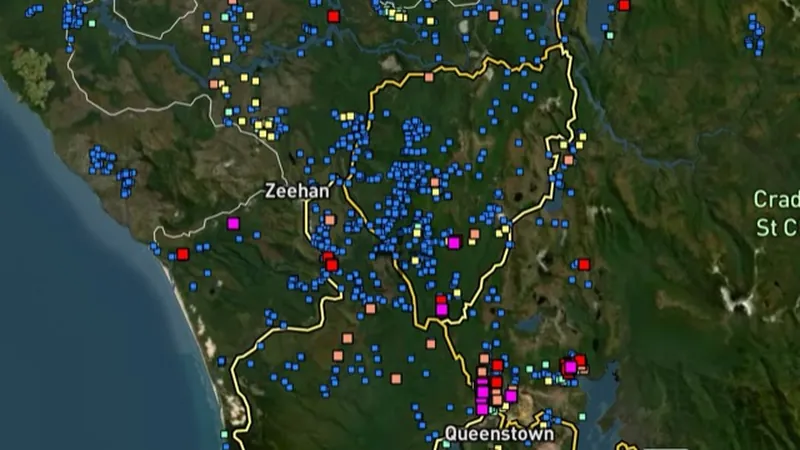
  • Dynamic LiDAR™ in Tasmania, drawn over satellite imagery© Mapbox, © Maxar
    Terrain+™ LiDARExplorer

    Dynamic LiDAR™

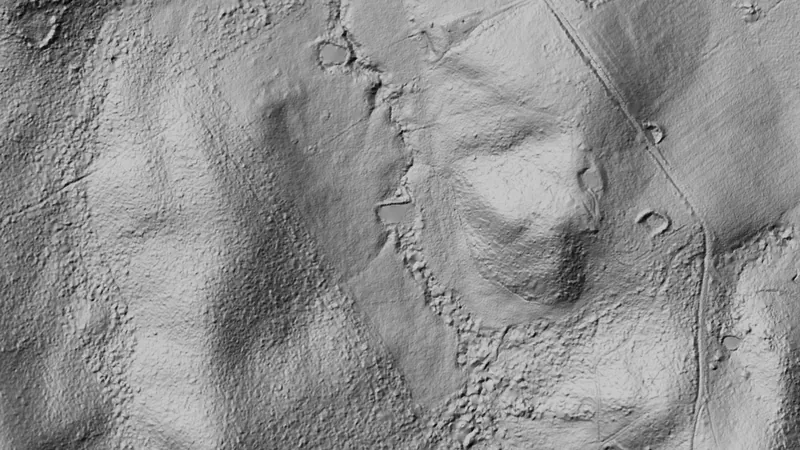
    Dynamic LiDAR™ draws the state's LiDAR over the map on the phone as you move, in any of Terrain+™'s relief renderings (hillshade, slope, local relief, sky view and openness, multi-scale relief, VAT and red relief), Multi-Light PCA or the SVF/LRM Composite.

    Also in 3 other states in Australia
    Read the write-up
    Dynamic LiDAR™ in Tasmania, drawn over satellite imagery© Mapbox, © Maxar

    Drawn by the app's own engine from the live survey files at Lefroy goldfield, TAS. Satellite imagery © Mapbox, © Maxar.

    Explorer. Opens with Explorer or Pro.

    Open in the app

    This layer works the same way in 4 places in Australia, so its full write-up, legend and plan are on one page.

    Read the full write-up

    Source in Tasmania

    Data provided by The State of Tasmania (theLIST) 024, licensed under CC BY 4.0
    Draws from zoom 6.

Basemap

2
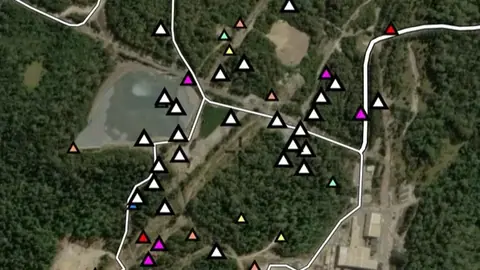
  • Topography in the Detector Maps app, Tasmania© Mapbox, © Maxar
    BasemapExplorer

    Topography

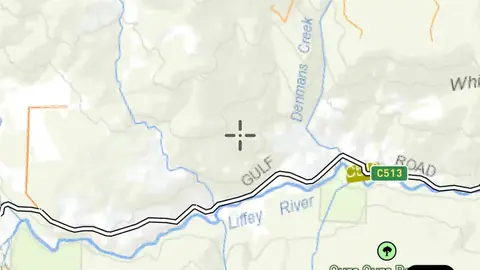
    Statewide topographic basemap.

    Also in 1 other state in Australia
    Read the write-up
    Topography in the Detector Maps app, Tasmania© Mapbox, © Maxar

    A screen from the Detector Maps app. Satellite imagery © Mapbox, © Maxar.

    Explorer. Opens with Explorer or Pro. On the Free plan it works inside your one free area of 250 km².

    Open in the app

    This layer works the same way in 2 places in Australia, so its full write-up, legend and plan are on one page.

    Read the full write-up

    Source in Tasmania

    Data provided by The State of Tasmania (theLIST) 024, licensed under CC BY 4.0
    Draws from zoom 6.5.

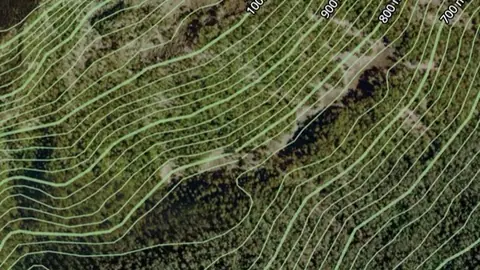
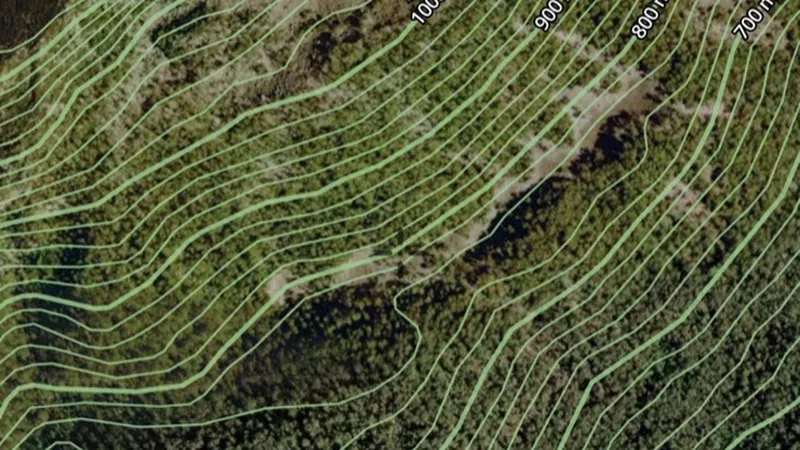
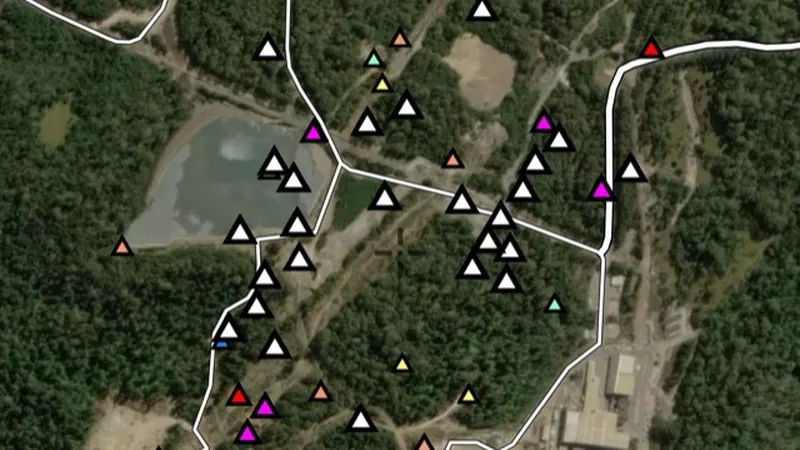
  • Contours in the Detector Maps app, Tasmania© Mapbox, © Maxar
    BasemapExplorer

    Contours

    Lines of equal elevation showing slope and terrain shape.

    Also in 1 other state in Australia
    Read the write-up
    Contours in the Detector Maps app, Tasmania© Mapbox, © Maxar

    A screen from the Detector Maps app. Satellite imagery © Mapbox, © Maxar.

    Explorer. Opens with Explorer or Pro. On the Free plan it works inside your one free area of 250 km².

    Open in the app

    This layer works the same way in 2 places in Australia, so its full write-up, legend and plan are on one page.

    Read the full write-up

    Source in Tasmania

    Data provided by The State of Tasmania (theLIST) 024, licensed under CC BY 4.0
All Mineral Occurrences

1
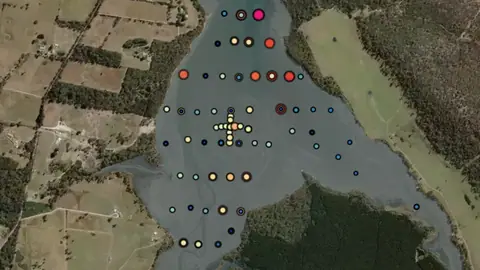
  • All Mineral Occurrences in Tasmania, drawn over satellite imagery© Mapbox, © Maxar
    All Mineral OccurrencesPro

    All Mineral Occurrences

    Official records of mineral occurrences for every commodity, not just gold. Use the commodity filter to show a single commodity.

    Also in 6 other states in Australia
    Read the write-up
    All Mineral Occurrences in Tasmania, drawn over satellite imagery© Mapbox, © Maxar

    The layer drawn over satellite imagery. Satellite imagery © Mapbox, © Maxar.

    Pro. Opens with Pro.

    Open in the app

    This layer works the same way in 7 places in Australia, so its full write-up, legend and plan are on one page.

    Read the full write-up

    Source in Tasmania

    Data provided by The State of Tasmania (theLIST) 024, licensed under CC BY 4.0
    Filters in the app

    Attribute filters
Sources

Where the data comes from.

Every card names its source. The sources named on this page are:

  • Data provided by The State of Tasmania (theLIST) 024, licensed under CC BY 4.0 CC BY 4.0
  • Geoscience Australia DEA Hotspots

Satellite imagery © Mapbox, © Maxar. Layer data from the sources named on each card.

Plans

What the pills mean.

Every layer shows the plan that opens it. The free plan never runs out. Prices are shown once, here.

Free

Open on every plan, forever. Includes gold records.

Explorer

Opens every base layer, and offline maps for the areas you choose. A$99 a year or A$9.99 a month.

Pro

Tenement alerts for a drawn area or a whole state. Report search across decades of exploration reports. A$249 a year or A$34.99 a month.

Add-on

A layer sold on its own: the Victorian LiDAR add-on, A$39.99 a year.

7-day free trial on yearly plans · Nothing charged until it ends · Cancel anytime.

Satellite imagery © Mapbox, © Maxar. Layer data from the sources named on each card.

Get Detector Maps

Plan the next trip tonight.

Free to download on iPhone and Android.

On iPhone? Get it on the App StoreOn Android? Get it on Google Play

Free to download on iPhone and Android.

7-day free trial on yearly plans · Nothing charged until it ends · Cancel anytime.

Scan with your phone camera to get the app
Start free trialOpen the web map

On your phone: App Store · Google Play

7-day free trial on yearly plans · Nothing charged until it ends · Cancel anytime.

Or open the web map

The Detector Maps support inbox is staffed by Matt and Tom, the two brothers who built it. Contact us

Scan with your phone camera to get the app